Email SLA Best Practices For Support Teams (2026)
Learn how to set realistic email SLA targets your support team can actually hit. Data-driven practices to improve response times and customer trust.

Customer support teams live and die by their responsiveness. When a customer emails your support team, they're usually stuck, frustrated, or both. How quickly you respond can make the difference between a loyal customer and a scathing review.
That's where email SLAs come in. A Service Level Agreement for email defines exactly how fast your team will respond to customer inquiries. It's not just an internal metric to track. It's a promise to your customers about the level of service they can expect.
The stakes are high. U.S. businesses risk losing $856 billion annually because of poor customer service, and slow email responses are a major culprit. But get your email SLAs right, and you'll see higher customer satisfaction, better retention, and a support team that actually knows what success looks like.
This guide will walk you through everything you need to know about email SLAs for support teams: what they are, why they matter, and most importantly, the best practices to set targets you can actually hit.
What Is An Email SLA And Why Do Support Teams Need One?
An email SLA is a formal commitment that defines how quickly your support team will respond to customer emails. It typically covers the first response time (how long until a customer gets their first reply) and sometimes the resolution time (how long until the issue is fully solved).
Think of it as a service promise.
For example, "We'll reply to every support email within 24 hours" or "Premium customers get a response within 2 hours."
Why Email SLAs Matter For Customer Satisfaction
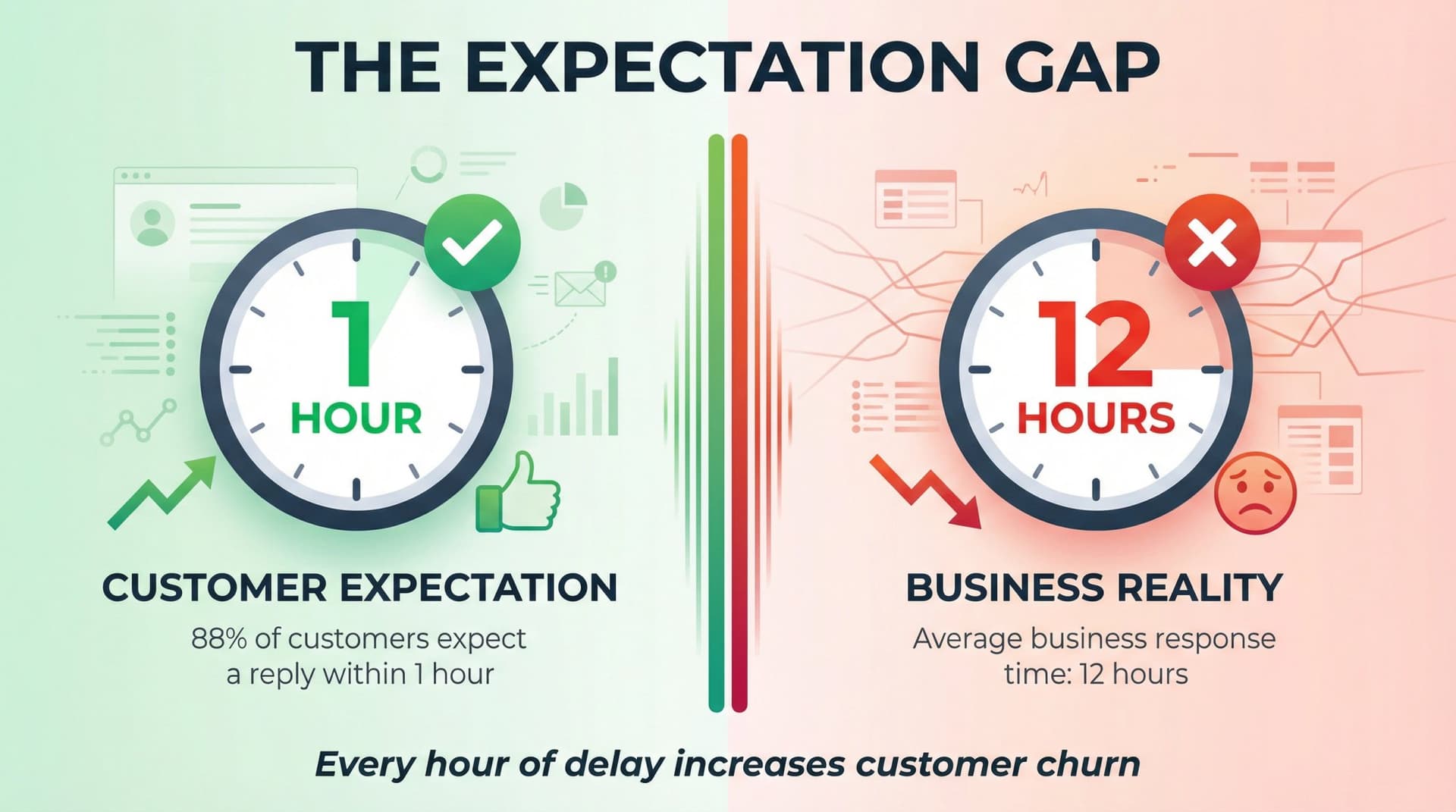
The gap between customer expectations and reality is massive. Studies show the average business takes about 12 hours to respond to customer emails, but here's the problem: 88% of customers expect a reply within 1 hour. Research also shows that 64% of shoppers expect a response within one hour.
Every hour you make a customer wait increases the chance they lose confidence in your company or move to a competitor.
On the flip side, fast responses drive higher satisfaction and loyalty. A quick first reply sets a positive tone for the entire interaction. When you consistently meet your SLA, customers trust you. When you consistently miss it, that trust erodes fast.
In fact, poor service is the #2 reason customers leave a brand.
The bottom line: A well-defined email SLA keeps your team accountable and your customers happy. Without one, your support quality depends on luck and individual effort, not a system that scales.
Effective email management strategies are crucial for meeting these commitments consistently.
Key Email Support SLA Metrics To Track
When you're setting up an SLA for your support team, you need specific, measurable targets. Here are the core metrics most teams track:
Tools like Inbox Zero provide built-in analytics dashboards to track these metrics automatically, showing email volume trends, response patterns, and sender analytics in real-time.
| Metric | What It Measures | Why It Matters |
|---|---|---|
| First Response Time (FRT) | Time from when the customer email arrives to when your team sends the first reply | This is usually the centerpiece of an email SLA. It sets customer expectations and shows responsiveness. |
| Average Resolution Time | Total time from ticket creation to complete resolution or closure | Tells you how long issues actually take to solve. You might set different targets for different issue types. |
| CSAT (Customer Satisfaction) | Quality of service measured via customer feedback after resolution | Speed matters, but quality matters more. A good CSAT score is 85%+ in recent years (up from around 75% historically). |
| SLA Achievement Rate | Percentage of emails that met the SLA target vs. those that breached it | For example, "95% of support emails answered within 24 hours." This tracks how well you're honoring your commitments. |
| Queue Length/Backlog | Number of unanswered emails pending | Not strictly an SLA metric, but a leading indicator. A spike in the queue means you're about to violate SLAs. |
Most teams focus primarily on First Response Time for their email SLA because it's the most visible to customers.
You can layer on resolution time targets for different priority levels (urgent vs. routine), but the first reply is what customers notice most.
Tools with email analytics capabilities can help track these metrics automatically.
Inbox Zero combines AI-powered email management with analytics and triage features specifically designed for support teams managing SLAs. The platform automatically labels emails that need responses, tracks queue length in real-time, and provides draft replies to speed up response times.
Email SLA Best Practices For Support Teams
Setting an aggressive SLA is pointless if your team can't meet it. The following best practices will help you create realistic SLAs, equip your team to hit them, and keep customers satisfied.
How To Set Realistic Data-Driven Email SLA Targets
The biggest mistake teams make is overpromising.
If you have a small support team and promise a 1-hour response time, you're setting yourself up for failure and constant stress.
Instead, use data to set achievable targets. Start by analyzing your current performance with email analytics:
• What's your average first response time right now?
• What are your peak email volumes?
• How many support agents do you have?
If your team currently responds in 4 hours on average, promising 1 hour without adding resources is unrealistic. Unrealistic SLAs lead to constant breaches, which destroy customer trust and burn out your team.
A better approach: Start with a conservative SLA you can consistently meet (like 8 business hours), then tighten it over time as your processes improve. It's better to exceed expectations than constantly fall short.
Consider tiered SLAs for different situations. Many support teams use multiple SLA levels:
| Priority Level | Response Time | Use Case |
|---|---|---|
| Urgent/VIP | 2 hours | Critical issues, high-value customers |
| Standard | 24 hours | Normal inquiries |
| Low Priority | 48 hours | Non-urgent questions |
This tiered approach lets you deliver premium service to high-value customers without burdening your entire operation with impossible targets.
How To Define Clear Measurable Email Response Times
Vague promises like "we respond ASAP" or "fast response" are useless.
They don't set clear expectations with customers, and they give your team no concrete goal to aim for.
Be specific. Say exactly what you mean:
• "We will reply within 4 hours during business hours"
• "First response by end of next business day"
• "Premium support responds within 2 hours, Monday to Friday 9am-5pm"
Clear, measurable commitments make it easy to track compliance and hold your team accountable. They also build trust with customers because they know exactly what to expect.
Some support teams even show typical response times proactively on their contact page or in email auto-replies: "Typically replies in a few hours." This transparency prevents confusion and sets realistic expectations.
Only promise what you can deliver.
It's okay to have different SLAs by channel (live chat: 5 minutes, email: 24 hours), as long as you communicate clearly.
How To Communicate Your Email SLA And Business Hours To Customers
Transparency builds trust. Your customers need to know your support hours and any guaranteed response times.
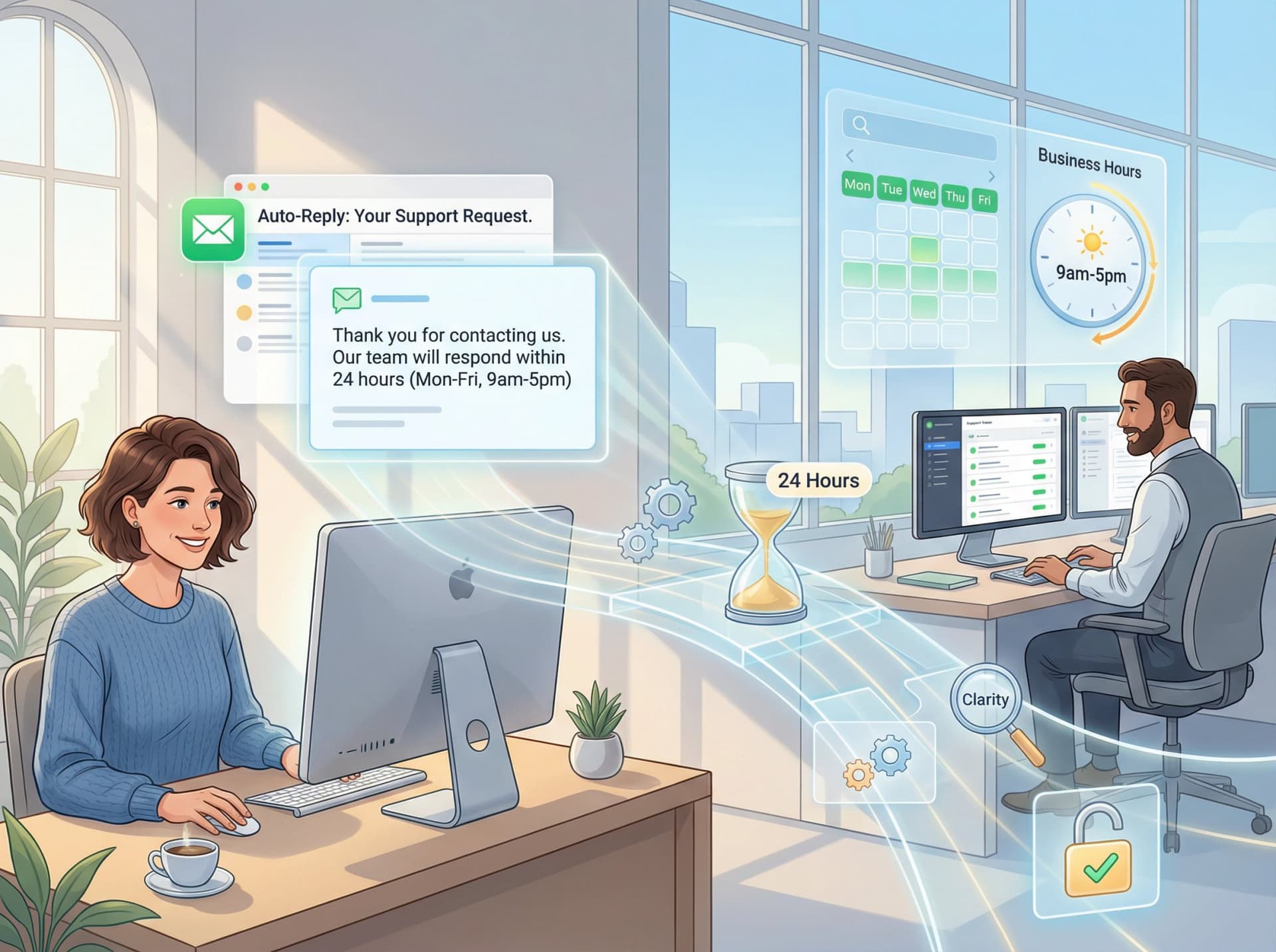
Make it visible:
• Include your support hours in your email signature
• Add an auto-reply to every inbound email: "Thank you for contacting us. Our team will respond within 24 hours (Mon-Fri, 9am-5pm)."
• Publish your SLA commitments on your support portal or FAQs
If your team only operates 9 to 5, Monday to Friday, say so.
A customer who emails at 8pm Friday night needs to know not to expect a reply until Monday. That prevents frustration and angry follow-ups.
Transparency signals professionalism. When you publish your SLA publicly ("We respond to all support emails within one business day"), you're showing customers you take service seriously. Just be ready to honor what you publish.
How To Prioritize And Triage Incoming Support Emails
Not all emails are equally urgent. A single support agent might get dozens of messages a day, some critical ("our payment system is down!") and others routine ("how do I change my password?").
To meet SLAs consistently, you need a triage system so high-priority emails get answered first.
Best practices for email triage:
• Automatically flag or label urgent issues. Use keywords like "urgent," "error," "broken," or "down" to auto-tag high-priority emails. Many helpdesk tools and AI email assistants can do this automatically.
• Define priority levels with corresponding SLA targets:
| Priority | Response Time | Examples |
|---|---|---|
| P1 (Critical) | 2 hours | System down, payment failures |
| P2 (Normal) | 24 hours | Standard questions, how-to requests |
| P3 (Low) | 48 hours | Feature requests, general feedback |
• Create separate queues or inbox views. Use labels like "Needs Response" or "Overdue" so nothing falls through the cracks. Tools like Inbox Zero can automatically label every thread that needs a reply and show which ones are approaching your SLA deadline.
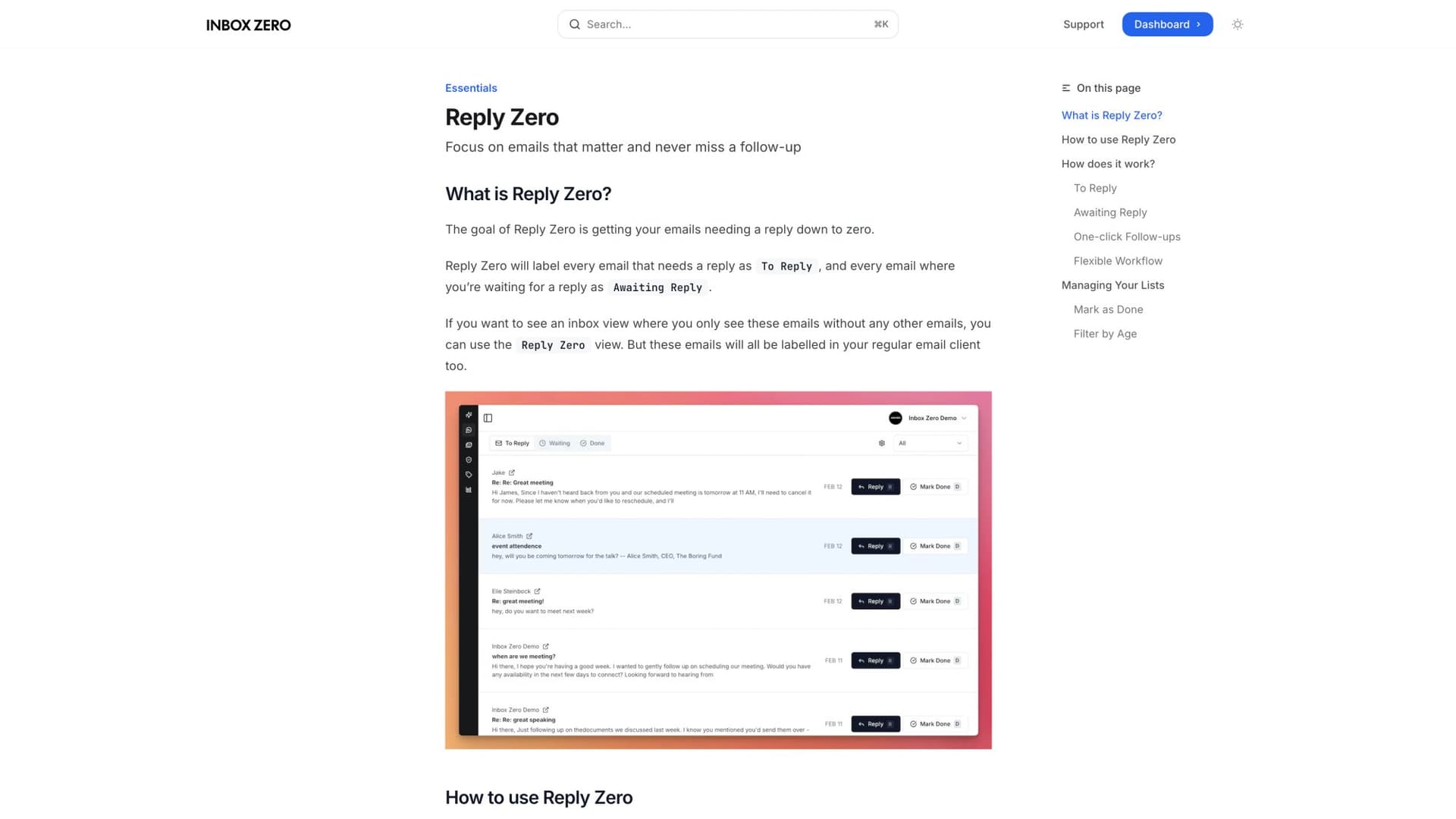
The Reply Zero feature automatically labels every thread as either "To Reply" (emails needing your response) or "Awaiting Reply" (emails where you're waiting for the customer). This focused view ensures you never miss an email approaching your SLA deadline, and the one-click "Nudge" feature helps you follow up on threads that have gone silent.
By triaging, your team focuses on what matters most first. Critical issues get rapid attention, and lower-priority emails wait a bit longer (but still get answered within a reasonable time).
The result?
You're much more likely to meet SLA for the emails that matter most, which keeps your most important customers happy.
How To Equip Your Support Team With Email Templates And AI Tools
One of the fastest ways to improve response times is to give your support agents the right tools and resources. Don't make them reinvent the wheel for every email.
Strategies to speed up email responses:
① Use email templates and knowledge base articles for common questions.
If your team gets 20 "how do I reset my password?" emails a day, create a polished template. This dramatically cuts reply time for standard issues and ensures consistent answers. Make templates easily accessible in your email client or helpdesk software.
② Leverage AI for draft responses.
Modern AI email assistants like Inbox Zero can actually draft replies for you, especially for routine queries. Your agents review and tweak the draft, which speeds up the process while keeping a human in the loop. The AI handles the heavy lifting for simple questions, so your team can focus on complex cases.
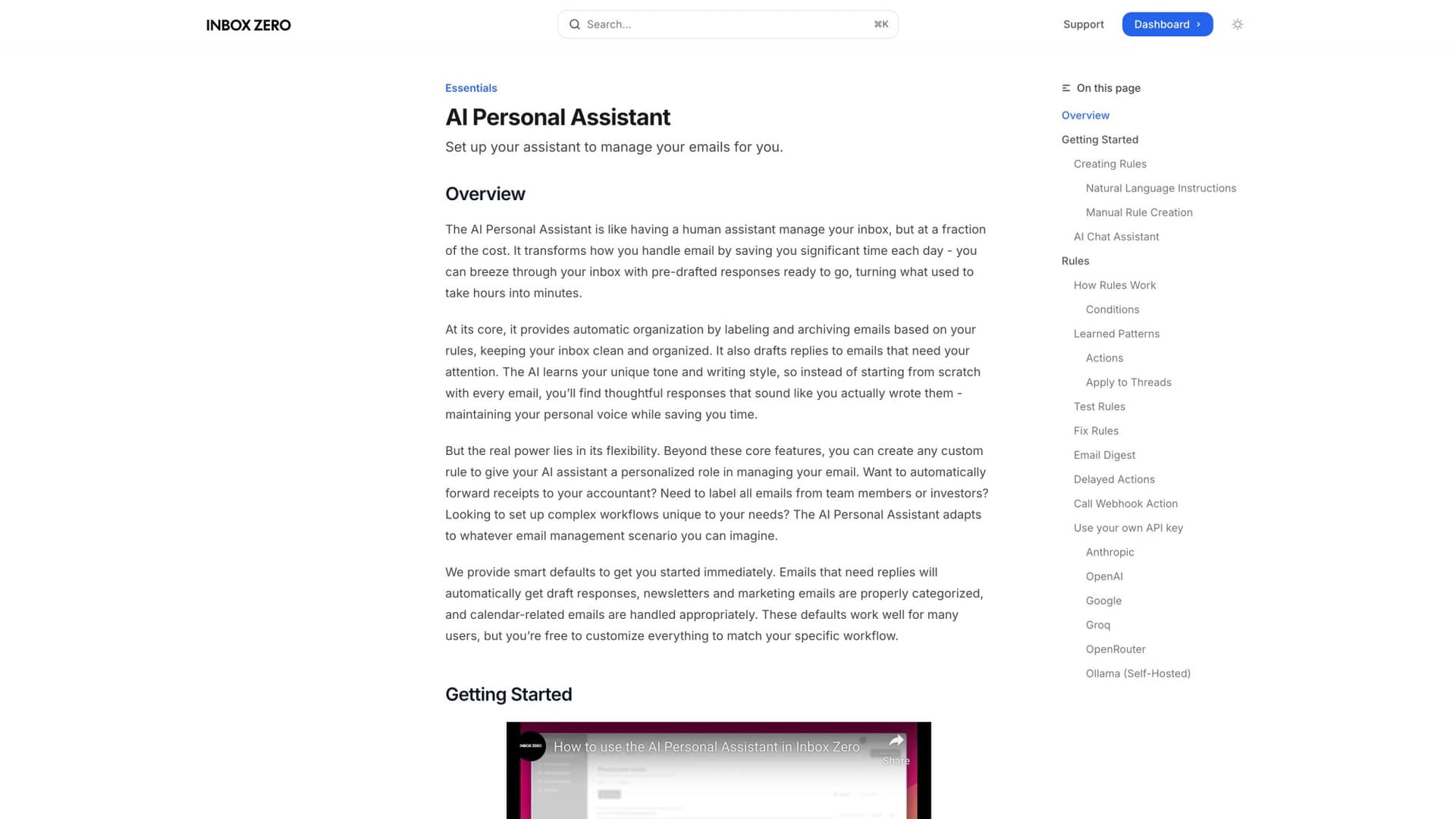
The AI Personal Assistant learns your response patterns and automatically drafts contextual replies based on rules you define. For example, you can set rules like "If someone asks about pricing, draft a reply using our pricing template" or "Auto-archive newsletters older than 7 days." This dramatically reduces time spent on routine responses while maintaining quality.
③ Set up notifications and alerts.
Don't rely on agents constantly checking the inbox. Configure alerts for when an email has sat too long without a response or when a high-priority email arrives. For example, ping a Slack channel or send a push notification if an email is nearing the SLA deadline. This ensures urgent messages don't get overlooked in a flooded inbox.
④ Implement an email management system or helpdesk.
As volume grows, a shared inbox tool helps ensure emails are assigned and tracked properly. Even if you stick with Gmail or Outlook, consider an overlay tool to organize your inbox. For instance, an inbox organizer that creates tabs or categories (like "To Reply," "Awaiting Response," "Resolved") can help manage the workflow efficiently.
By streamlining the process and providing assistive tools, you make it easier for your team to hit SLA targets.
Faster handling of each email means lower average handling time, which keeps your overall response time down.
How To Monitor Email SLA Performance And Provide Team Feedback
You can't improve what you don't measure. Track your team's email performance closely and review it regularly.
Key metrics to monitor:
• Average first response time
• Percentage of emails answered within SLA
• Number of breached SLAs (and why)
• Queue length over time
Many helpdesk platforms have built-in SLA reporting. If you're using Gmail or Outlook, tools like Inbox Zero can track your actual response times and show whether you're meeting your goals.
The goal is to catch problems early.
If billing questions consistently breach your 8-hour SLA and take 12 hours on average, dig into why. Is the billing specialist overloaded? Do those questions require looking up info in another system?
Critical insight: Review SLA metrics with the team weekly or monthly. Use the data to identify bottlenecks and brainstorm solutions together.
Make SLA achievement part of individual performance goals or team KPIs. When the team sees their progress and is incentivized to hit reply-time targets, they're more likely to prioritize accordingly.
If you consistently find you're missing the SLA, circle back to best practice #1: it may be time to adjust the SLA or add resources. An SLA isn't set in stone. It should evolve with your team's capacity and your customers' needs.
How To Plan For Peak Email Volume And SLA Breaches
Every support team faces overload periods: seasonal rushes, product launches, unexpected outages. Plan ahead for these scenarios instead of scrambling when they happen.
Strategies for handling peak volume:
• Have additional staff on call during known busy periods (Black Friday, major campaigns)
• Extend support hours temporarily if needed
• Pause non-urgent work so the team can focus on clearing the inbox
• Consider temporarily adjusting SLA targets during peak periods (and communicate this to customers)
For off-hours coverage, if 24/7 live support isn't feasible, at least provide self-service options and auto-replies.
Outside business hours, send an auto-email that acknowledges the inquiry and links to your help center or FAQ for immediate answers. Customers appreciate any response over complete silence.
When SLAs are breached (and it will happen), how you handle it matters:
① Auto-escalate to a manager if a VIP customer's email hasn't been answered within the promised time
② Include an apology for the delay in your eventual response
③ Be transparent about delays. If a system outage is causing high volume, send an update: "We're experiencing higher than normal email volume and appreciate your patience. We haven't forgotten you."
By preparing for the worst and communicating openly when it happens, you turn a potential breach into an opportunity to show accountability. Customers are more forgiving when you inform them of delays before they have to ask.
How To Balance Email Speed With Customer-Centric Quality
An SLA is not just an internal target to hit.
It's fundamentally about delivering a great customer experience.
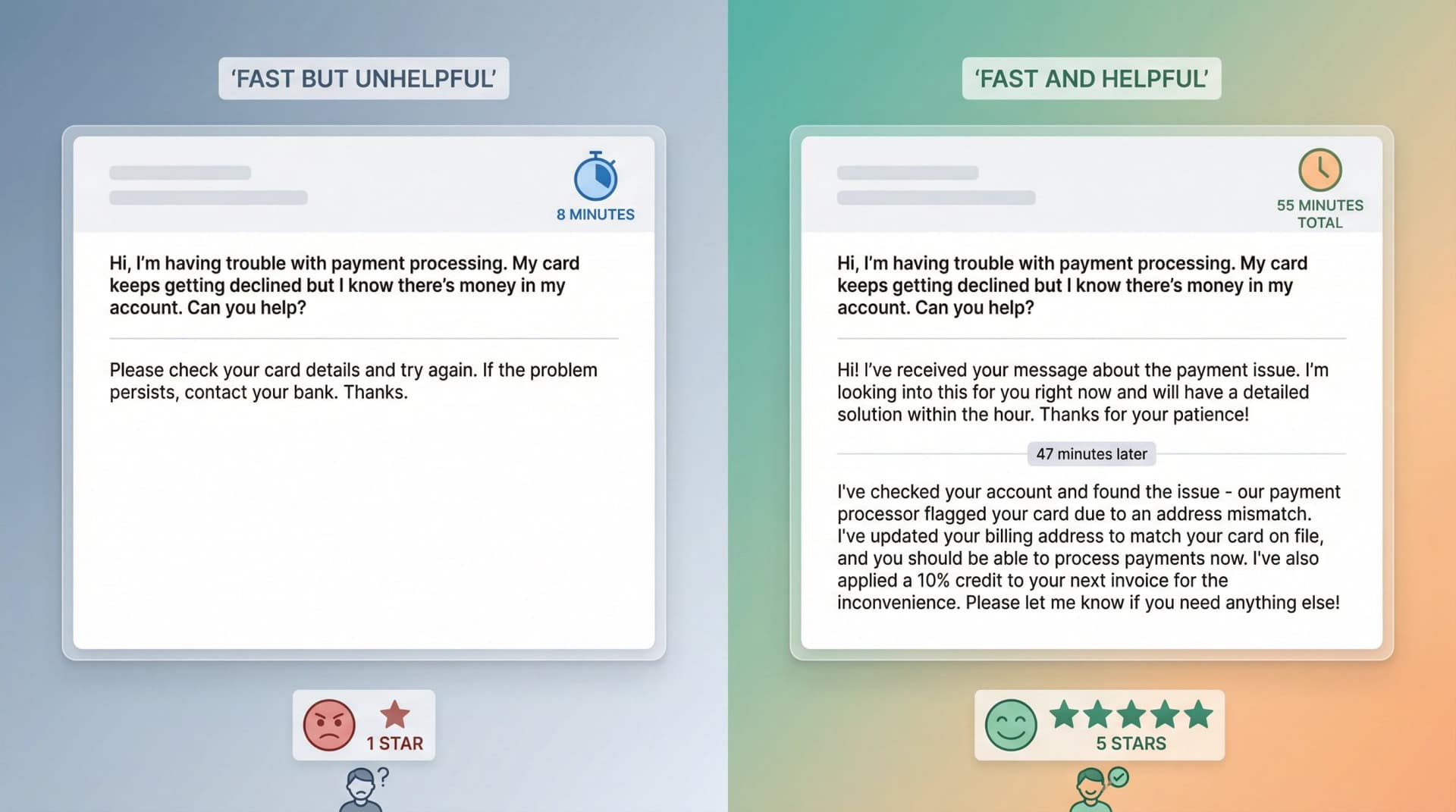
Don't let the pursuit of fast times completely override quality. Rushing an answer out in 30 minutes is pointless if it's unhelpful or robotic.
Your team needs to know: Quality and empathy are just as important as speed.
One way to maintain this balance is to monitor CSAT or ask for customer feedback on resolved emails. If you have high speed but poor satisfaction, that's a red flag. You might need more training or slightly more time for complex answers.
As one support leader put it: "Timeliness and speed have a direct correlation with satisfaction. A fast first response can set you on the right track for a positive impression" (but only if you follow through with effective help).
Customer-focused SLAs also mean being willing to make exceptions.
If a particular customer or issue needs extra hand-holding, it's okay to take longer actively working with the customer, as long as you keep them updated. The SLA is a baseline, but the ultimate goal is a happy customer.
Here's a practical approach: An agent might send a quick "Got it, I'm investigating this for you" email within the first hour (meeting the SLA), then take the necessary time to find a thorough solution and reply again with the full answer. This way the customer isn't left wondering, and you still deliver quality.
What Is SOC 2 Compliance For Email Support Tools?
When implementing email support systems and SLA tracking tools, security should be a top priority. If you're evaluating email management tools, you'll likely encounter the phrase "SOC 2 compliant."
What Is SOC 2 And Why Does It Matter?
SOC 2 (Service Organization Control 2) is an auditing standard developed by the American Institute of CPAs to assess how service providers handle customer data.
In practical terms, if an email tool is "SOC 2 compliant," it has been audited by an independent firm to verify it has strong controls for:
• Security
• Availability
• Processing integrity
• Confidentiality
• Privacy
This isn't a one-time checklist. Most companies pursue SOC 2 Type II compliance, which means their controls were observed in operation over a period (often 6-12 months) and found effective.
For enterprise support teams, many companies require vendors to have SOC 2 Type II as a condition of doing business. It's part of vendor risk management.
A SOC 2 report gives your IT and compliance teams confidence that the service has appropriate controls in place.
For example, Inbox Zero's trust center publicly displays its SOC 2 Type II compliance, CASA Tier 2 approval from Google, and detailed security policies. This transparency allows enterprise teams to verify security posture before deployment, ensuring the tool meets enterprise security requirements for handling sensitive customer email data.
What Security Features To Look For In Email Support Tools
When evaluating tools to help meet your SLAs, consider:
| Security Feature | Why It Matters |
|---|---|
| Data Encryption | Ensure the tool encrypts data in transit (HTTPS/TLS) and at rest |
| Least Privilege Access | The tool should only request minimum necessary permissions |
| Google OAuth Verification (CASA) | If connecting to Gmail, check if it passed Google's Cloud Application Security Assessment |
| Privacy Policy & Data Use | Vendor should clearly state what they do (and don't do) with your email data |
| Additional Certifications | ISO 27001, GDPR compliance, and other relevant attestations |
By choosing secure, compliant tools, you protect both your team and your customers while improving your SLA performance.
How To Get Started With Email SLAs: 4-Week Implementation Plan
If you don't have an email SLA in place yet, here's a simple roadmap to get started:
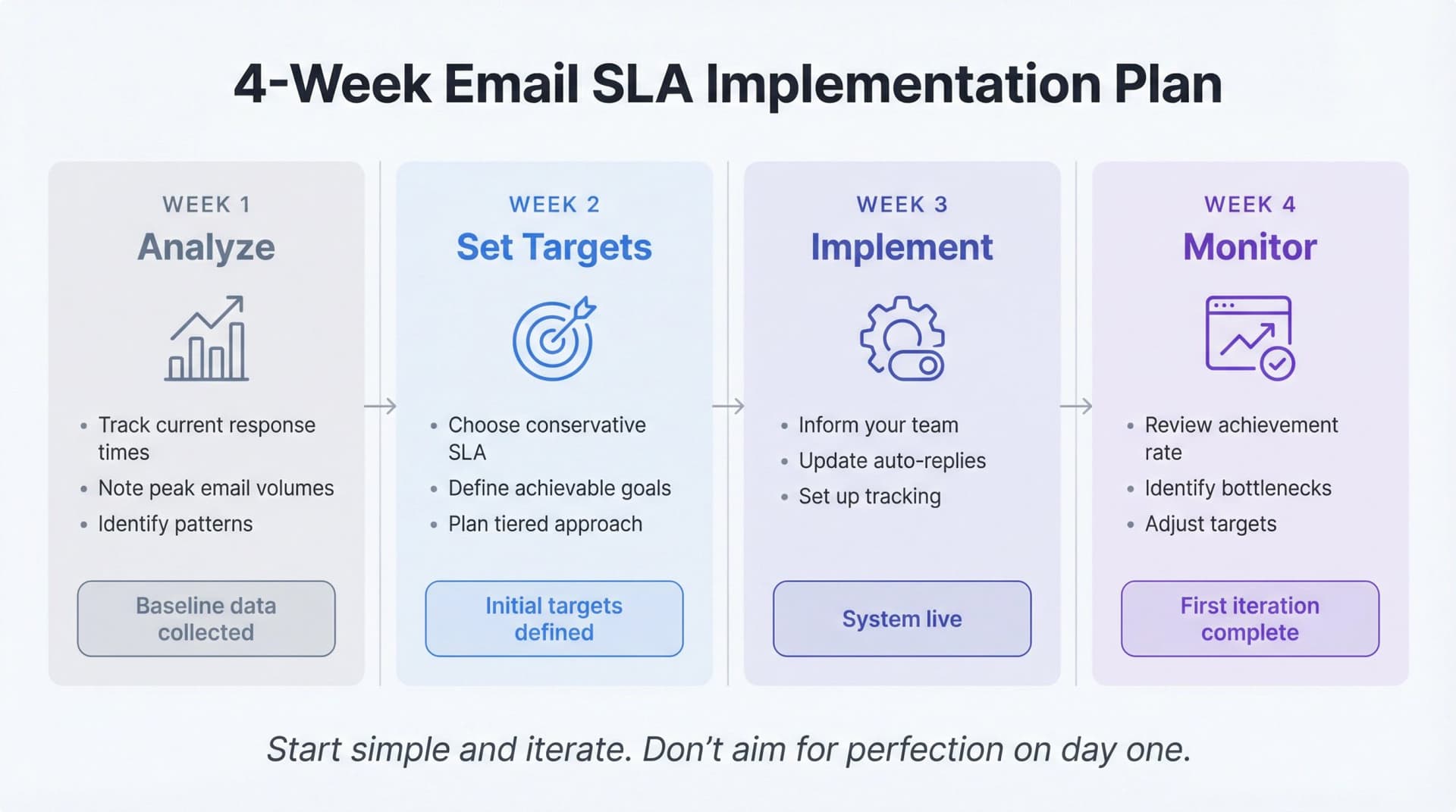
Week 1: Analyze Your Current Performance
Track your current average first response time for one week. Don't change anything yet, just measure. Note your peak email volumes and any patterns (like Monday mornings being busiest).
Week 2: Set Initial Targets
Based on your data, choose a conservative SLA you're confident you can meet. If your average is 6 hours, set an initial target of 8 business hours.
It's better to start conservative and tighten later.
Week 3: Communicate and Implement
Tell your team about the SLA target. Update your auto-replies and support pages with business hours and expected response times. Set up basic tracking (even a simple spreadsheet works to start).
Week 4: Monitor and Adjust
Review your SLA achievement rate at the end of the week. Did you hit the target? If yes, consider tightening it slightly. If no, identify the bottlenecks and address them before lowering the target.
The key is to start simple and iterate. Don't try to build the perfect SLA system on day one. Get something in place, measure it, and improve over time.
Email SLA Best Practices: Key Takeaways
Email SLAs are the backbone of reliable support service. They set clear expectations for both your team and your customers about what "timely response" means.
By establishing realistic, data-backed targets and following the best practices in this guide (clear communication, smart prioritization, the right tools, regular monitoring), your support team can consistently hit those targets.
The reward is worth it:
Faster email responses lead to happier customers, stronger loyalty, and a better reputation for your company.
To recap the essentials:
• Make your SLA specific and achievable (not aspirational)
• Communicate it clearly to customers
• Equip your team with templates, AI assistance, and good tools
• Monitor performance and adjust as needed
• Keep quality and empathy at the center, not just speed
Do it right, and an email SLA stops being just a contract term.
It becomes a competitive advantage in customer experience.
In an era when nearly 90% of customers demand swift replies, a well-oiled email SLA policy is how you meet that challenge and stand out from the competition. Start with clear promises, honor them consistently with effective email management strategies, and you'll build trust one email at a time, keeping your customers happy and your support team proud.
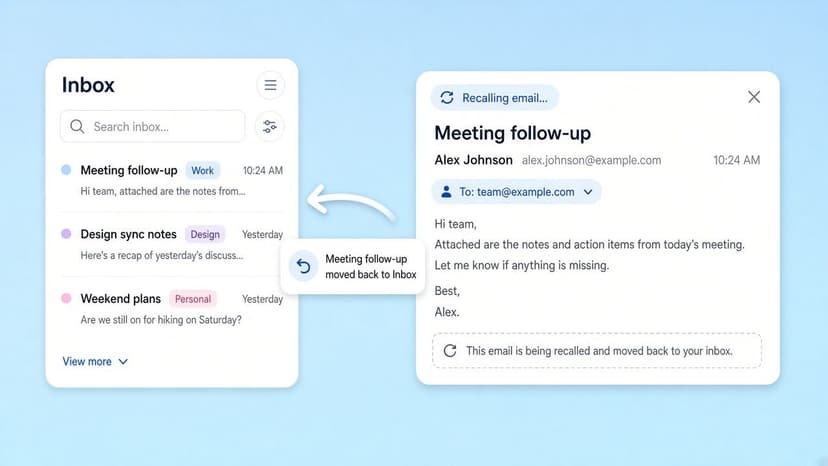
How to Recall an Email in Outlook (2026)
How to recall an email in Outlook step by step for new Outlook, classic Outlook, web, Mac, and mobile, plus when recall works and what to do when it doesn't.
2026-09-30T18:25:57.000Z
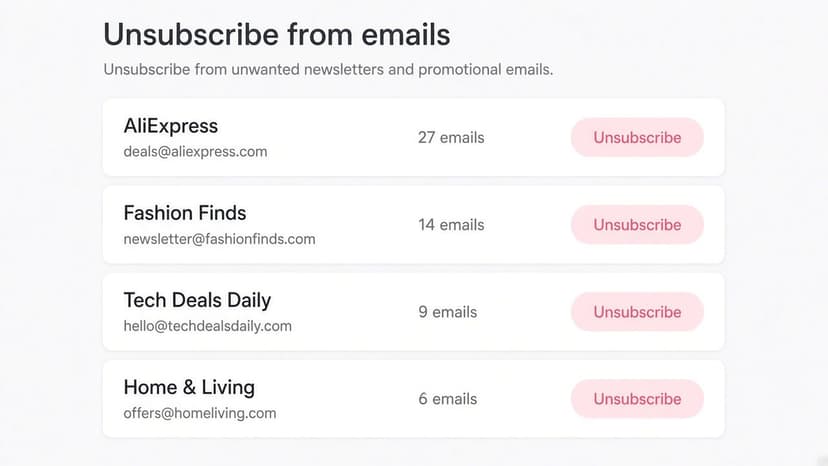
How to Stop AliExpress Emails (2026)
Stop AliExpress promotional emails: the unsubscribe link, notification settings in your AliExpress account, and what to do when the deals keep coming.
2026-09-30T18:25:57.000Z
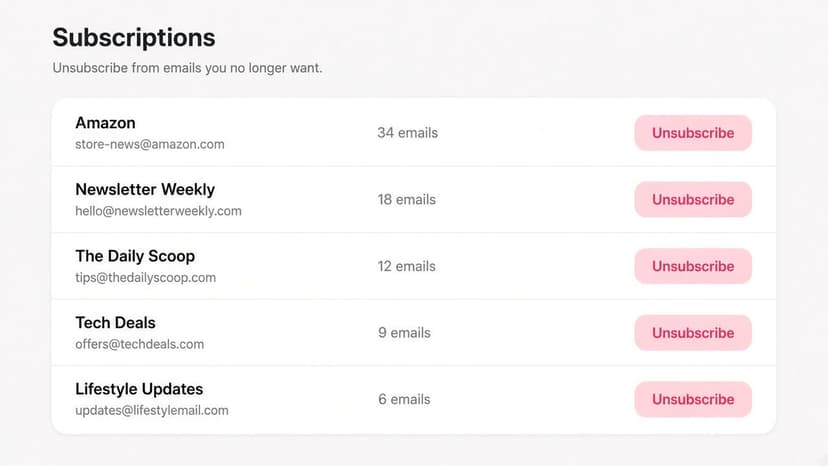
How to Stop Amazon Emails (2026)
Stop Amazon marketing emails with the Communication Preferences Center, manage Amazon email subscriptions, and handle order emails you can't switch off.
2026-09-30T18:25:57.000Z
How to Stop Domino's Emails (2026)
Stop Domino's emails with Domino's official opt-out page, stop Domino's text offers, and know which rewards emails keep coming.
2026-09-30T18:25:57.000Z