Best SOC 2 Compliant Email Tools (2026)
Compare SOC 2 compliant email tools for 2026. Learn how to verify real security claims and choose safe AI assistants for Gmail and Outlook.

You're staring at your inbox, wondering if that new AI email assistant is actually safe to use with your company's data. The sales rep says it's "SOC 2 certified" and "enterprise-ready," but you've been burned before by vendors who talk a good security game without the substance to back it up.
Email tools touch some of your most sensitive business data. Every contract negotiation, HR conversation, customer inquiry, and internal strategy discussion flows through your inbox. When you connect a third-party tool to Gmail or Outlook, you're essentially handing over the keys to your organization's institutional knowledge.
SOC 2 compliance isn't just a checkbox. It's your first line of defense against data breaches, mishandled information, and vendor security failures that could tank your own compliance efforts. But most "SOC 2 compliant email tools" lists won't tell you this: not all SOC 2 reports are created equal, and the certification alone doesn't answer the questions that actually matter.
This guide cuts through the marketing noise. We'll explain what SOC 2 really means for email tools, show you how to verify vendor claims (instead of just trusting them), and give you a verified list of email solutions that have earned their security credentials. Whether you're trying to pass a security review, build a compliant tech stack, or just sleep better at night knowing your email automation won't leak customer data, you're in the right place.
What Is SOC 2 Compliance for Email Tools?
First, let's clear up a common misconception: there's no such thing as "SOC 2 certified." SOC 2 is an auditing framework developed by the American Institute of CPAs (AICPA), not a certification program. When a vendor says they're "SOC 2 compliant," what they mean is that an independent CPA firm has audited their systems and controls and issued a report confirming they meet specific security standards.
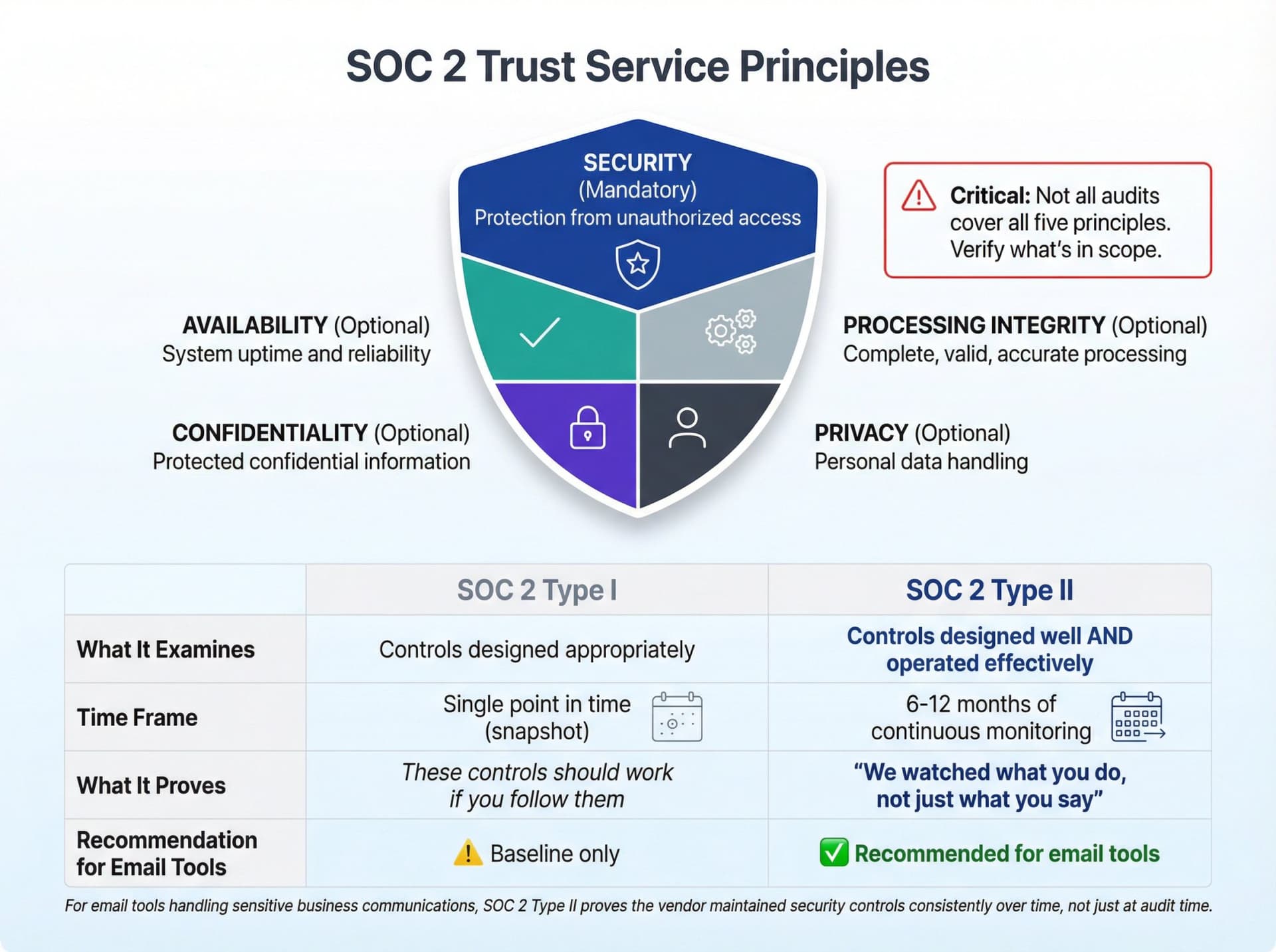
The framework focuses on five Trust Service Principles:
• Security (mandatory). How the company protects information and systems from unauthorized access
• Availability (optional). Whether systems are available for operation and use as promised
• Processing Integrity (optional). Whether system processing is complete, valid, accurate, timely, and authorized
• Confidentiality (optional). How confidential information is protected
• Privacy (optional). How personal information is collected, used, retained, disclosed, and disposed of
Not every audit covers all five. Some companies only get audited on Security (the baseline), while others include Privacy and Confidentiality. You need to know what's actually in scope.
Critical insight: SOC 2 is an auditing framework, not a certification. When vendors say they're "certified," they really mean an independent CPA firm audited their controls and issued a report.
SOC 2 Type 1 vs Type 2: Which Is Better?
When evaluating email tools, you'll encounter two types of SOC 2 reports. Here's what separates them:
| SOC 2 Type | What It Examines | Time Frame | What It Proves |
|---|---|---|---|
| Type I | Whether security controls are designed appropriately | Single point in time (snapshot) | "These controls should work if you actually follow them" |
| Type II | Whether controls were designed well AND operated effectively | Over a period (typically 6-12 months) | "We watched what you do, not just what you say you'll do" |
Type II provides comprehensive insight into security posture over time, while Type I is just a point-in-time check. For email tools handling your sensitive business communications, you want Type II. It proves the vendor didn't just set up good policies for the audit but actually maintained them month after month.
Why Email Security Tools Need SOC 2 Compliance
Most enterprise software deserves security review, but email management tools are different. Here's why:
They see everything. When you connect an email assistant or automation tool to your mailbox, you're granting access to contracts, HR communications, customer data, financial documents, and probably a few conversations you'd rather not share with anyone. Unlike a project management tool or CRM where you choose what data to put in, email tools can access everything in your inbox by default.
The blast radius is massive. If an email tool gets compromised, attackers don't just get data. They can impersonate you, intercept messages, redirect conversations, or send malicious emails to your entire contact list. The potential for wire fraud, account takeover, and business email compromise is very real.
Automation introduces new risks. AI-powered email tools can automatically archive, label, forward, or draft responses. That's useful until a poorly configured rule accidentally forwards confidential client information to the wrong recipient or auto-archives a critical legal notice.
Also worth noting: both Google Workspace (Gmail) and Microsoft 365 (Outlook) are SOC 2 Type II compliant at the infrastructure level. Your email platform is already secure. The question is whether the tools you layer on top of it maintain that same standard.
How to Verify SOC 2 Compliance Claims
Here's a dirty little secret about compliance badges on vendor websites: they're easy to fake or exaggerate. A company might have a SOC 2 report for one product line but prominently display the badge on pages for completely unrelated services. Or they'll mention their "SOC 2 Type I" from three years ago without clarifying they never progressed to Type II.
The reality check: Compliance badges on websites are marketing, not proof. Smart buyers verify by requesting actual reports and checking what's really in scope.
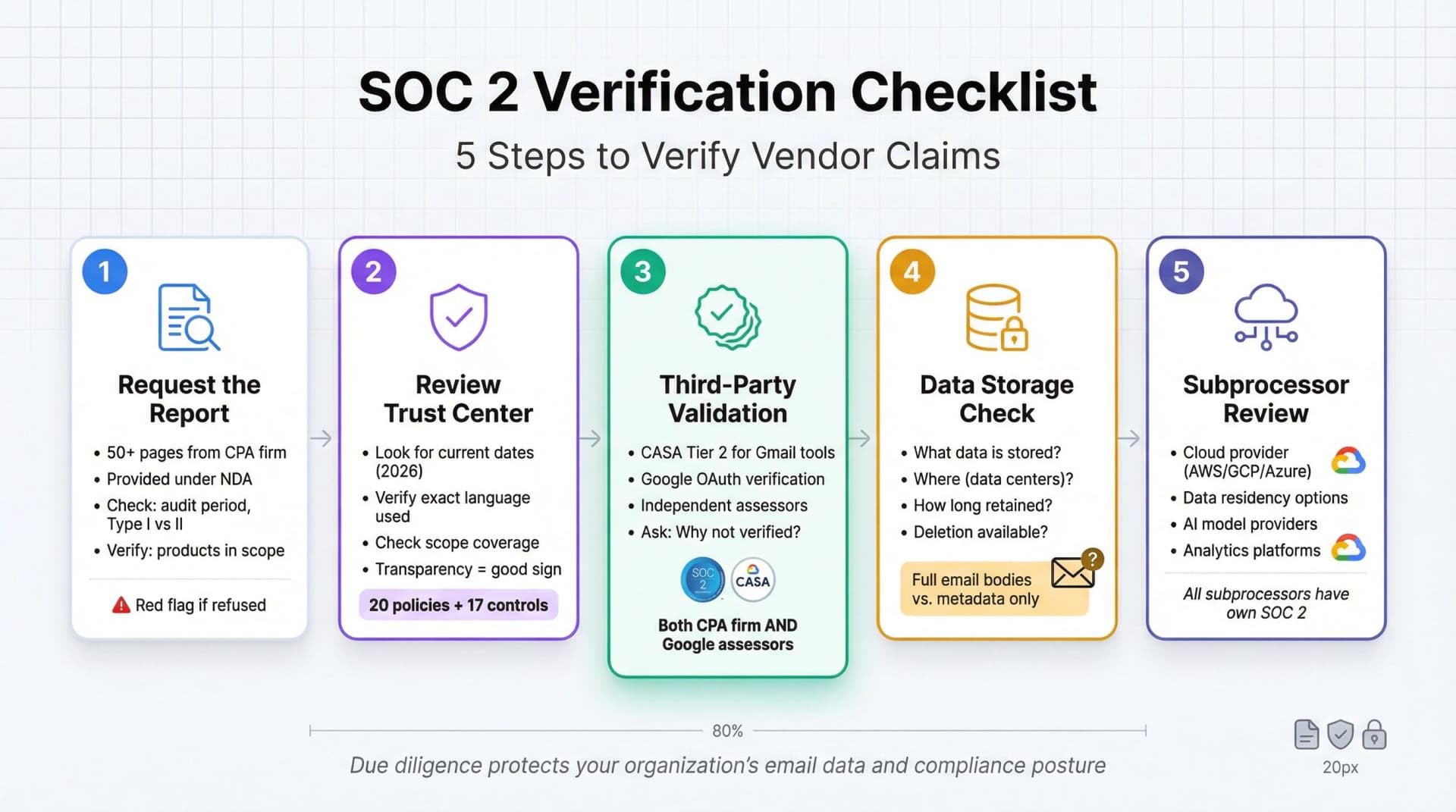
Here's how to verify properly:
1. Ask for the Actual Report
A real SOC 2 audit produces a detailed report, typically 50+ pages, issued by the auditing CPA firm. Most companies won't publish it publicly (it contains sensitive operational details), but they should provide it under NDA to serious prospects.
Reputable vendors will make it easy to request their SOC 2 reports. If a vendor refuses to share the report or makes it unnecessarily difficult, that's a red flag.
When you get the report, check:
• The audit period. Should be recent, ideally within the last 12 months
• Type I or Type II. You want Type II for ongoing operations
• Which Trust Service Principles were audited. Security alone, or also Privacy/Confidentiality?
• The auditor's opinion. Should be "unqualified" (meaning no major exceptions found)
• Products in scope. Make sure the specific tool you're buying was actually audited
2. Check the Trust Center (With a Critical Eye)
Many vendors maintain public Trust Centers listing their compliance status. This is helpful, but verify the details:
• Look for dates. "SOC 2 compliant since 2019" doesn't tell you if they maintained it through 2026. You want current status.
• Note the exact language. "Working toward SOC 2" is not the same as "SOC 2 Type II certified."
• Verify the scope. Some companies have SOC 2 for their data centers but not for their application layer.
Inbox Zero's Trust Center, for instance, publicly displays their SOC 2 Type 2 compliance status along with 20 internal policies and 17 security controls (TLS encryption, secure code practices, incident response, device security, 2FA, etc.). That level of transparency is what you should expect.
3. Look for Third-Party Validation Beyond SOC 2
For email tools connecting to Gmail, Google requires sensitive apps to undergo a Cloud Application Security Assessment (CASA). This is a separate security review by Google-authorized assessors, often called "Google OAuth verification."
Inbox Zero is CASA Tier 2 approved, meaning both an independent CPA firm (for SOC 2) and Google-vetted security assessors have examined their architecture and data handling practices. Leading email security tools undergo similar rigorous third-party assessments.
If an email tool claims to be secure but hasn't completed Google's verification process for Gmail access, you should ask why.
4. Check What Data Actually Gets Stored
SOC 2 tells you a company has good security practices, but it doesn't tell you what data they're securing. You need to ask:
Do you store full email bodies and attachments? Some tools do, some don't. For example:
• Some inbox organizers only process headers and metadata, not email content (which limits exposure)
• Some sales tools briefly store email content for CRM sync, then delete it, and encrypt everything in transit
• Inbox Zero stores planned responses but not full emails, keeping your messages in Gmail/Microsoft's infrastructure where they belong
Understanding the data flow is critical. If the tool stores email content, find out where (which data centers), for how long, and whether you can request deletion.
Data handling matters more than compliance badges: A tool can be SOC 2 compliant and still store full email bodies permanently. Always ask what data they actually keep.
5. Understand Subprocessors
Most email tools don't own their own data centers. They use AWS, Google Cloud, or Azure. That's fine (those platforms have their own SOC 2 reports), but you should know:
• Which cloud provider hosts your data
• Whether you can choose data residency (US, EU, etc.)
• What other subprocessors are involved (AI model providers, analytics platforms, etc.)
Leading vendors are transparent about their infrastructure layering and inherited security controls. You should demand the same clarity from any email tool you're considering.
Best SOC 2 Compliant Email Tools (2026)
Now let's get to what you actually came here for: which email tools have genuine SOC 2 Type II compliance, and where can you verify it?
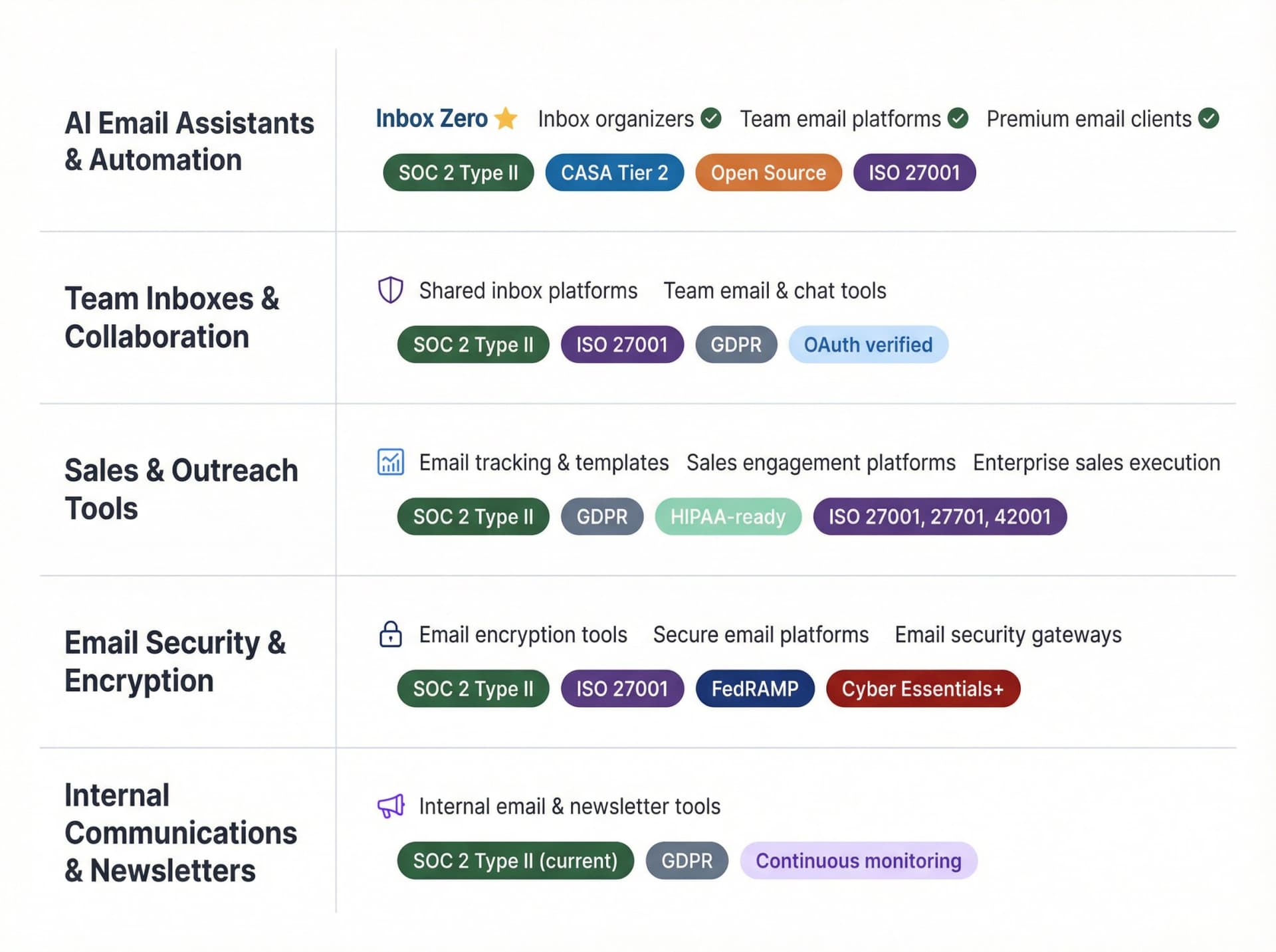
We've organized these by category so you can quickly find tools relevant to your use case. Every tool listed here has publicly available evidence of SOC 2 Type II status or makes it available under NDA with clear instructions.
AI Email Assistants & Automation Tools
Inbox Zero (AI Email Assistant)
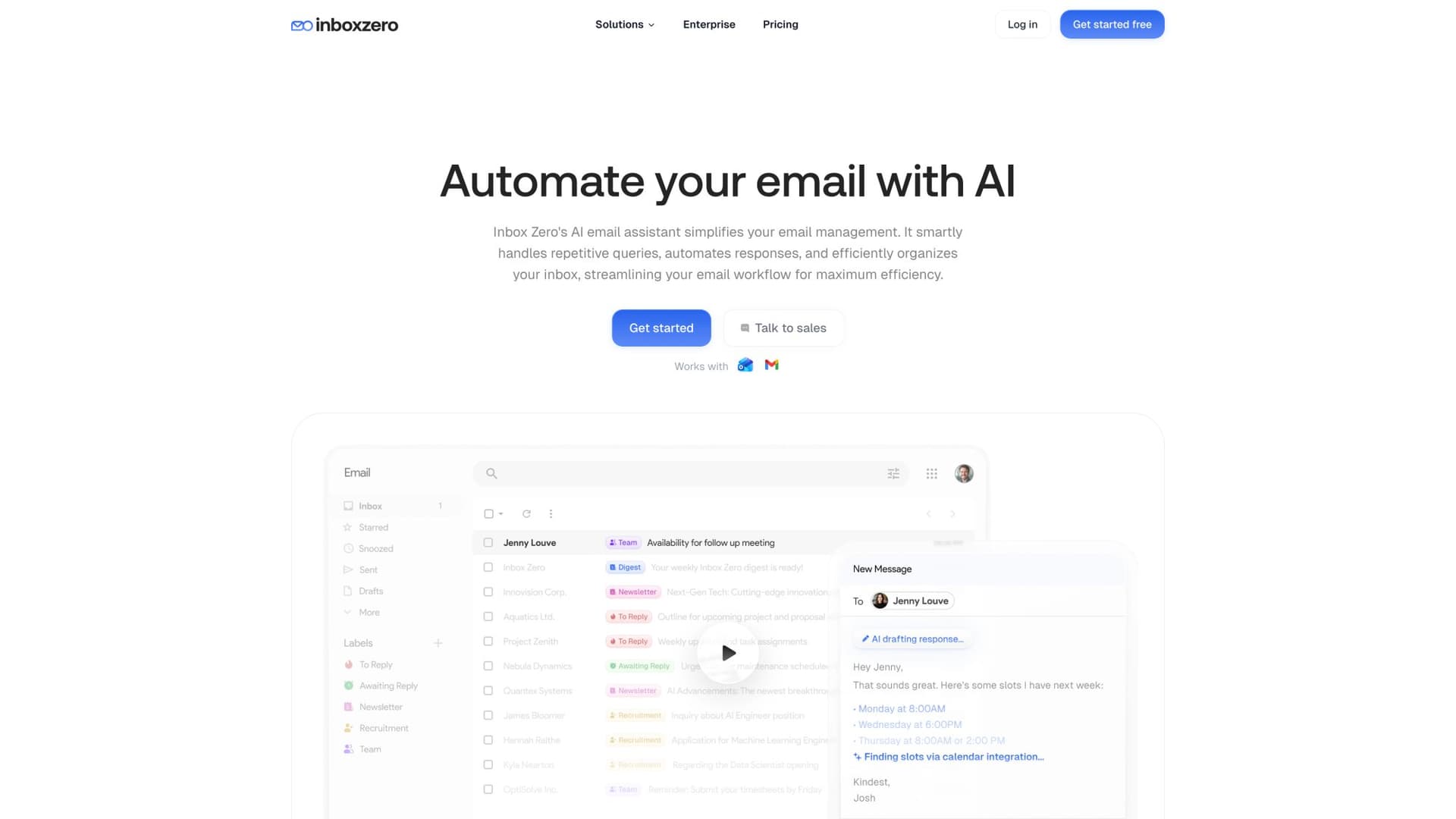
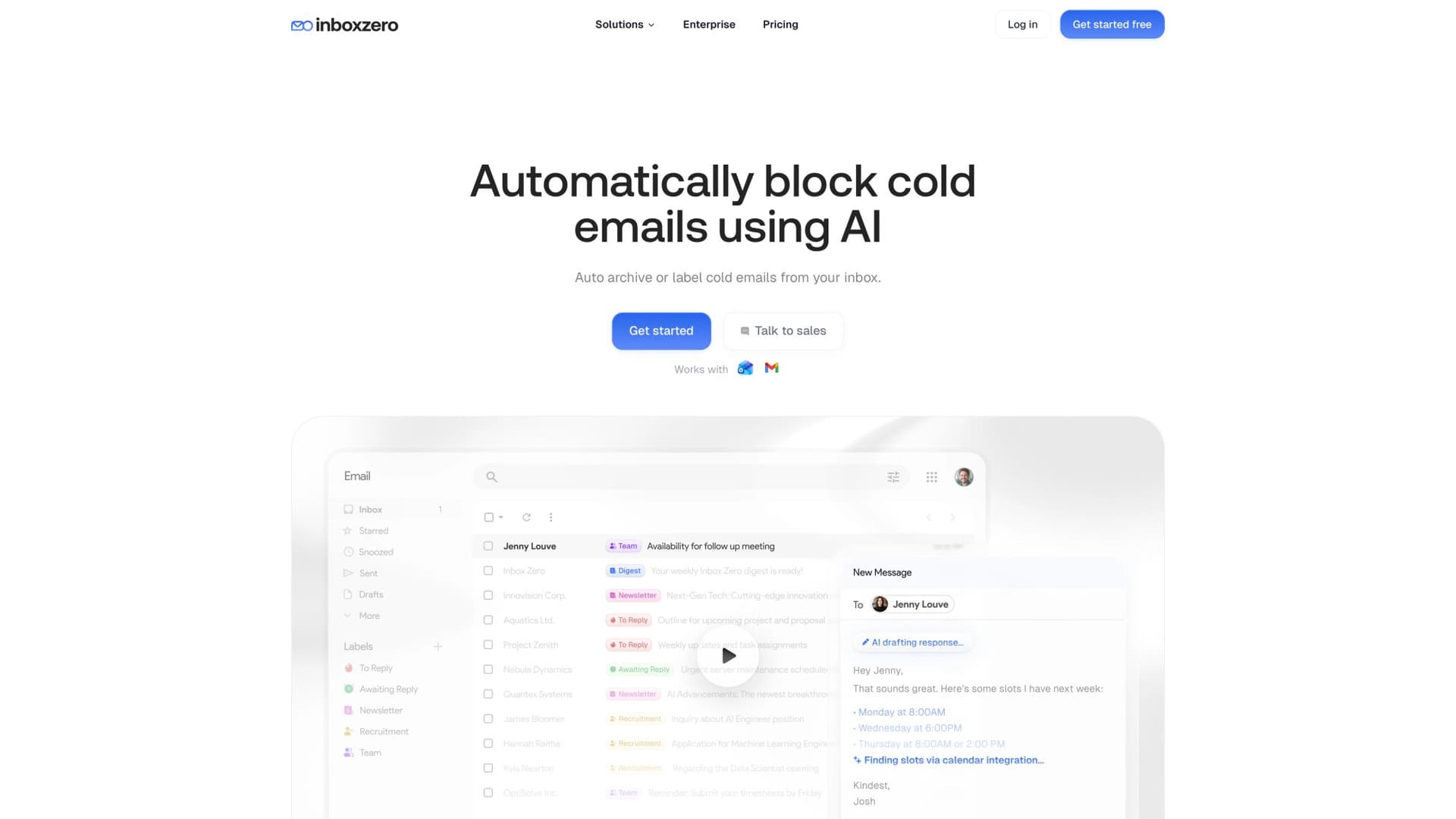
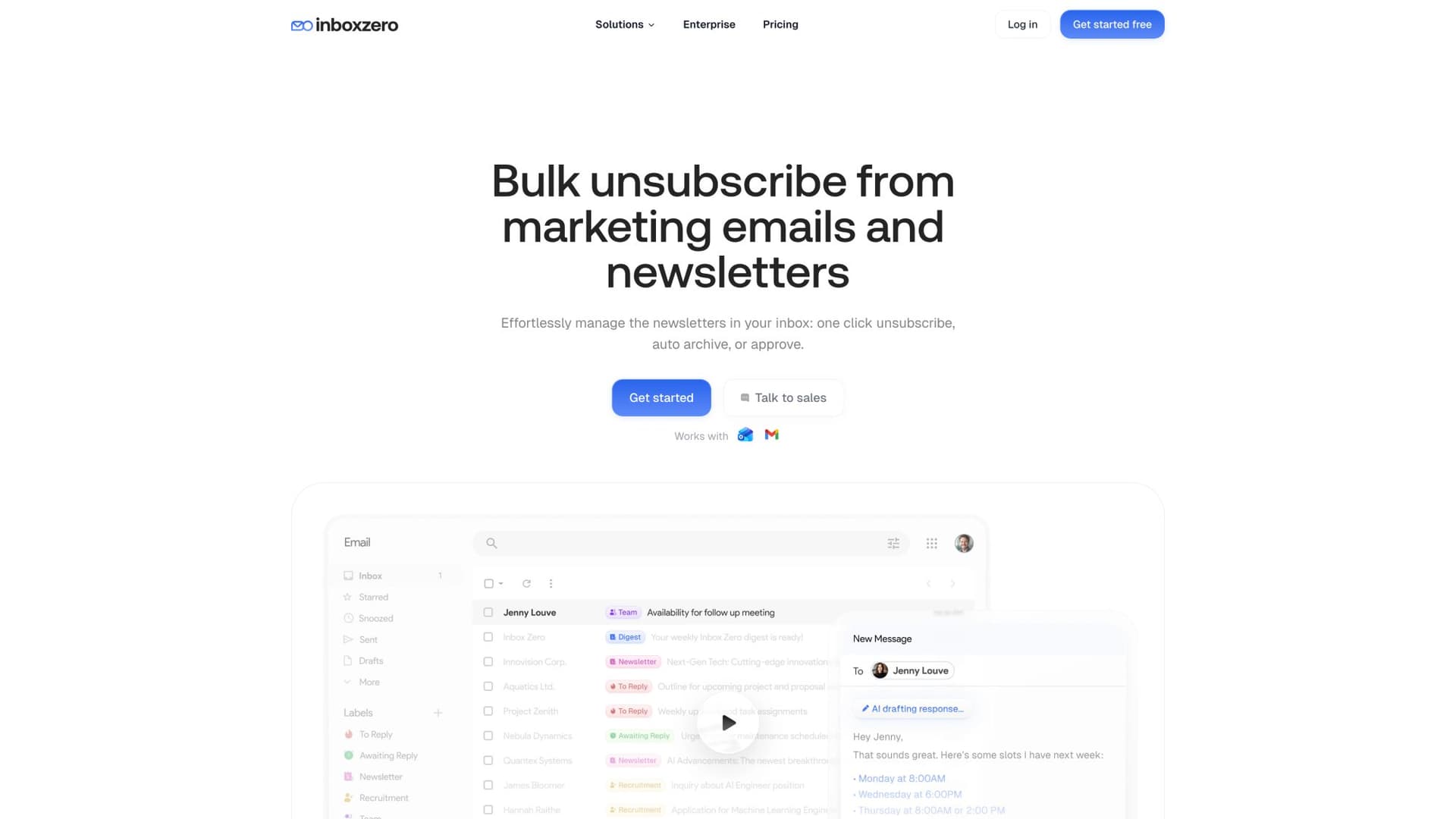
What it does: Inbox Zero is an open-source AI email assistant that works directly with Gmail and Outlook to help you reach inbox zero faster. It automatically labels emails, drafts replies using AI, blocks cold outreach, unsubscribes from newsletters, and tracks what needs responses. Unlike tools that replace your email client, Inbox Zero works within Gmail and Outlook, so you keep using the interface you already know.
Compliance posture:
→ SOC 2 Type II certified (verified on their homepage)
→ CASA Tier 2 approved by Google, meaning both independent CPA auditors and Google's security assessors have validated their practices
→ Public Trust Center listing 20 internal policies and 17 security controls, monitored by Comp AI
→ Open source with ~9,400 GitHub stars, allowing security teams to review the actual code
Data handling: Inbox Zero operates through Gmail and Microsoft 365 APIs using OAuth. Your emails stay in Google's or Microsoft's infrastructure. The tool stores planned responses and rules, not full email content. You can also self-host the entire application if you need complete control.
Why it's different: Most AI email tools require you to trust their black box. Inbox Zero is open source, so your security team can actually inspect what it does with your data. Plus, you can bring your own AI keys (Anthropic, OpenAI, Google, Groq) or even run local models with Ollama for completely private inference. That level of flexibility is rare in this space.
The tool offers both automated and manual modes. You can keep automation off while you calibrate rules, review every action in a pending queue, and use their "Fix" UI to correct any misfires. Once you trust the system, you can enable automation for low-risk categories (like newsletters and cold emails) while keeping customer-facing threads in draft-only mode.
Who should use it: Teams drowning in email who want AI assistance without sacrificing security. Especially good for companies with strict data governance requirements, since you can self-host or use BYO keys. Pricing starts at around $20-50/month for the hosted service.
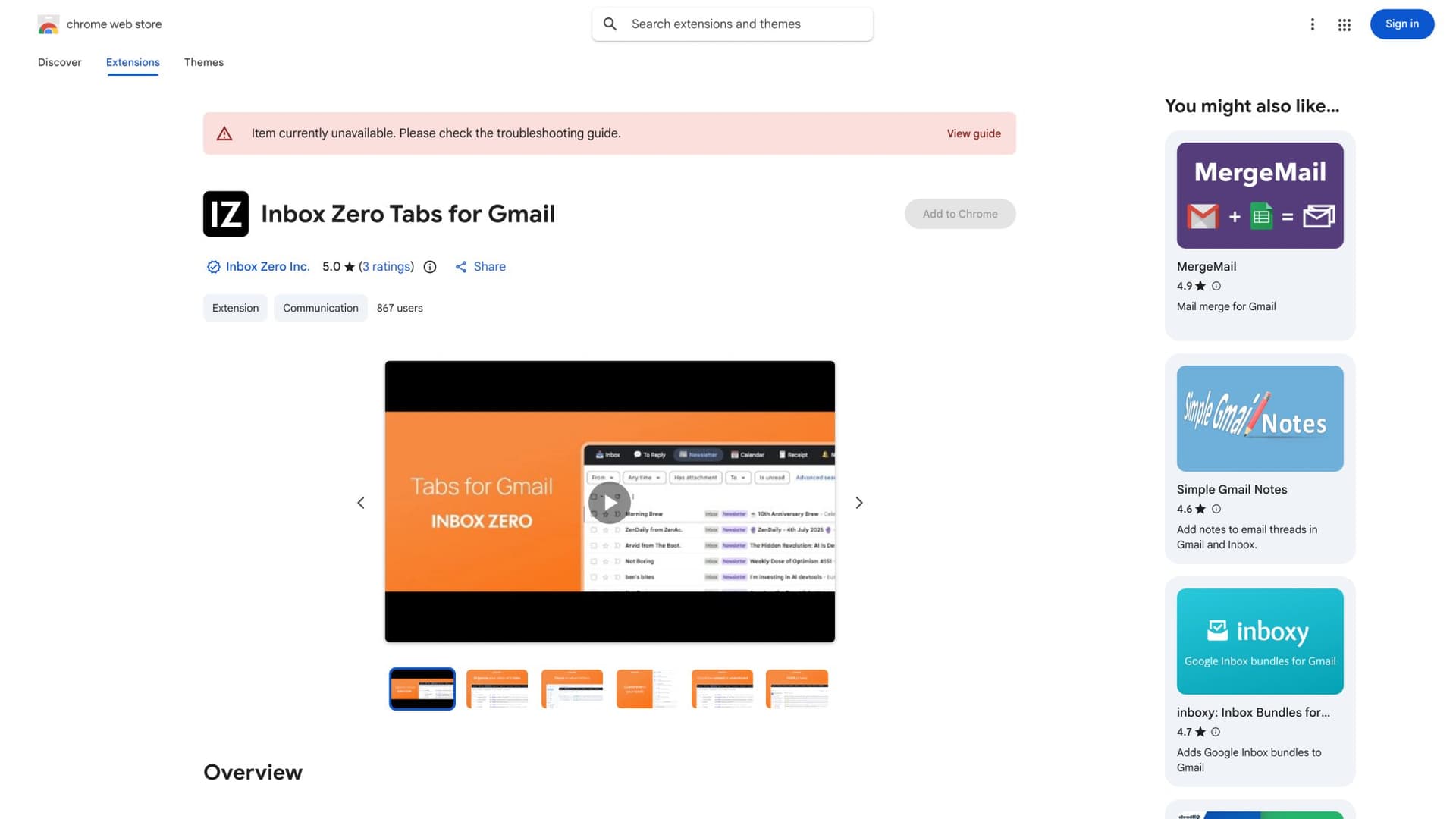
Unique privacy option: Inbox Zero also offers a Chrome extension called "Inbox Zero Tabs for Gmail" that adds customizable tabs to Gmail (think Superhuman-style split inbox). The extension is 100% client-side with no data collection and no server calls, making it a great option if you just want better Gmail organization without connecting a third-party service to your mailbox.
Other AI Email Assistants
Several other inbox organizers and email management platforms offer SOC 2 Type II certification:
• Inbox organizers that automatically filter emails, moving less important messages to separate folders so you can focus on what matters. These typically include features like one-click unsubscribe and follow-up reminders.
• Team email platforms where teams manage shared inboxes together, with email assignments, internal comments, workflow automation, and integrations.
• Premium email clients built on top of Gmail and Outlook, designed for power users who live in email and want speed, shortcuts, and AI-powered features.
When evaluating these tools, always verify their current SOC 2 Type II status, check what data they actually store, and understand their subprocessor relationships.
Verification checklist: For any email tool, request the SOC 2 report, confirm what's in scope, and understand data retention policies before connecting your mailbox.
Team Inboxes & Collaboration Tools
Shared Inbox Platforms
Collaborative email platforms where teams manage shared inboxes (like sales@, support@, or info@) together typically offer:
• Email assignments and internal comments
• Workflow automation
• Integrations with other tools
• SOC 2 Type II and ISO 27001 certification
• Annual third-party penetration tests
These are ideal for customer support teams, sales teams, or any group managing shared email addresses where multiple people need visibility and collaboration. Always request their SOC 2 report and penetration test summary before committing.
Team Email & Chat Tools
Platforms that combine email, SMS, WhatsApp, and team chat in one interface allow teams to discuss emails internally without forwarding or CCing. Popular with remote teams, law firms, and accounting practices where client-facing teams need internal discussion separate from client communication.
Look for vendors with:
• SOC 2 Type II certification
• Google OAuth security assessment completion
• GDPR compliance
• Clear data retention policies
Sales & Outreach Tools
Email Tracking & Templates
Gmail and Outlook plugins for sales teams typically offer email tracking, templates, campaign management, and CRM sync. When evaluating these tools:
• Verify they maintain current SOC 2 Type II reports (available under NDA)
• Check if they've achieved third-party "Enterprise-Ready" ratings
• Confirm GDPR compliance
• Understand data retention policies (most don't store email bodies except briefly when syncing to CRM)
Sales Engagement Platforms
More comprehensive platforms add email tracking, sequences (automated drip campaigns), meeting scheduling, and advanced analytics. Mid-tier tools often hold:
• SOC 2 Type II and SOC 3 certifications
• HIPAA-capable infrastructure
• GDPR compliance
• Google OAuth security audits
Current versions typically don't store email content on their servers after sending, emphasizing end-to-end encryption and minimal data retention.
Enterprise Sales Execution Platforms
Full-featured sales engagement platforms for enterprise B2B sales include:
• Email sequencing
• CRM integration
• Advanced analytics
• Workflow automation
Top-tier platforms often maintain multiple certifications:
• SOC 2 Type II
• ISO 27001, ISO 27701, ISO 42001
• Google Verified (CASA)
• Microsoft 365 certified
All data encrypted in transit and at rest, with transparent infrastructure documentation (typically AWS-based, inheriting cloud provider SOC controls).
Email Security & Encryption
Email Encryption Tools
Encryption plugins for Gmail and Outlook allow users to encrypt and control access to emails directly within their existing client. Popular in healthcare, government, and education for compliance.
Look for:
• Annual SOC 2 Type II assessments by recognized auditing firms
• FedRAMP authorization for government use
• Granular access controls and expiration features
• Clear encryption standards documentation
Secure Email Platforms
Platforms focused on preventing data leaks through secure, encrypted emails and files are heavily used in European healthcare, government, and finance. Top-tier secure email platforms may hold:
• SOC 2 Type II
• ISO 27001, ISO 27701
• Regional healthcare security certifications
• GDPR Privacy Verified
• Cyber Essentials Plus
These platforms typically offer the most comprehensive compliance certifications available in the email security space.
Email Security Gateways
Cloud email security gateways screen emails for phishing, spam, and malware. Often used in addition to Office 365 or Gmail to catch threats that get past native filters.
Key features:
• SOC 2 Type II certification
• FedRAMP alignment for government use
• Advanced phishing and BEC protection
• Transparent incident reporting
Internal Communications & Newsletters
Internal Email & Newsletter Tools
Tools that integrate with Outlook and Gmail to help internal communications teams send employee newsletters and track engagement should offer:
• SOC 2 Type II certification (with recent updates)
• Continuous compliance monitoring (via platforms like Vanta)
• Employee data protection guarantees
• Clear audit trails
Ideal for HR and internal comms teams sending sensitive employee communications (policy updates, benefits changes, etc.) who need to ensure employee data is protected.
What Else to Look for Beyond SOC 2
SOC 2 Type II is a strong baseline, but it shouldn't be your only consideration when evaluating email management tools. Here are additional factors that matter:
Encryption Standards
Make sure the tool encrypts data both in transit (HTTPS/TLS) and at rest. Most reputable services do this by default, and it should be confirmed in their SOC 2 report. Leading platforms explicitly note that all data in their system is encrypted in transit and at rest using industry standards.
Least Privilege Access
The tool should only request the minimum necessary permissions to function. For Gmail or Outlook add-ons, check what OAuth scopes they request. A well-designed tool will align with the principle of least privilege.
Transparent vendors explain exactly why they need certain permissions, like reading and sending emails for tracking and scheduling. This transparency is what you should expect.
Privacy Policy & Data Use
Read the privacy policy carefully. Look for clear statements about:
• Whether they sell your data (they shouldn't)
• How long they retain information
• Whether email content is used to train AI models
• What happens to your data if you cancel
Inbox Zero, for instance, explicitly states that your data is never used to train general AI models, and you can self-host if you want complete control. That level of transparency builds trust.
AI Model Data Handling
If the tool uses AI (for drafting, classification, or automation), ask:
Which AI provider do they use? (OpenAI, Anthropic, Google, etc.)
What data gets sent to the AI? (Full emails? Snippets? Metadata only?)
Is that data used for training? (Most API customers get guarantees that their data won't train models, but verify)
Can you bring your own API keys? (This shifts contractual risk to your direct relationship with the AI provider)
Do they support local models? (For maximum privacy)
Inbox Zero supports bring-your-own-keys for multiple AI providers (Anthropic, OpenAI, Google, Groq, OpenRouter) and even local models via Ollama, giving you full control over where your data goes.
Additional Certifications
Many serious vendors will have certifications beyond SOC 2:
• ISO 27001 (information security management)
• GDPR compliance (mandatory if you handle EU personal data)
• HIPAA readiness (for healthcare)
• FedRAMP (for government contracts)
Leading vendors advertise GDPR compliance alongside SOC 2. Top-tier platforms may hold ISO 27001, ISO 27701, and even ISO 42001 for AI responsibility. More certifications generally indicate a mature security program.
Status Pages & Transparency
Look for vendors who publish uptime data and incident history. A public status page shows they're not hiding problems.
Inbox Zero, for example, maintains a public status page showing current operational status and 45-day uptime history. That kind of transparency is valuable when you need to trust a vendor with business-critical communications.
Questions to Ask Before Buying Email Tools
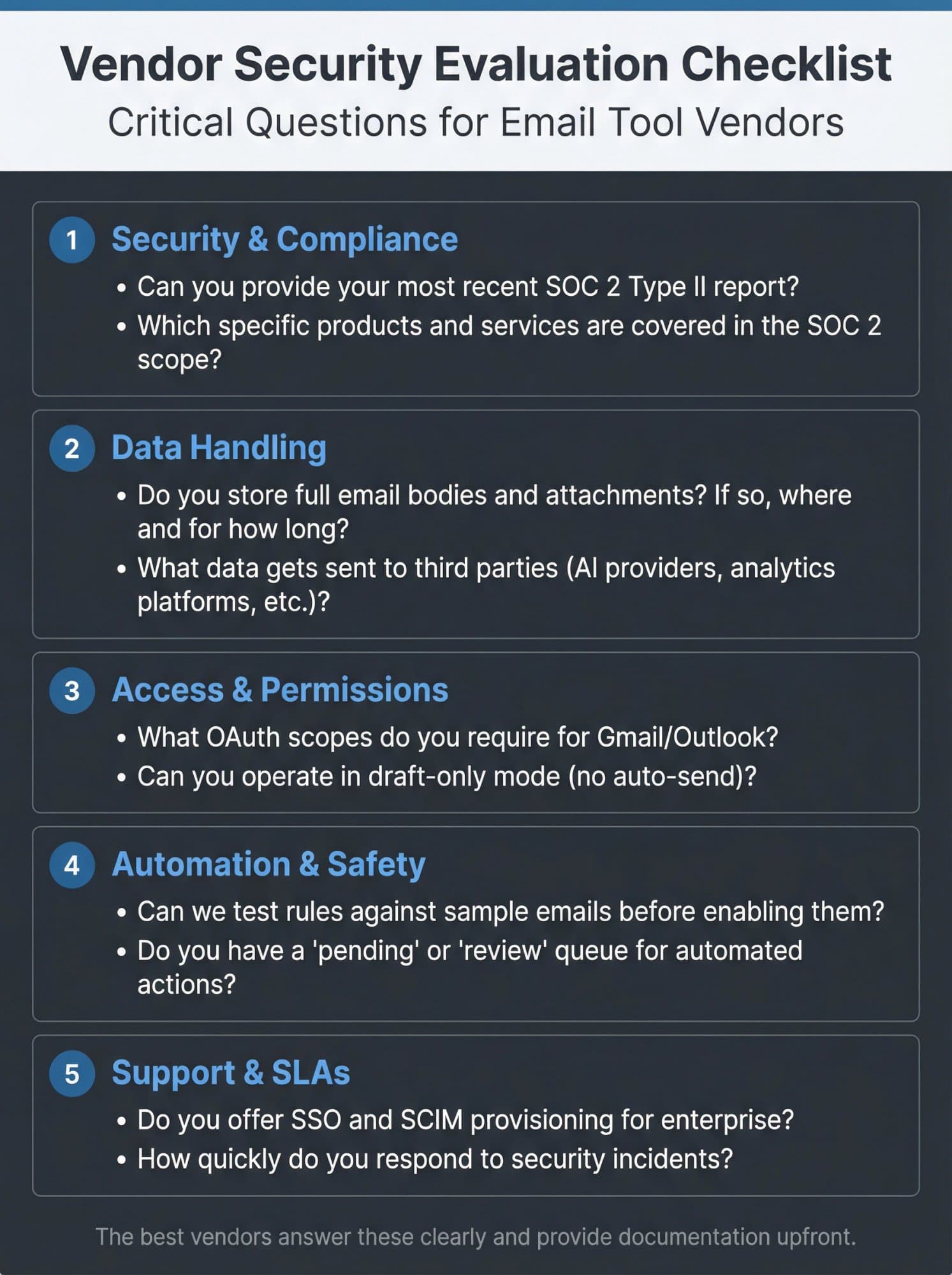
When evaluating any email tool, here's a practical checklist you can use:
| Category | Critical Questions |
|---|---|
| Security & Compliance | • Can you provide your most recent SOC 2 Type II report? |
| • What's the audit period, and do you have a bridge letter if it's expired? | |
| • Which specific products and services are covered in the SOC 2 scope? | |
| • Do you have any other security certifications (ISO 27001, etc.)? | |
| • Can you provide a subprocessor list and confirm where data is hosted? | |
| Data Handling | • Do you store full email bodies and attachments? If so, where and for how long? |
| • What data gets sent to third parties (AI providers, analytics platforms, etc.)? | |
| • Can I delete all my data if I cancel? | |
| • Are you GDPR compliant? (If handling EU data) | |
| Access & Permissions | • What OAuth scopes do you require for Gmail/Outlook? |
| • Can you operate in draft-only mode (no auto-send)? | |
| • Do you provide audit logs of all actions taken? | |
| • Can we restrict access by user, team, or email domain? | |
| Automation & Safety | • Can we test rules against sample emails before enabling them? |
| • Do you have a "pending" or "review" queue for automated actions? | |
| • How do we correct mistakes or retrain the system? | |
| • What happens if the AI misclassifies something important? | |
| Support & SLAs | • Do you offer SSO and SCIM provisioning for enterprise? |
| • What's your uptime guarantee? | |
| • How quickly do you respond to security incidents? | |
| • Can we get priority support for compliance questions? |
The best vendors will answer these clearly and provide documentation. If they dodge questions or make it hard to get SOC 2 reports, consider that a warning sign.
Common Mistakes to Avoid
Assuming "SOC 2 Certified" Means Complete Safety
SOC 2 is a strong signal, but it's not a guarantee. You still need to understand what data the tool accesses, how it's used, and whether the vendor's specific use case aligns with your risk tolerance.
Not Checking the Scope
A company might have SOC 2 for their infrastructure but not for the specific product you're buying. Always confirm that the tool you're evaluating is explicitly covered in the audit scope.
Ignoring the Audit Date
SOC 2 reports are typically valid for 12 months. If a vendor touts their "SOC 2 compliance from 2021" without mentioning renewals, that's a red flag. You want current, ongoing compliance.
Trusting Marketing Over Documentation
Vendor websites can exaggerate. Request the actual SOC 2 report, read the trust center documentation, and verify claims with third-party sources when possible.
Overlooking OAuth Permissions
Email tools often request broad access to your mailbox. Review the OAuth permissions carefully and question why a tool needs more access than its features require. If an inbox organizer asks for "send email" permissions, ask why.
Forgetting About Automation Risk
AI and automation are powerful, but they introduce new failure modes. An aggressive rule could archive important emails or draft inappropriate responses. Always test in a limited environment first, keep automation off until you're confident, and maintain human oversight for high-risk communications.
How to Roll Out Email Tools Safely
Getting a SOC 2 compliant tool is step one. Deploying it correctly is step two. Here's how to minimize risk:
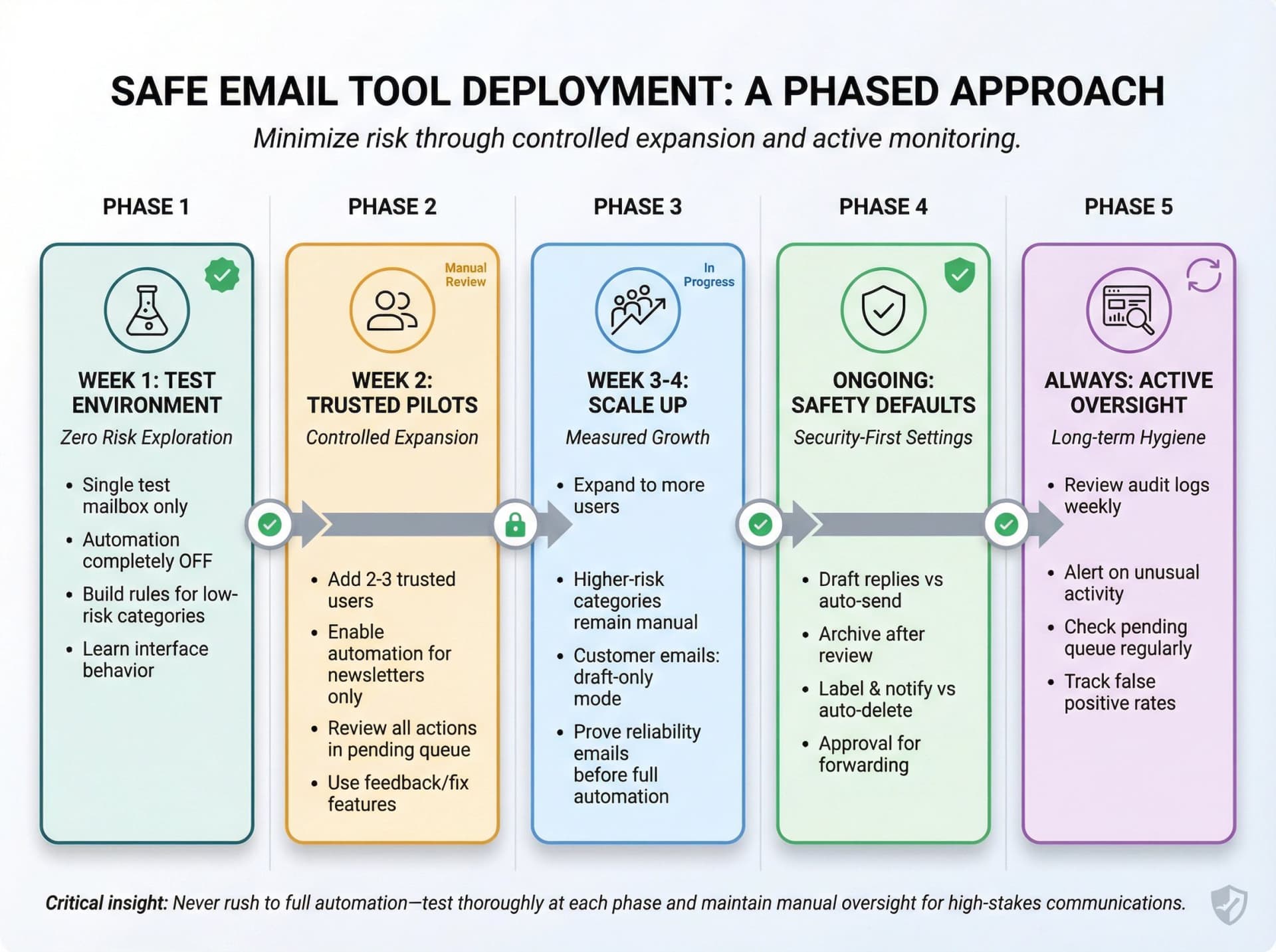
Rollout strategy: Start small with test accounts, keep automation off initially, and gradually expand only after proving the system's reliability in limited scenarios.
Start Small and Controlled
① Week 1: Connect one test mailbox only (preferably a non-production account). Keep automation completely off. Build simple rules for low-risk categories like newsletters and receipts. Get comfortable with the interface and how the tool behaves.
② Week 2: Add a couple of trusted users. Enable automation only for non-critical categories (newsletters, cold outreach). Review every action in the pending queue. Use the tool's "fix" or "feedback" features to correct mistakes.
③ Week 3-4: Gradually expand to more users and higher-risk categories, but keep critical emails (customer communications, legal, finance) in manual or draft-only mode until you've proven the system's reliability.
Configure Defensively
Set conservative defaults:
• Draft replies instead of auto-sending
• Archive after review rather than immediately
• Label and notify rather than auto-delete
• Require approval for forwarding or webhooks
Monitor actively:
• Review audit logs weekly
• Set up alerts for unusual activity (like mass deletions or unexpected forwarding)
• Check the pending queue regularly to catch misfires
• Track metrics (false positives, response times, user feedback)
Train Your Team
Don't assume the tool is self-explanatory. Provide training on:
• How to review automated actions before they execute
• What to do if something gets misclassified
• When to escalate issues to IT or security
• How to use advanced features safely (like AI drafting or custom rules)
For Inbox Zero specifically: The tool includes a testing screen where you can run rules against sample emails before enabling them. Use this heavily during rollout. Also use the "Fix" UI when something goes wrong so the system learns your preferences.
Maintain Security Hygiene
Even with SOC 2 compliance, you have responsibilities:
• Enforce 2FA for all users accessing the tool
• Use SSO if available to centralize access control
• Regularly audit who has access and remove former employees
• Review OAuth permissions periodically to ensure they're still necessary
• Keep email clients and browsers updated
• Train staff on phishing awareness (email tools can't catch everything)
Remember: SOC 2 certifies the vendor's security practices. Your internal security posture still matters. The best tool in the world won't help if your team falls for phishing or uses weak passwords.
Inbox Zero and Fyxer are both SOC 2 compliant, and you can see how they otherwise differ in our Inbox Zero vs Fyxer comparison.
The Bottom Line: Security and Productivity Aren't Trade-Offs
Five years ago, choosing an email tool meant accepting trade-offs. You could have powerful features but questionable security. Or you could have enterprise-grade compliance with a clunky, frustrating user experience.
Not anymore. The tools we've highlighted in this guide prove you can have both. SOC 2 Type II compliance is now table stakes for serious email vendors, and the best ones go further with ISO certifications, GDPR compliance, CASA approval, and transparent data handling practices.
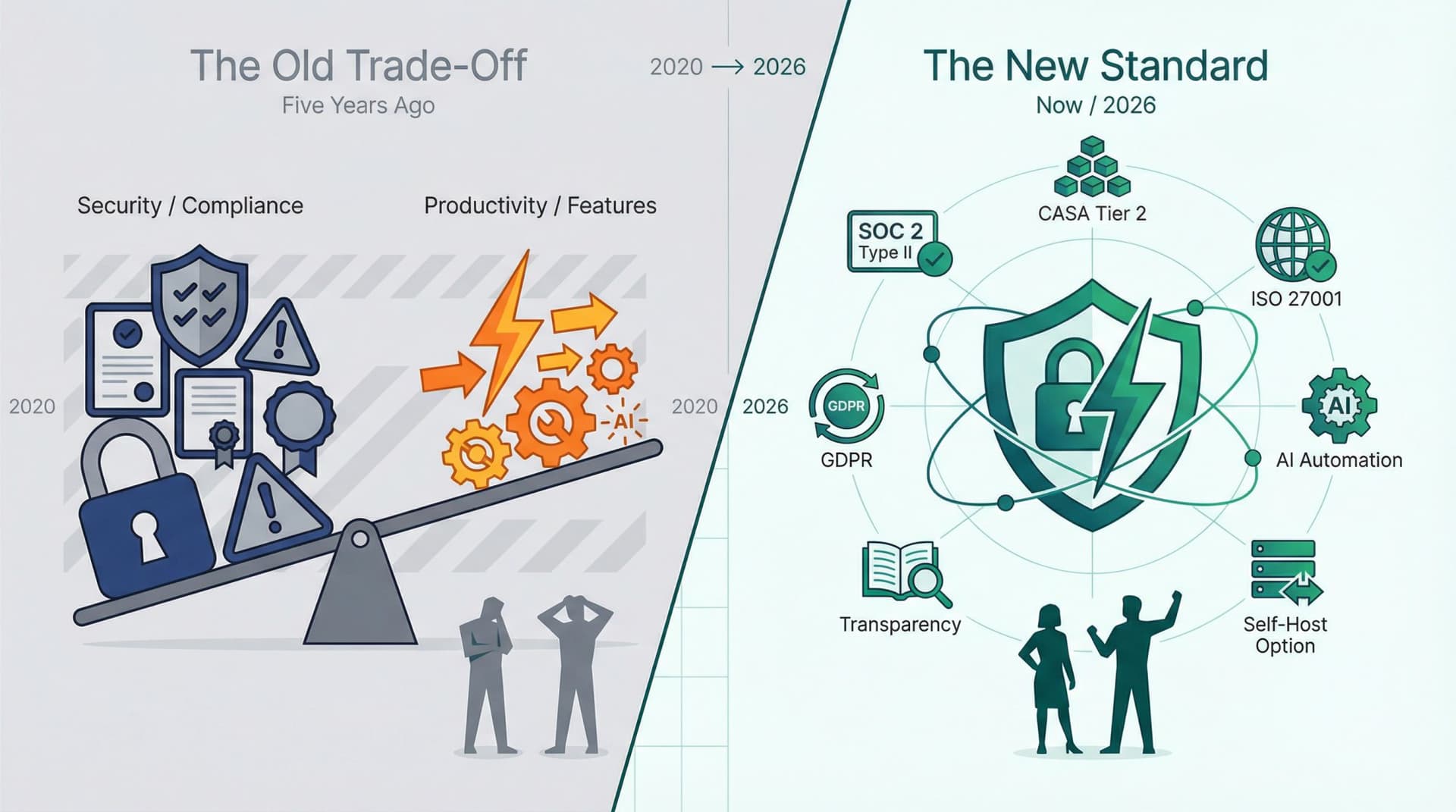
Whether you need AI assistance, team collaboration, sales automation, or security layers, you have options that won't compromise your organization's security posture.
But compliance badges alone aren't enough. You need to:
Verify claims by requesting actual SOC 2 reports and checking trust centers.
Understand scope by confirming which products are covered and which Trust Service Principles were audited.
Review data flows by asking what information gets stored, where it goes, and how long it's retained.
Test conservatively by starting with limited users and non-critical workflows before scaling up.
Maintain oversight through audit logs, pending queues, and regular reviews.
Stay current by requesting updated SOC 2 reports annually and monitoring for security incidents.
The good news? Most vendors now expect these questions. The mature ones make it easy to get answers. If a vendor makes it hard to verify their security claims or acts defensive when you ask detailed questions, that's signal enough to look elsewhere.
Your email contains too much sensitive information to gamble on vendor security. Use this guide to make informed decisions, ask the right questions, and choose tools that earn your trust through verified compliance, transparent practices, and genuine security discipline.
A final note on timing: All the compliance information and tool statuses in this guide were verified as of late 2025. Security certifications are ongoing (SOC 2 audits typically happen annually), so always confirm current status when you're evaluating tools. Vendors can lose certifications, get acquired, or change their data handling practices. Your due diligence should be continuous, not one-time.
The right email management tools can save your team hours every day without introducing security risk. SOC 2 compliance is your baseline. Verified transparency and proven track records are what separate the truly trustworthy vendors from the ones just checking boxes.
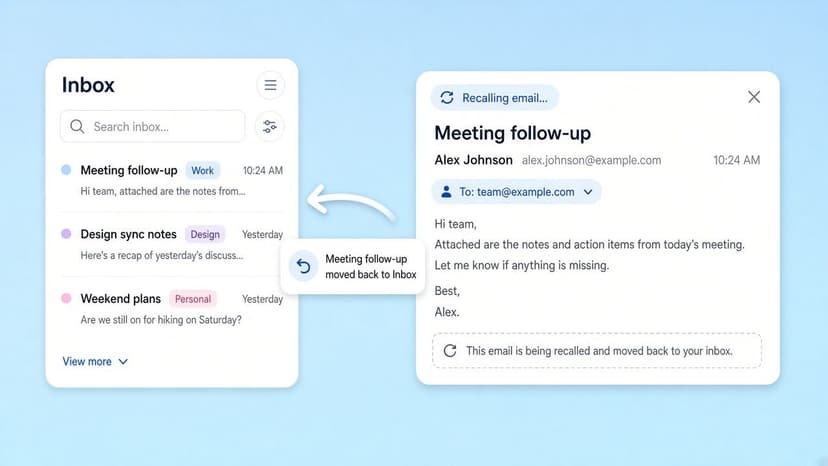
How to Recall an Email in Outlook (2026)
How to recall an email in Outlook step by step for new Outlook, classic Outlook, web, Mac, and mobile, plus when recall works and what to do when it doesn't.
2026-09-30T18:25:57.000Z
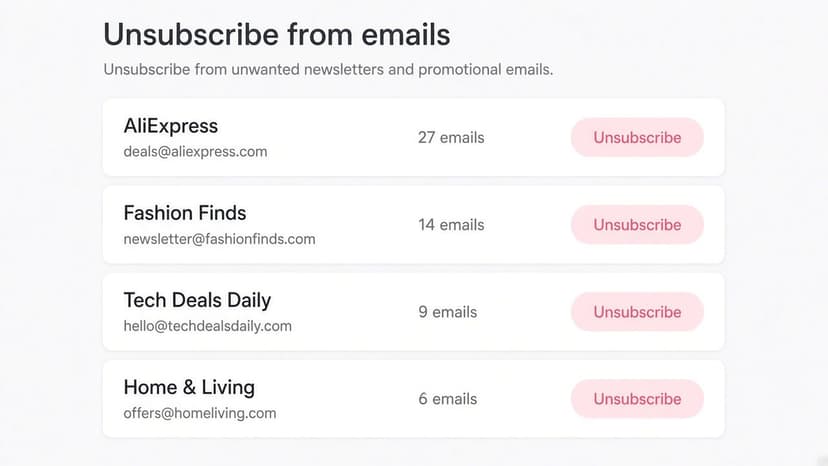
How to Stop AliExpress Emails (2026)
Stop AliExpress promotional emails: the unsubscribe link, notification settings in your AliExpress account, and what to do when the deals keep coming.
2026-09-30T18:25:57.000Z
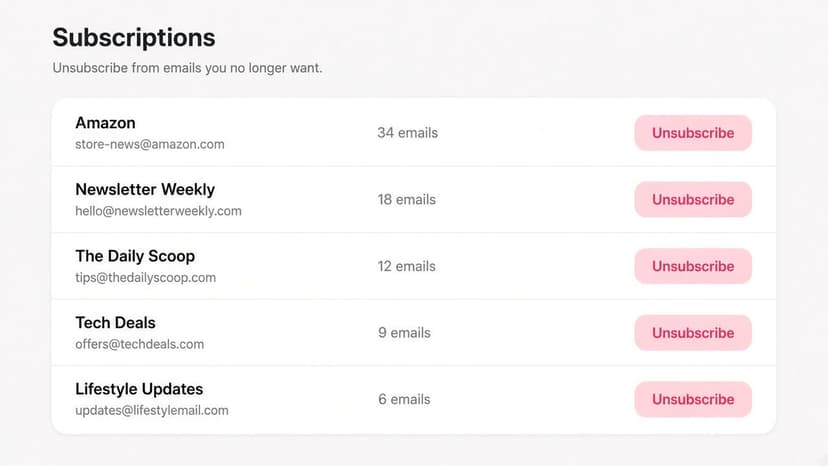
How to Stop Amazon Emails (2026)
Stop Amazon marketing emails with the Communication Preferences Center, manage Amazon email subscriptions, and handle order emails you can't switch off.
2026-09-30T18:25:57.000Z
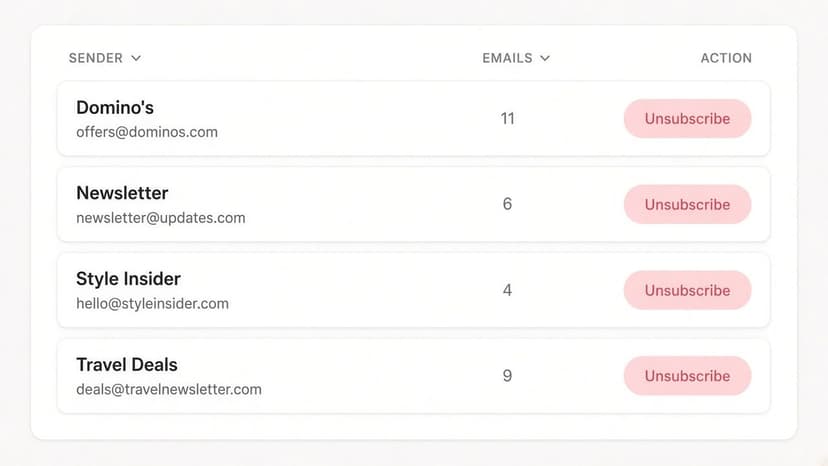
How to Stop Domino's Emails (2026)
Stop Domino's emails with Domino's official opt-out page, stop Domino's text offers, and know which rewards emails keep coming.
2026-09-30T18:25:57.000Z