Email Compliance Requirements by Industry: The 2026 Guide
Email compliance requirements by industry aren't one-size-fits-all. This 2026 guide maps 13 regulated sectors to the exact controls each one needs.

Email compliance isn't one thing. It's three different problems that get mashed together, and most teams don't realize they're only solving one of them.
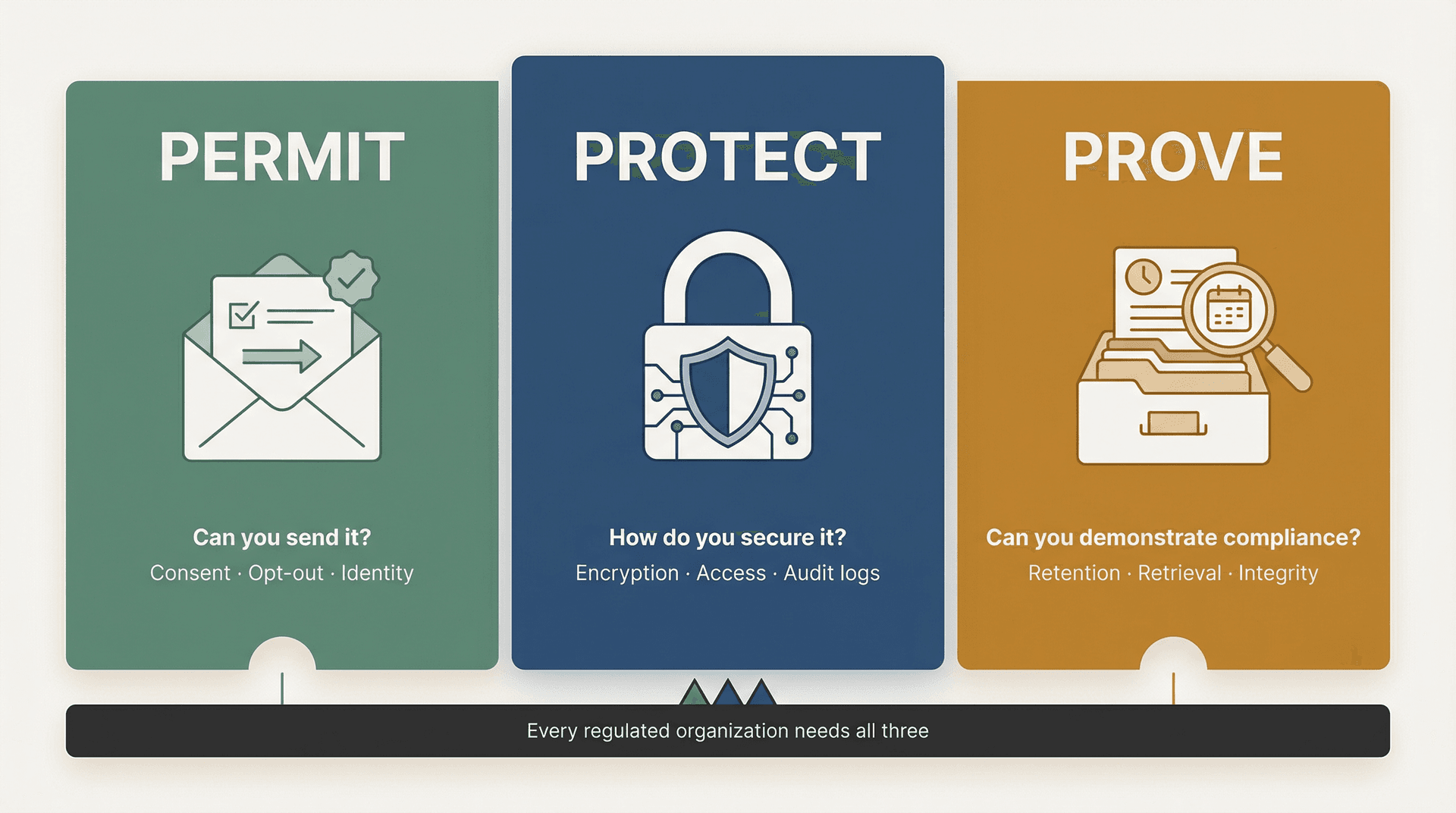
Can you send it? That's the marketing and consent question. Can you protect it? That's the security question. Can you prove it later? That's the records and audit trail question.
Most organizations treat compliance like "add a disclaimer footer and call it done." That approach fails the first time a regulator asks for six years of communications tied to a specific transaction, or an auditor wants to see who accessed patient data in an email thread last Tuesday.
This guide gives you a system instead of a checklist. We'll walk through a clear mental model, map every major industry's requirements, and show you how to actually put controls in place using your existing mail stack, including how Inbox Zero can help you stay compliant without drowning in process.
Not legal advice. Use this to scope your requirements, then validate with your counsel and compliance owner.

The Permit, Protect, Prove Framework for Email Compliance
Before we get into specific regulations, you need a mental model that works across all of them. We call it Permit, Protect, Prove, and once you understand it, every regulation starts to make sense.
Permit: Can You Send It?
This is about whether you're allowed to send the message in the first place. It matters most for marketing and outreach, but it shows up in healthcare too (HIPAA draws a hard line around marketing communications).
The questions to ask: Do we have consent? Do we provide a clear unsubscribe? Are we honest about who we are and what the email is about?
Protect: How Do You Secure the Content?
This is about confidentiality and security. If the email leaks, what's the damage? Do you log access? Do you encrypt? Do you limit who can see it?
Protection requirements range from "use TLS" to "set up end-to-end encryption with audit controls for every access event." The specifics depend on what kind of data your emails contain.
Prove: Can You Demonstrate Compliance Later?
This is the one that surprises people. Prove is about records: if a regulator or auditor asks for communications, can you produce them intact, searchable, and on time? Can you show who did what, when?
Financial services firms need to retain certain records for six or even seven years. Healthcare organizations need audit trails. Public companies need to preserve audit-related communications for seven years after an engagement concludes.
Having a solid email retention policy template is often the first step to getting the "Prove" dimension under control.
Keep this framework in mind as you read the industry sections below. Different industries emphasize different verbs, but every regulated organization needs all three. If you're only solving for one, you're exposed on the other two.
7 Email Compliance Assumptions That Get Organizations in Trouble
These are the mental traps we see over and over. If you've caught yourself thinking any of these, it's worth digging deeper.
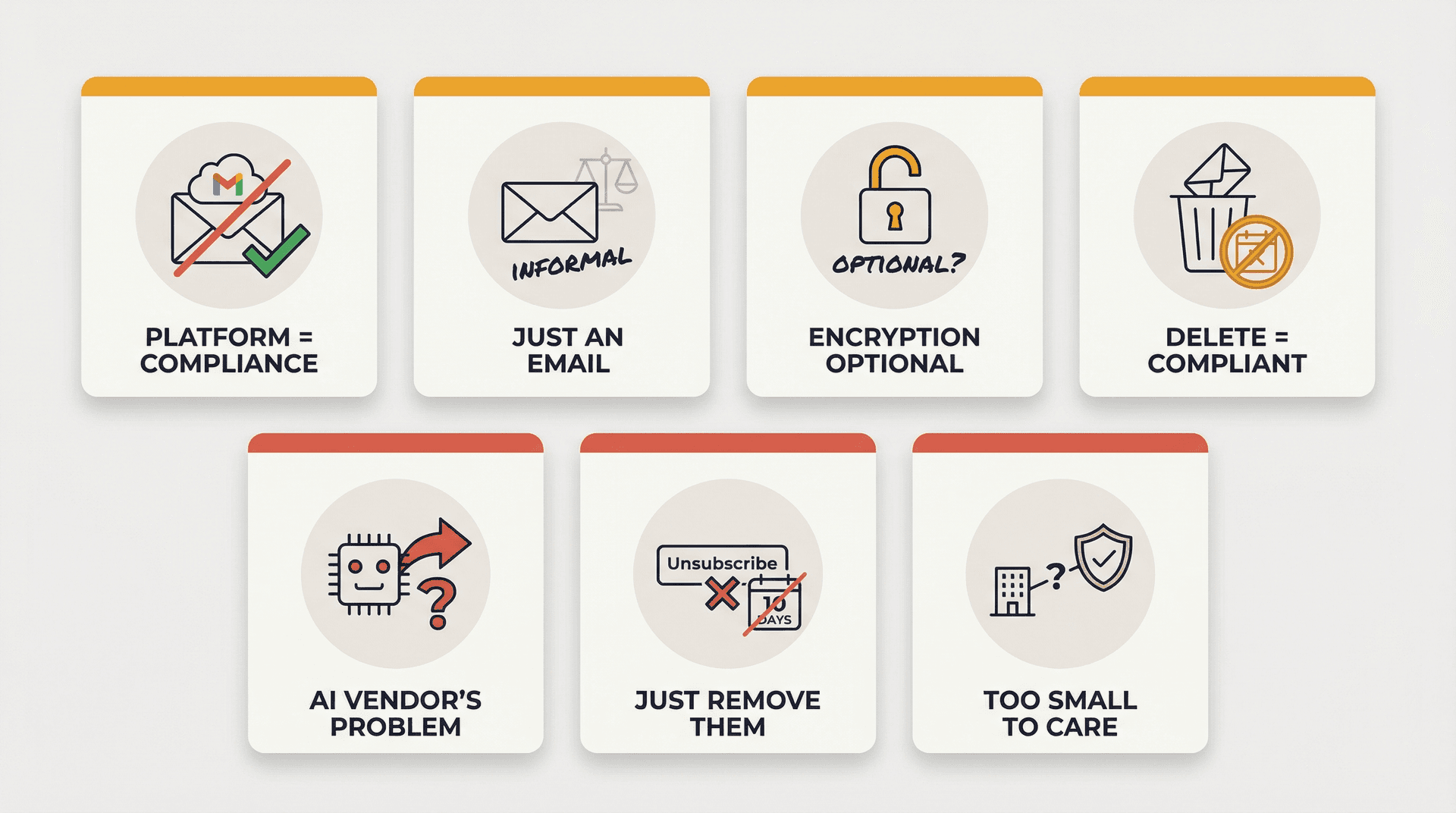
"We use Gmail / Microsoft 365, so we're compliant." Providers give you a secure platform. Compliance is how you configure and govern it. Gmail won't build your retention schedule or enforce your consent records for you.
"Email is informal. It's not a record." In regulated industries, email is the record. SEC examiners, HIPAA auditors, and MiFID II regulators all treat email as evidence of decisions, transactions, and communications. Treating it as casual is a liability.
"Encryption is optional because the rule says 'addressable.'" This is the classic HIPAA misread. "Addressable" doesn't mean optional. It means you use the safeguard or you document why an equivalent alternative is reasonable and use that instead. You still need a documented decision and alternative controls. The HIPAA Security Rule's technical safeguards make this explicit.
"We can delete emails to satisfy privacy." Recordkeeping rules can require retention that outlasts "delete as soon as possible." Even GDPR anticipates retention via storage limitation, not "delete immediately." The correct approach: keep what you must, delete what you can, and document both decisions.
"If AI drafts it, compliance is the AI vendor's problem." If you feed regulated data to an AI system, you're still accountable for lawful processing, security controls, and record retention. The AI vendor handles their infrastructure. You handle governance. Understanding the security risks of connecting AI tools to your email is essential before deploying any AI assistant in a regulated environment.
"Unsubscribe just means remove them from our list." Marketing laws often specify how opt-out must work and how quickly it must be honored. CAN-SPAM gives you 10 business days. CASL has its own requirements. It's not just about the act of unsubscribing; it's about the process and timeline.
"We only need compliance when we're big." Many regulatory regimes attach to the data type or activity, not your company size. A five-person fintech handling consumer financial data falls under GLBA. A three-person clinic emailing patient information is subject to HIPAA. Size doesn't grant exemptions.
Email Compliance Requirements by Industry
Use this table to find your primary compliance driver and the email controls that matter most. If you operate across multiple industries, your requirements stack.
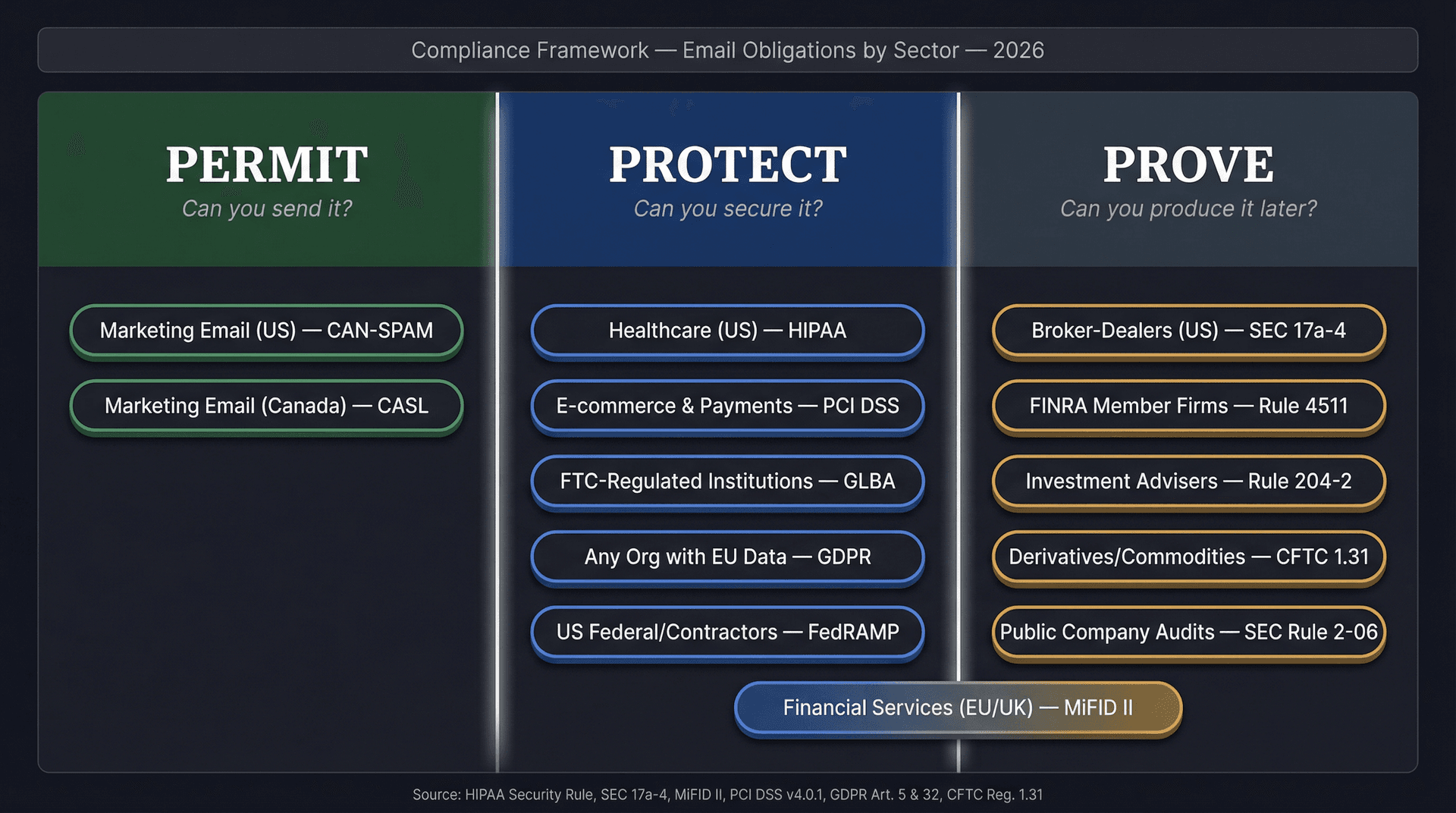
| Industry | Primary Driver | Key Regulations | Email Controls That Matter Most |
|---|---|---|---|
| Healthcare (US) | Protect | HIPAA Security Rule technical safeguards | Encryption, access controls, audit logs, minimum necessary workflows |
| Broker-Dealers (US) | Prove | SEC Rule 17a-4 retention rules | Preserve records for specified periods, first 2 years easily accessible, compliant electronic storage |
| FINRA Member Firms | Prove | FINRA Rule 4511 | Preserve books and records in SEC 17a-4 compliant format |
| Investment Advisers (US) | Prove | Advisers Act Rule 204-2 | Capture and retain advisory communications for required periods |
| Derivatives/Commodities (US) | Prove | CFTC Regulation 1.31 | Keep records 5 years, readily accessible first 2 years |
| Financial Services (EU/UK) | Prove + Protect | MiFID II recordkeeping | Record electronic communications, retain 5-7 years |
| E-commerce and Payments | Protect | PCI DSS v4.0.1 | Strong encryption, least privilege, logging, minimize card data in email |
| Marketing Email (US) | Permit | CAN-SPAM | No deceptive headers, clear opt-out, sender identification |
| Marketing Email (Canada) | Permit | CASL | Consent, identification, unsubscribe mechanism |
| FTC-Regulated Institutions | Protect | GLBA Safeguards Rule | Written security program, qualified individual, vendor oversight |
| Public Company Audits | Prove | SEC Rule 2-06 | Retain audit records 7 years including email |
| US Federal/Contractors | Protect + Prove | FedRAMP/NIST 800-53 | Security controls, auditability, continuous monitoring |
| Any Org with EU Data | Protect | GDPR Articles 5 & 32 | Appropriate security, limited retention, documented lawful basis |
Healthcare Email Compliance Requirements Under HIPAA
HIPAA is not "don't email PHI." It's "if you transmit ePHI, you must set up safeguards appropriate to the risk."
That distinction matters. Plenty of healthcare organizations avoid email entirely for patient communications because they think HIPAA prohibits it. What HIPAA actually requires is that you protect the data appropriately when you do use email.
The HIPAA Security Rule's technical safeguards call out two requirements that directly affect email workflows:
-
Encryption and decryption as an addressable specification. You use it or document why an equivalent alternative is reasonable.
-
Audit controls: mechanisms to record and examine activity in systems containing or using ePHI.
HHS summarizes the Security Rule as requiring administrative, physical, and technical safeguards to secure ePHI. That's the full picture: it's not just about encryption. It's about who can access what and whether you can prove it.
Our detailed guide on HIPAA compliant email best practices walks through the specific controls healthcare organizations need to put in place, from encryption standards to audit trail requirements, in terms that your IT and compliance teams can actually act on.

When Healthcare Email Becomes Marketing Under HIPAA
This is where it gets tricky. HIPAA draws a hard line between operational communications (treatment, care coordination) and marketing. Marketing generally requires patient authorization, with limited exceptions. If your email touches patient data and has a marketing purpose, you need explicit authorization, not just consent.
HIPAA Security Rule Updates to Know in 2026
HHS has proposed a major HIPAA Security Rule update intended to strengthen cybersecurity requirements and reduce ambiguity. The Federal Register notice details the proposed changes. Treat this as "prepare now, verify final rule language when issued."
Practical bottom line for healthcare email: If you handle ePHI, your email workflows need a controlled environment for sensitive content, audit trails for access and actions, and a default "draft-only" posture for anything patient-facing until your rules are proven safe.
Financial Services Email Compliance Requirements (US)
If healthcare is primarily about Protect, financial regulation is overwhelmingly about Prove. The core question isn't "is the email secure?" (though that matters too). It's "can you produce this communication six years from now, intact and searchable?"
SEC Rule 17a-4 Email Retention for Broker-Dealers
SEC Exchange Act Rule 17a-4 is the backbone of broker-dealer recordkeeping. The specifics:
-
Preserve certain records for not less than 6 years, with the first 2 years in an easily accessible location.
-
Preserve other categories for not less than 3 years, again with the first 2 years easily accessible.
The SEC's recordkeeping rules address electronic storage systems, including the principle that systems must prevent alteration during the retention period. Your email archive can't just store records. It has to protect them from tampering.
FINRA Rule 4511 Email Recordkeeping Requirements
FINRA Rule 4511 ties member firms back to SEC recordkeeping requirements. Firms must make and preserve books and records as required under FINRA rules, the Exchange Act, and applicable Exchange Act rules. When no other retention period is specified, FINRA defaults to at least six years.
CFTC Regulation 1.31 Email Retention Requirements
For commodities and derivatives firms, CFTC Regulation 1.31 sets its own recordkeeping bar:
-
Keep required records for five years
-
Records must be readily accessible for the first two years
-
Electronic regulatory records must remain readily accessible for the full retention period
The practical implication across all three: In financial services, compliance isn't "we have email." It's: you can reconstruct communications tied to transactions and decisions, you can produce them quickly when requested, and records are tamper-resistant enough to satisfy your examiner. If you're using AI to triage or draft, your audit trail must capture what was done, by whom, and when.
Here's a quick comparison of the key retention periods across US financial regulations:
| Regulator | Regime | Standard Retention | First 2 Years |
|---|---|---|---|
| SEC | Rule 17a-4 (broker-dealers) | 6 years (certain records) / 3 years (others) | Easily accessible |
| FINRA | Rule 4511 | 6 years (default) | Per SEC 17a-4 |
| CFTC | Regulation 1.31 | 5 years | Readily accessible |

For financial teams, understanding SOX email audit trail requirements gives you a concrete playbook for building the tamper-evident records that SEC and FINRA examiners expect.
MiFID II Email Compliance Requirements (EU and UK)
MiFID II is where "recordkeeping of communications" gets really explicit.
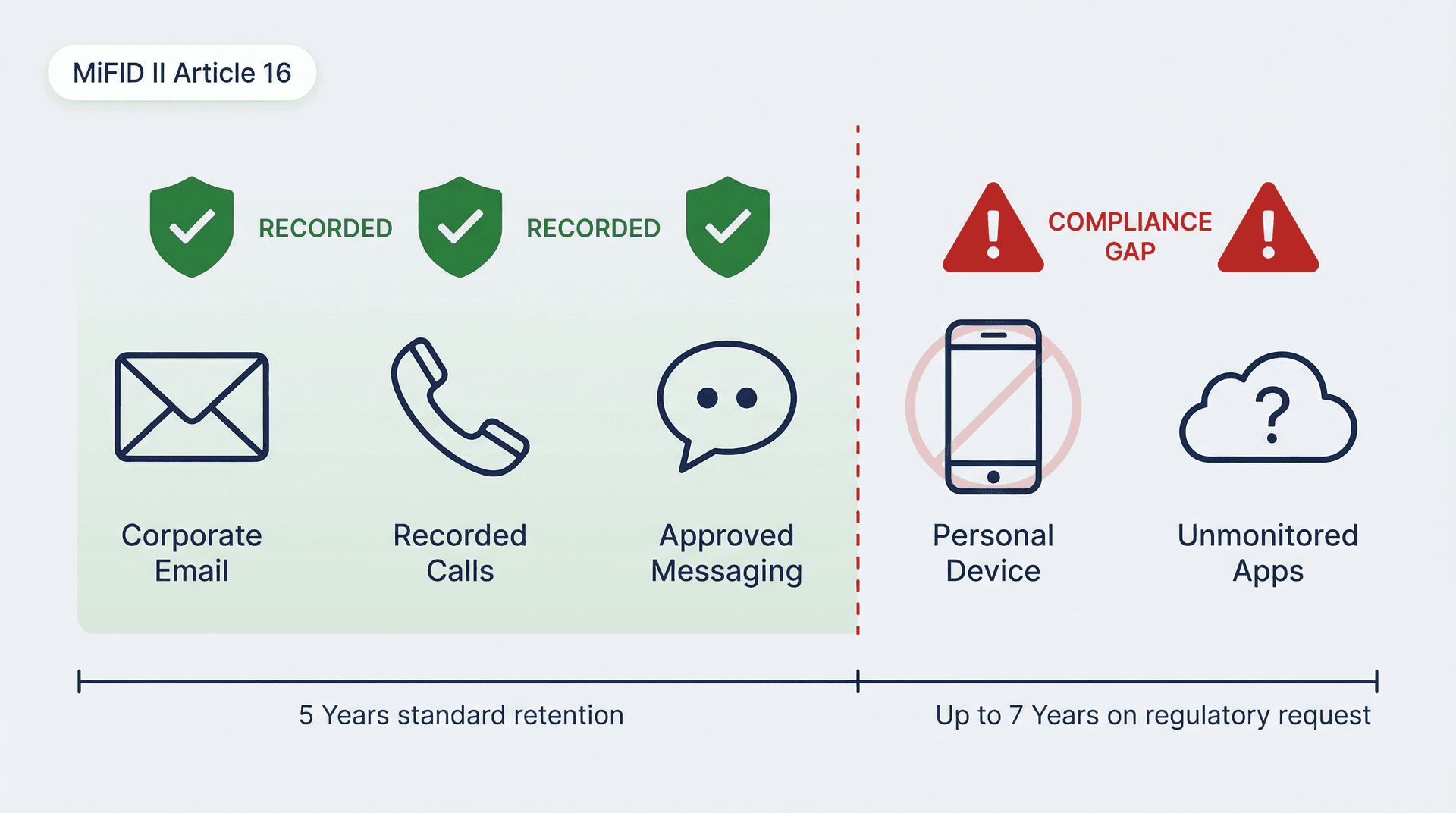
ESMA's MiFID II Article 16 guidance includes both a behavioral requirement and a retention requirement:
-
Firms should prevent employees from using private equipment for relevant communications when the firm can't record or copy them.
-
Records must be kept for five years, and up to seven years if requested by the competent authority.
If you operate under MiFID II, your biggest compliance risk isn't "we forgot a footer." It's "we missed an entire channel" (think: personal devices, messaging apps, unmonitored accounts) or "we can't retrieve records with integrity."
The channel coverage problem is particularly relevant when teams adopt new tools. Every AI assistant, every automation platform, every new communication channel needs to be evaluated against your recording obligations.
Public Company Email Retention and Audit Record Requirements
This isn't about your marketing emails. It's about audit-related records and the communications that support audit conclusions.
The SEC's Rule 2-06 in Regulation S-X requires accountants to retain audit and review records, including electronic records like email, for seven years after the audit or review concludes.
If you're in finance, accounting, or a public company environment, you need:
-
Clear retention schedules that account for the 7-year window
-
Legal hold capability for when litigation or investigation requires it
-
Search and export capability for audits and investigations
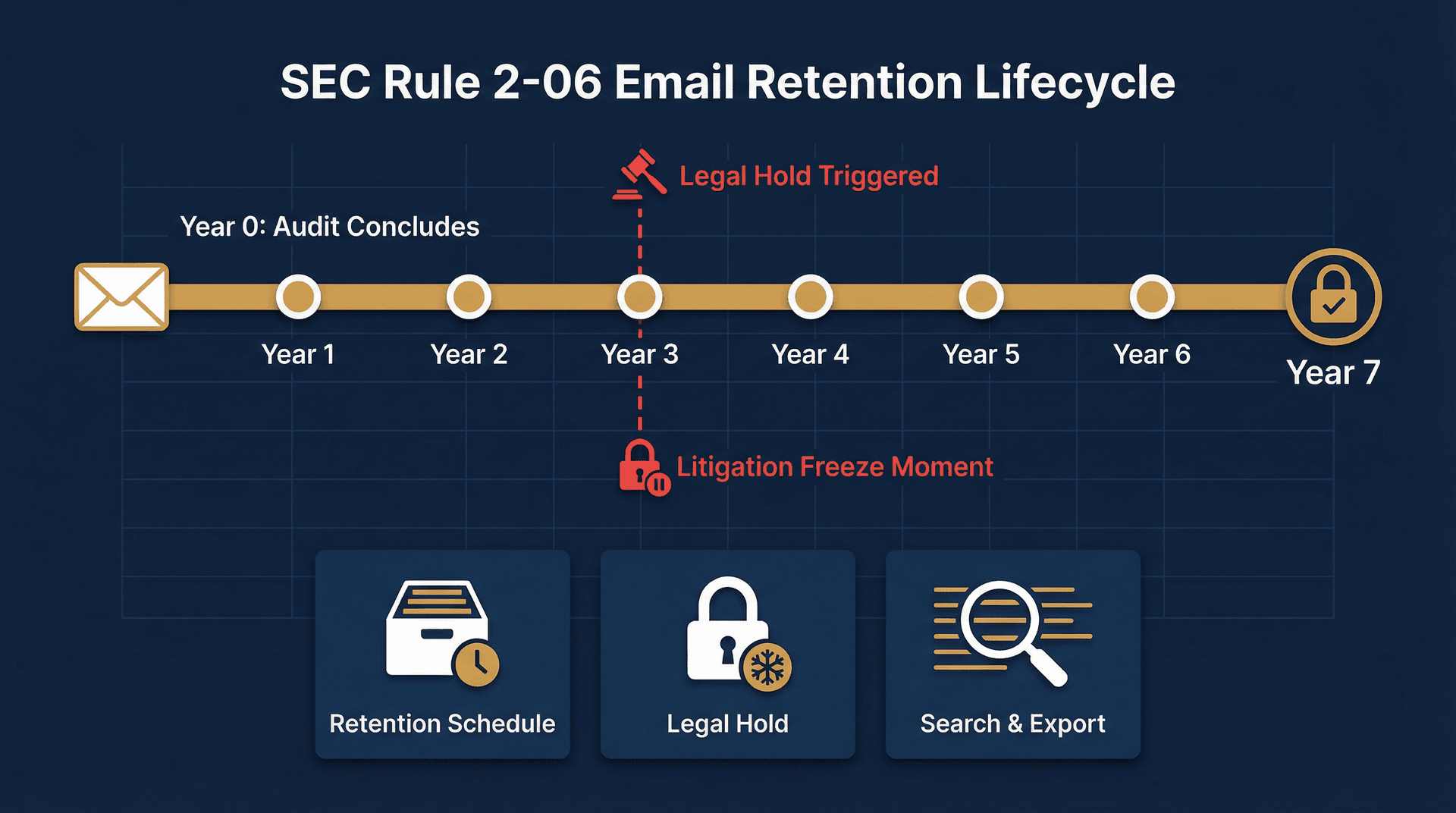
When litigation or investigation triggers a legal hold, having documented processes matters enormously. Our guide on eDiscovery email preservation explains how to structure your email systems so you can respond quickly when records requests arrive.
GLBA Safeguards Rule Email Compliance Requirements
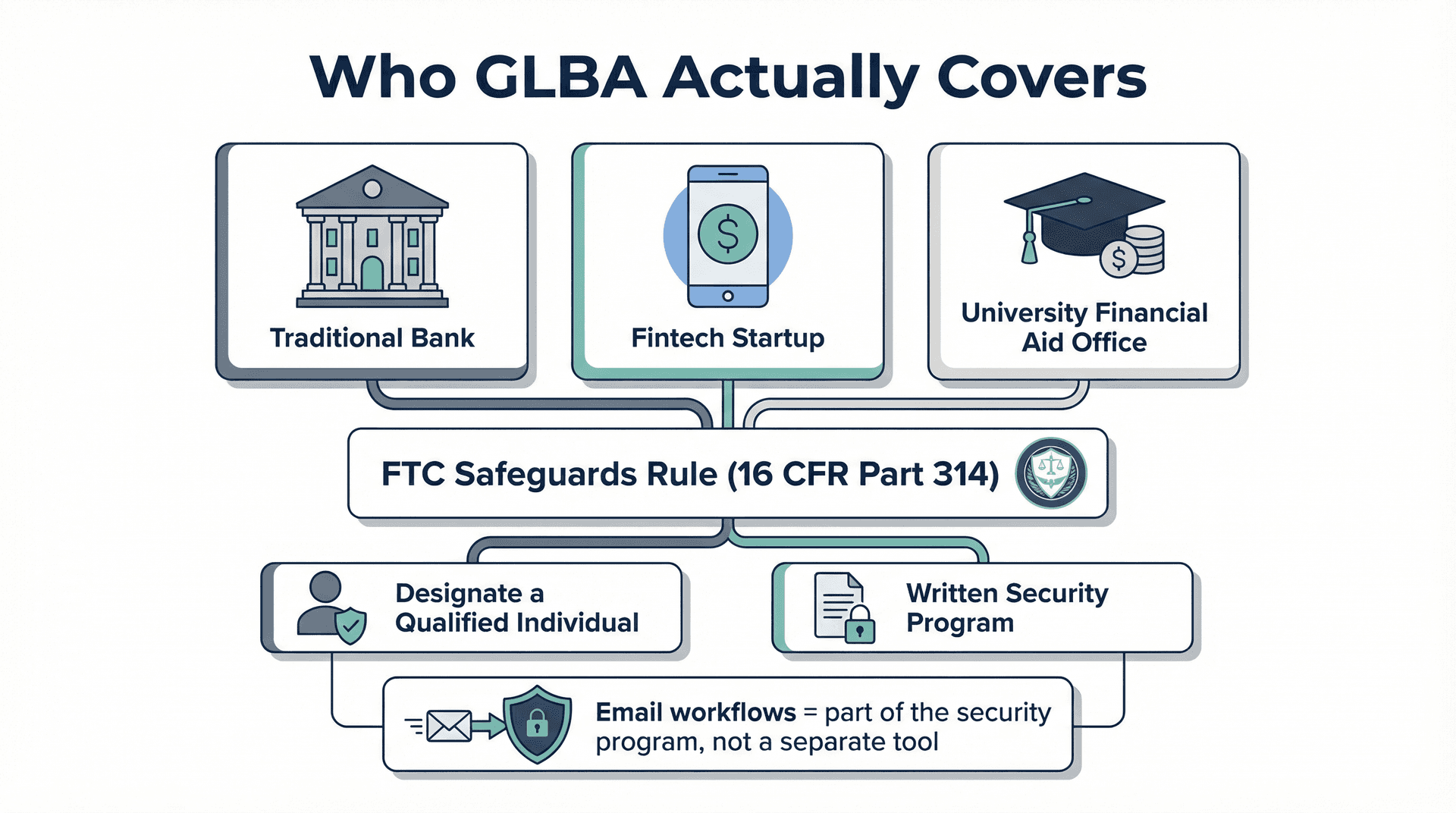
GLBA is one of the most misunderstood regulations because it applies well beyond traditional banking. The definition of "financial institution" under the FTC's jurisdiction can include organizations you wouldn't expect, from certain fintech companies to, in some cases, higher education institutions that handle financial aid data.
The FTC's Safeguards Rule (16 CFR Part 314) sets standards for developing, using, and maintaining safeguards for customer information. Two concrete requirements stand out:
-
Designate a Qualified Individual to oversee and put in place your information security program.
-
Build a written security program with vendor oversight and security controls.
The FTC provides practical guidance on what this looks like in practice.
If your email contains customer information covered by GLBA, your email workflow becomes part of your "information security program," not a separate side tool. That means your email security, retention, and access controls all fall under the Qualified Individual's oversight.
GDPR Email Compliance: Balancing Retention and Deletion
GDPR isn't an "email law." But email is one of the most common places personal data lives, so it becomes a GDPR concern almost by default.
Two principles matter most for email workflows:
Security of processing (Article 32): Set up appropriate technical and organizational measures to protect personal data. Encryption is explicitly listed as an example measure.
Storage limitation (Article 5): Personal data should be kept no longer than necessary for the purposes for which it's processed.
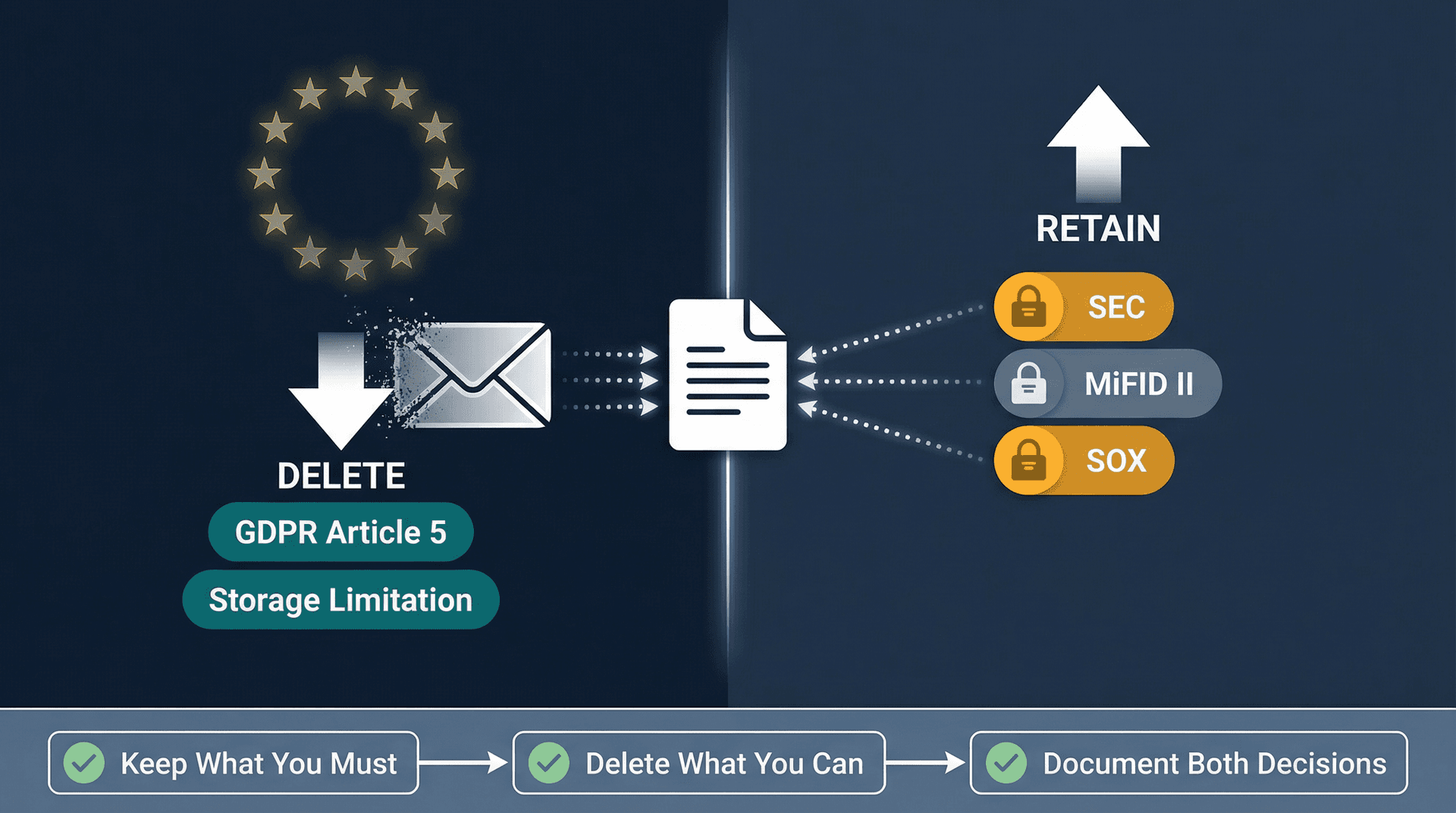
This is where it gets complicated. GDPR pushes you to delete when you no longer need data. But recordkeeping rules (SEC, MiFID II, SOX) push you to retain. These forces pull in opposite directions, and the correct strategy isn't "delete everything" or "keep everything."
Our guide to GDPR email deletion rules for companies walks through the balancing act, when deletion is mandatory, when it conflicts with other retention obligations, and how to document decisions that regulators will actually accept.
The right approach: Keep what you must (legal and regulatory obligations), delete what you can (purpose limitation), and document both decisions. Your retention schedule needs to account for every regulatory requirement that applies to you, and your deletion policies need to respect all of them simultaneously.
Marketing Email Compliance Requirements: CAN-SPAM and CASL
Marketing email rules sit squarely in the Permit category of our framework. They're about whether you're allowed to send the message at all.
CAN-SPAM Email Compliance Requirements (US)
The FTC's CAN-SPAM compliance guide frames the law as setting rules for commercial email, giving recipients the right to stop emails, and placing responsibility on the sender.
Your compliance workflow needs three things:
-
Sender identity that isn't misleading
-
Subject lines that aren't deceptive
-
A clear opt-out path with a real, tested process to honor it
CAN-SPAM is often called "permissive" compared to other frameworks because it doesn't require prior consent for commercial email. But that doesn't mean anything goes. The rules around honoring opt-outs, identifying yourself, and avoiding deception are real, and violations carry penalties of up to $51,744 per email.
Managing your opt-out workflow is much simpler when you have the right tools. Our bulk email unsubscriber helps you track and honor unsubscribe requests at scale, and the cold email blocker helps filter incoming unsolicited messages before they clutter your regulated workflows.
CASL Email Compliance Requirements for Canada
CASL is stricter than most US-based founders expect. The CRTC's guidance summarizes the core obligations:
-
Obtain consent (express or implied, with specific rules for each)
-
Provide identification information
-
Include an unsubscribe mechanism in each message
Canada's government overview frames CASL as protecting consumers and businesses from misuse of digital technology.
The critical difference: If you email Canada, you need a defensible consent record because the burden of proof is effectively on you. "We think they opted in" isn't enough. You need to show when, how, and what they consented to.

PCI DSS Email Compliance Requirements
PCI DSS isn't "email regulation," but it becomes email regulation the moment cardholder data touches email. And it happens more often than most teams realize: forwarded receipts, customer service threads with card numbers pasted in, screenshots of payment confirmations.
Two practical realities for 2026:
The PCI SSC published PCI DSS v4.0.1 as a limited revision, confirming that v4.0 retired on December 31, 2024, and the March 31, 2025 effective date for future-dated requirements didn't change. PCI DSS is fundamentally a baseline of technical and operational requirements designed to protect account data.
Practical stance: Don't let full card data live in email. If payment data must move through email for any reason, treat email as an open network and apply strong cryptography with tight access controls. Validate your exact approach with your QSA and PCI scope assessment.

FedRAMP Email Compliance Requirements for Government Contractors
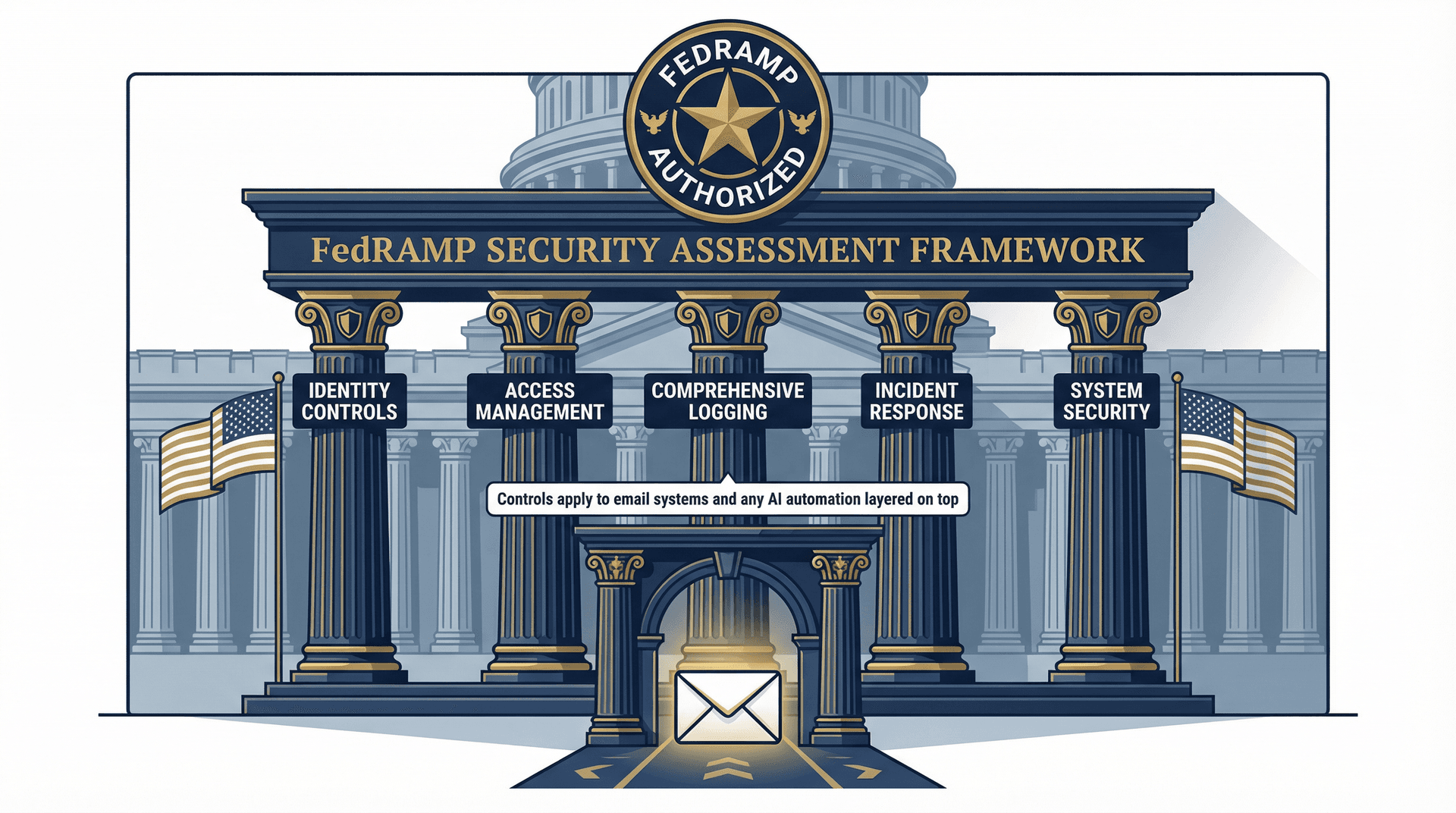
If you sell to US federal agencies or operate in federal environments, you'll hear "FedRAMP" constantly. And for good reason: it's the gatekeeper.
FedRAMP security controls compliance is tied to the FedRAMP Security Assessment Framework and includes controls from NIST SP 800-53 Rev 5. FedRAMP is also actively modernizing how requirements are measured, including work on "Key Security Indicators."
What this means for email: you need strong identity controls, access management, comprehensive logging, incident response procedures, and system security controls around everywhere federal data is processed and stored. That includes email systems and any automation layered on top. If you're adding an AI assistant to help triage government communications, that tool needs to meet the same control standards.
Our dedicated guide on FedRAMP email requirements for government contractors maps the specific NIST 800-53 controls that directly touch email workflows, so you know exactly what your compliance team needs to document.
How to Build a Compliant Email System Step by Step
This is the part most compliance guides skip. Here's how to actually do it, step by step, without turning your organization into a paperwork factory.

Step 1: Classify What Your Email Contains
Create four simple buckets:
-
Public: Safe if leaked. Company announcements, public-facing content.
-
Internal: Annoying if leaked. Team discussions, scheduling, non-sensitive operations.
-
Confidential: Harmful if leaked. Business strategies, employee data, financial details.
-
Regulated: Legally protected or a regulated record. PHI, financial communications, audit-related records.
If you can't classify your email, you can't automate safely. And you definitely can't build retention schedules or access controls without knowing what you're protecting.
Inbox Zero's AI automation can label and route emails into these categories automatically, turning classification from a manual exercise into a consistent, auditable system. Our email management strategies guide explains how to build the classification rules that make this work at scale.
Step 2: Decide Your Retention Logic
Your retention schedule should answer three questions:
→ What must we keep? (SEC, MiFID II, SOX, CFTC-style obligations that specify retention periods and ESMA requirements)
→ What should we delete? (Storage limitation and purpose limitation logic)
→ What triggers a legal hold?
If you don't have a retention schedule, every other control is guesswork. Start with our email retention policy template for enterprises to build a schedule that covers every regulatory obligation in one place.
Step 3: Set Up Email Audit Logs and Access Controls
Auditors and regulators want to see four things:
① Who accessed the data
② What changed
③ When it happened
④ How you can prove integrity
HIPAA explicitly calls out audit controls as a technical safeguard. Financial recordkeeping rules emphasize integrity and retrievability for the entire retention period. If your email system doesn't produce these signals, you're building compliance on hope.
Inbox Zero's email analytics surface exactly these signals: who's sending what, which categories are moving, and where your email patterns deviate from your rules. That's not just a productivity feature. It's audit-ready visibility into how your email system actually behaves.
Step 4: Build Marketing Compliance as a System, Not a Footer
For outreach, you need:
-
A consent source of truth, especially for CASL jurisdictions where the burden of proof is on you
-
Suppression lists that are enforced everywhere (not just in one tool)
-
An opt-out mechanism that's real, tested, and consistently honored
The Inbox Zero bulk email unsubscriber helps keep suppression lists clean on the receiving end. For outbound marketing, mastering email deliverability ensures your compliance-friendly sends actually land in inboxes.
Step 5: Start Email Automation with Low-Risk Categories First
Start with low-risk categories:
-
Newsletters
-
Receipts
-
Vendor notifications
Then gradually move to higher-risk categories as your rules prove reliable.
For regulated industries, a default "draft-only" posture for external replies is usually the safest first automation step. The AI drafts, a human reviews, and nothing goes out without approval. That's compliance-friendly automation.
A good place to start is our guide on AI email management, which explains how to phase in automation in a way that keeps humans in the loop for high-risk categories while still capturing real efficiency gains.
How Inbox Zero Helps You Stay Compliant
If you've read this far, you're probably thinking: "Great, I understand the rules. But how do I actually put all of this in place without hiring a compliance army?"
That's exactly the problem Inbox Zero was built to solve. Not compliance software in the traditional sense, but an AI email assistant designed with the kind of controls that compliance-conscious teams actually need.
Our design choices map directly to the Permit, Protect, Prove framework:
How Draft-Only Mode Keeps Regulated Email Safe
This is the single most compliance-friendly feature in our stack. For healthcare, finance, or government-facing email, you can configure rules that:
-
Label and summarize incoming messages
-
Draft replies based on your rules and AI analysis
-
Never auto-send until a human reviews and approves
That means your AI assistant is handling the heavy lifting (classification, drafting, routing) while keeping a human in the loop for anything that carries regulatory risk. The AI is the brain, but you control the hands.
The AI Personal Assistant documentation shows you exactly how to configure draft-only mode and set up rule conditions that match your regulatory categories. Get started with Inbox Zero and configure draft-only mode for your regulated workflows from day one.
Building a Clear and Auditable Email Operations Trail
When Inbox Zero processes your email through rules, it creates structured, explainable actions instead of invisible manual inbox behavior. Every label applied, every draft created, every email archived follows an explicit rule that you defined.
This matters for compliance because it makes it dramatically easier to demonstrate consistent handling patterns. When an auditor asks "how do you handle incoming patient communications?" or "what's your process for financial record retention?", you can point to a rule set, not a hope that your team remembers the process.
Learn how Reply Zero creates a clear record of every thread awaiting response, so nothing gets missed, and you can demonstrate consistent follow-through on communications that carry regulatory weight.
Data Sovereignty: Self-Host and Open Source
This is where Inbox Zero differs fundamentally from most email tools. Our open-source codebase on GitHub (10.1k+ stars, 1.2k+ forks as of March 2026) means you can:
-
Self-host the entire platform on your own infrastructure, keeping data wherever your compliance team needs it
-
Audit the code yourself to verify exactly what happens with your data
-
Bring your own AI keys (Anthropic, OpenAI, Google, Groq, or even local models through Ollama) so you control where email content is processed
For organizations where data residency matters (think EU operations under GDPR, government contractors, or healthcare systems), self-hosting with local AI models means your email data never leaves your infrastructure.
Our self-hosting documentation walks through the complete setup, from environment variables to OAuth configuration, so your infrastructure team can deploy Inbox Zero for Enterprise in a fully controlled environment.
Security Certifications You Can Verify Independently
We don't just say we're secure. We prove it:
-
SOC 2 compliant, with controls covering TLS, secure code, incident response, device security, and 2FA
-
CASA Tier 2 approved, which is Google's Cloud Application Security Assessment. This requires developer or authorized lab scanning plus verification by an authorized assessor and is required for apps accessing sensitive Gmail scopes
-
A public trust center listing 20 published internal policies and 17 controls that anyone can review
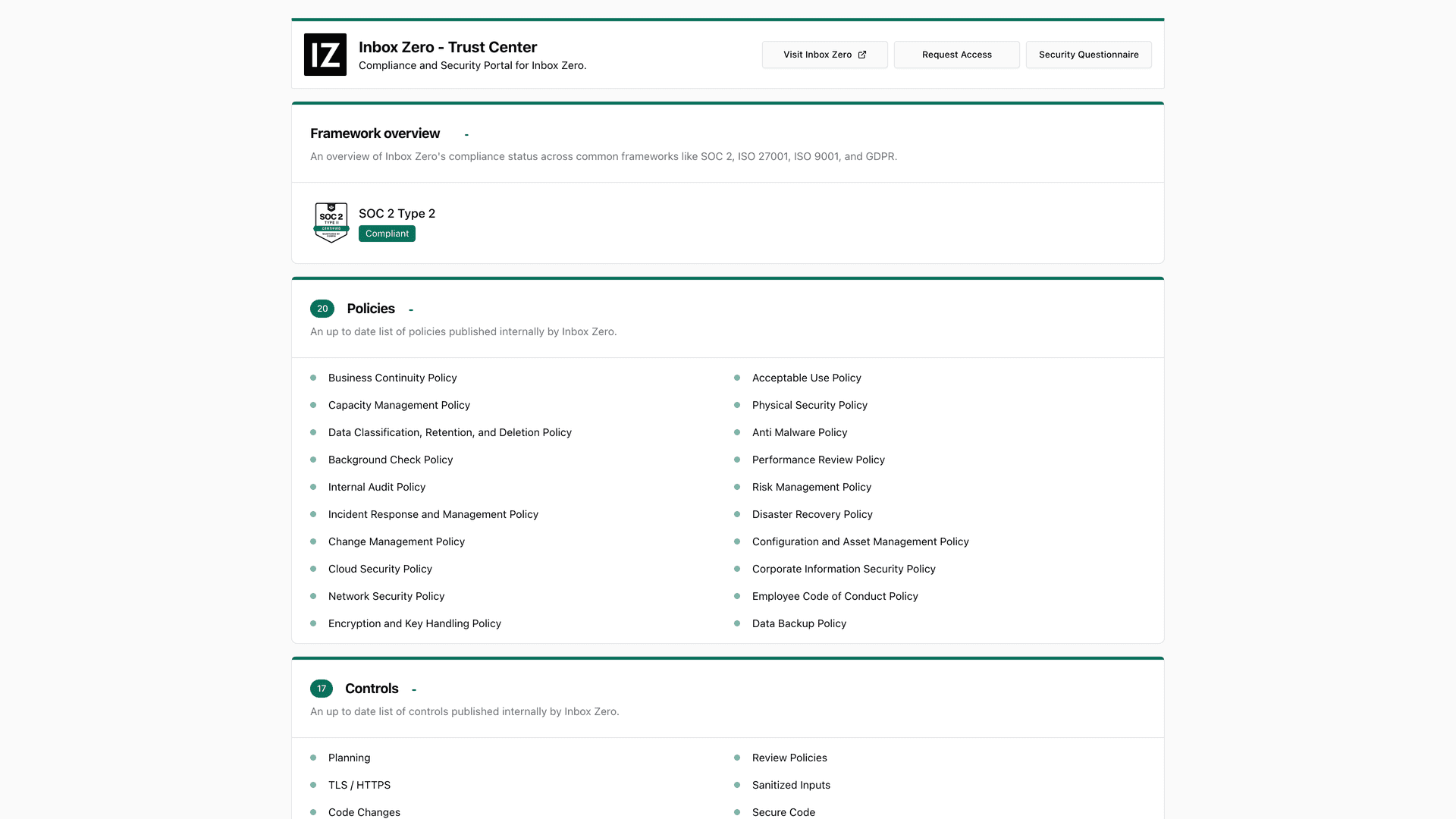
These aren't marketing claims. They're verifiable certifications. You can pull our trust center, confirm SOC 2 evidence, check our CASA Tier 2 status, and review our subprocessor list before making a decision.
If you're evaluating whether Inbox Zero or any email tool meets your security bar, our roundup of SOC 2 compliant email tools explains what SOC 2 actually certifies and what to look for in your vendor review.
Client-Side Privacy for Teams That Need It
Sometimes you don't need a full AI assistant. You just need better email organization. Our Inbox Zero Tabs for Gmail Chrome extension adds split-inbox style tabs to Gmail, and it runs entirely client-side. The Chrome Web Store listing states no data collection, no external servers, and all settings stored locally. Version 1.1.1 as of January 20, 2026.
For compliance-conscious teams that want better inbox organization without adding another data processor to their vendor list, that's a meaningful distinction.
Operational Uptime and Transparency
We publish a public status page with real-time operational status and uptime history. As of March 2, 2026, it shows "All Systems Operational" with no incident reports in the last 7 days. If something goes wrong, you'll know about it, not from a customer complaint, but from our own monitoring.
For enterprise teams that need to evaluate Inbox Zero as part of a formal security review, our enterprise page documents the trust and compliance posture that security and procurement teams need to complete their assessments.
Email Compliance Self-Audit Checklist
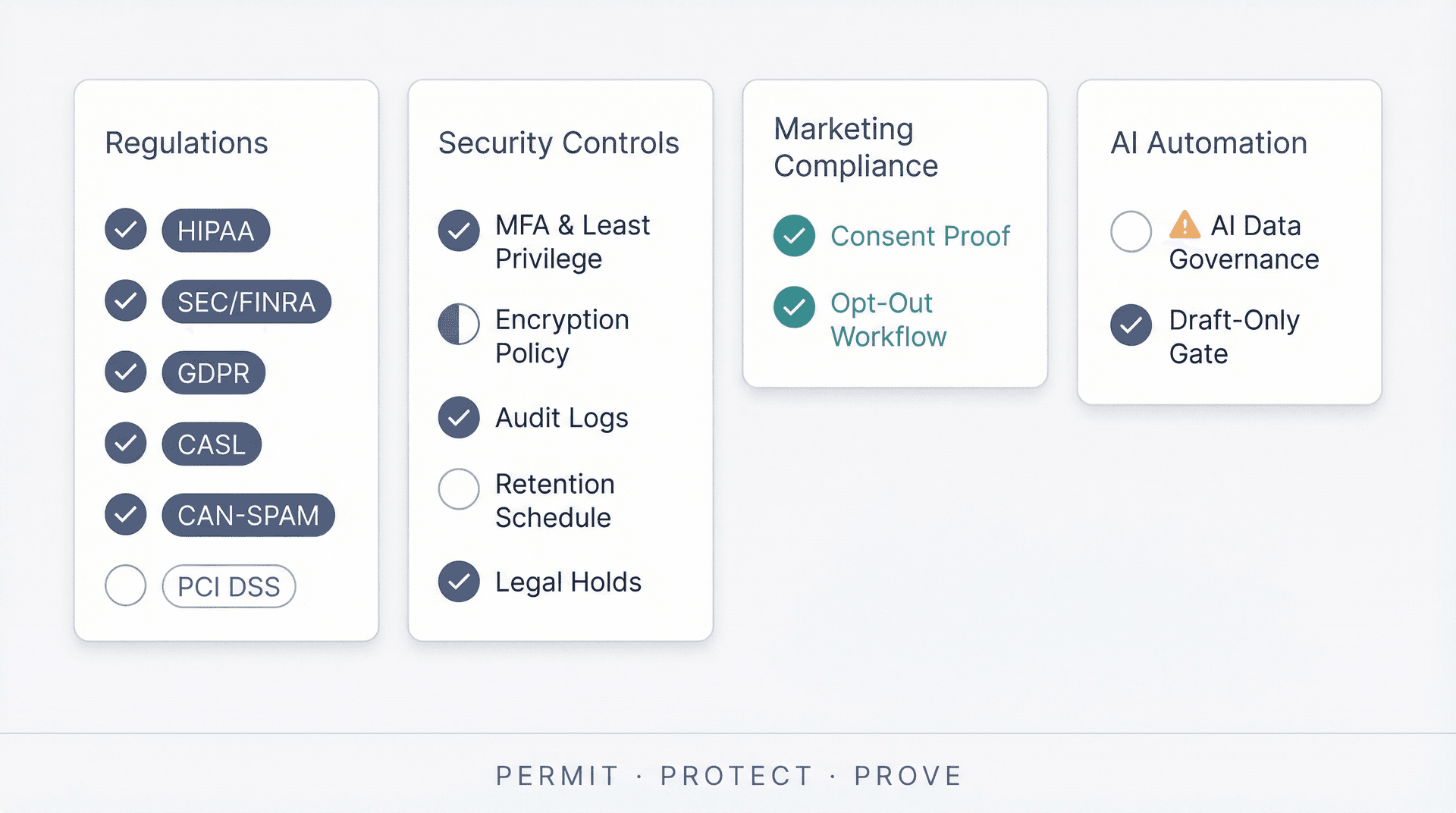
Want a quick "are we exposed?" scan? Run through these in order. If any answer is "I don't know," that's your starting point.
Which Regulations Apply to Your Organization?
-
Which of these apply to you: HIPAA, SEC/FINRA, CFTC, MiFID II, SOX audit retention, GLBA Safeguards, PCI DSS, GDPR, CAN-SPAM, CASL requirements?
-
Do you operate across borders (EU/Canada/US)? If yes, your marketing rules and privacy rules stack.
Email Security Controls to Have in Place
-
Do you have MFA and least privilege for email admin access?
-
Do you have encryption policies for sensitive categories? (Required under HIPAA technical safeguards)
-
Do you have audit logs that show access and actions? (Required by HIPAA audit controls)
-
Do you have a retention schedule that matches your regulators? (SEC, CFTC, ESMA, SOX)
-
Can you place legal holds and export records?
Marketing Email Compliance Controls
-
Can you prove consent where required (CASL)?
-
Do you have a working opt-out workflow with suppression enforcement?
AI and Email Automation Compliance Controls
-
Do you know exactly what data is sent to any AI provider, and under what terms?
-
Is automation gated (draft-only) for high-risk categories?
If any answer is "I don't know," that's your starting point. Compliance is mostly about eliminating unknowns. The regulation itself is rarely the hard part. The hard part is knowing what applies to you and whether your controls actually run every day.
Email compliance doesn't have to be overwhelming. The regulations sound complex (and the legal text certainly is), but the underlying logic is consistent: know what rules apply, put in place controls that match, and maintain evidence that those controls work.
Start with the Permit, Protect, Prove framework. Identify your industry's primary driver in the table above. Run the self-audit. And if you want an email system that's built for compliance from the ground up, without sacrificing productivity, give Inbox Zero a try.
Your inbox is already regulated. The only question is whether your tools are ready for it.

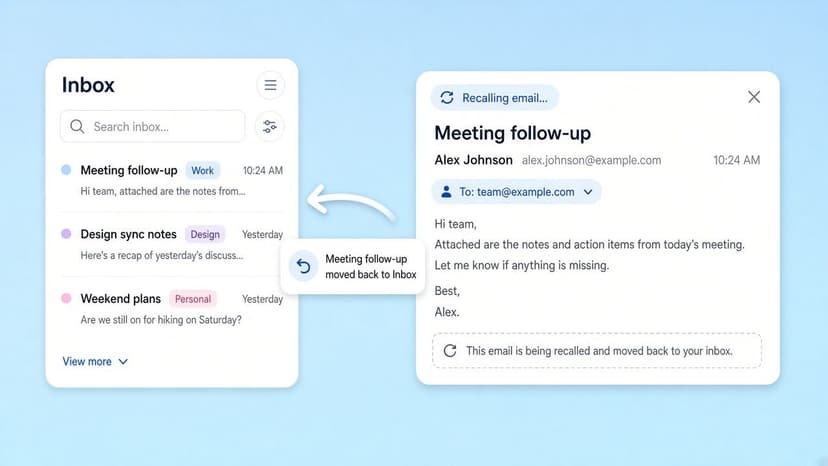
How to Recall an Email in Outlook (2026)
How to recall an email in Outlook step by step for new Outlook, classic Outlook, web, Mac, and mobile, plus when recall works and what to do when it doesn't.
2026-09-30T18:25:57.000Z
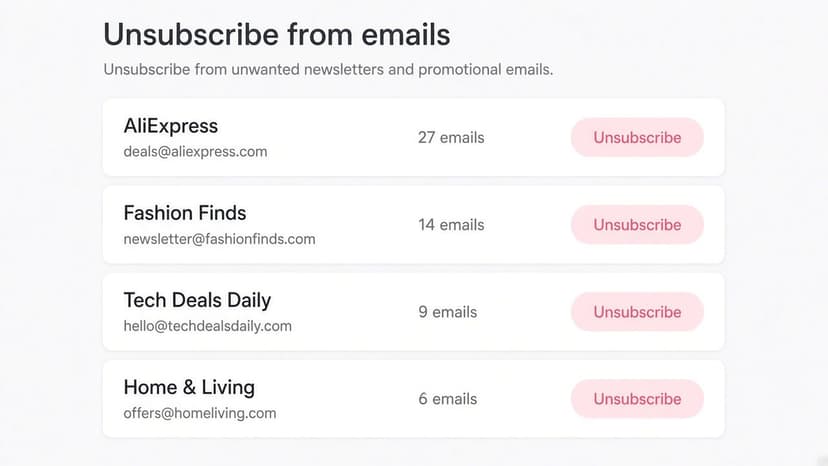
How to Stop AliExpress Emails (2026)
Stop AliExpress promotional emails: the unsubscribe link, notification settings in your AliExpress account, and what to do when the deals keep coming.
2026-09-30T18:25:57.000Z
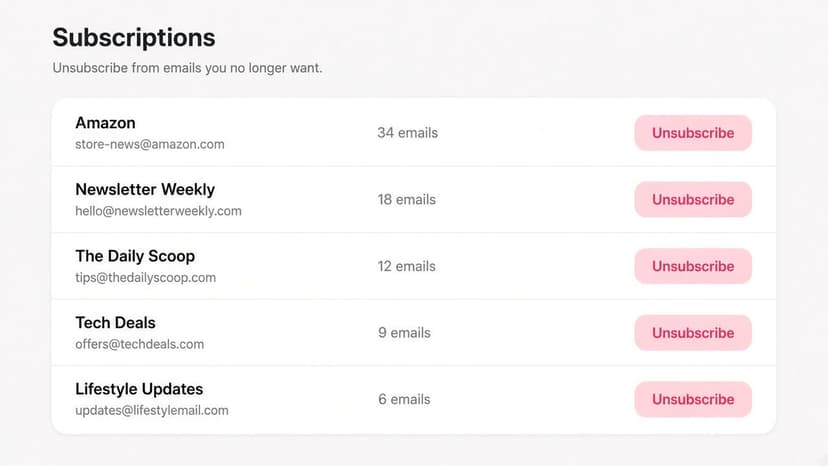
How to Stop Amazon Emails (2026)
Stop Amazon marketing emails with the Communication Preferences Center, manage Amazon email subscriptions, and handle order emails you can't switch off.
2026-09-30T18:25:57.000Z
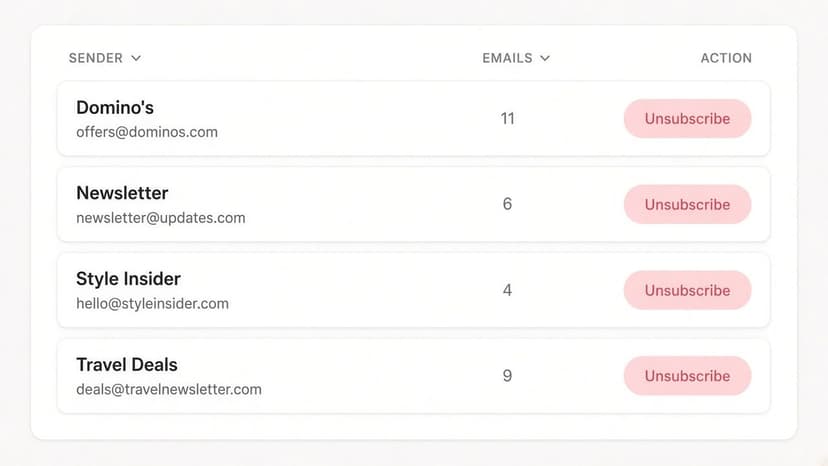
How to Stop Domino's Emails (2026)
Stop Domino's emails with Domino's official opt-out page, stop Domino's text offers, and know which rewards emails keep coming.
2026-09-30T18:25:57.000Z