AI EMAIL ASSISTANT
The AI email assistant that works for you
Inbox Zero triages your inbox, drafts replies in your voice, bulk unsubscribes you from noise, and tracks what needs a reply. Open source, privacy-first, and it works with the Gmail or Outlook you already use.









What is an AI email assistant?
An AI email assistant is software that connects to your inbox and uses artificial intelligence to handle email on your behalf. It sorts incoming messages into categories, drafts replies in your writing style, unsubscribes you from mail you never read, and reminds you about conversations that need a response. The best ones go beyond suggestions and act on your inbox automatically, while leaving you in control of what gets sent.
Inbox Zero is an open source AI email assistant that works with your existing Gmail, Google Workspace, or Outlook account. It triages incoming email automatically, writes draft replies in your voice so they're ready the moment you open a thread, bulk unsubscribes you from newsletters and marketing email, and tracks replies so nothing slips: it flags the threads where someone went quiet on you, and the ones where you went quiet on them. You set the rules in plain English and the assistant works 24/7.
Because the code is open source, you can verify exactly how your email is processed instead of taking it on faith. Teams that want full control can self-host it on their own infrastructure. No other major AI email assistant offers that.
Drafting helpers vs assistants that act
In 2026 the gap between AI email tools is no longer about writing quality. It's about whether the tool acts on your inbox or just makes suggestions.
Passive drafting helpers
Most AI email tools suggest text. They summarize threads, polish your writing, or propose a reply when you ask. Helpful, but your inbox stays your job: you still open every email, decide what to do with it, and clean up the noise yourself.
Active assistants with human review
Inbox Zero is the second kind. It triages every incoming email, drafts the reply before you open the thread, archives the noise, and flags what needs follow-up. You review and send. The work happens before you show up, not after.
One assistant for your whole inbox
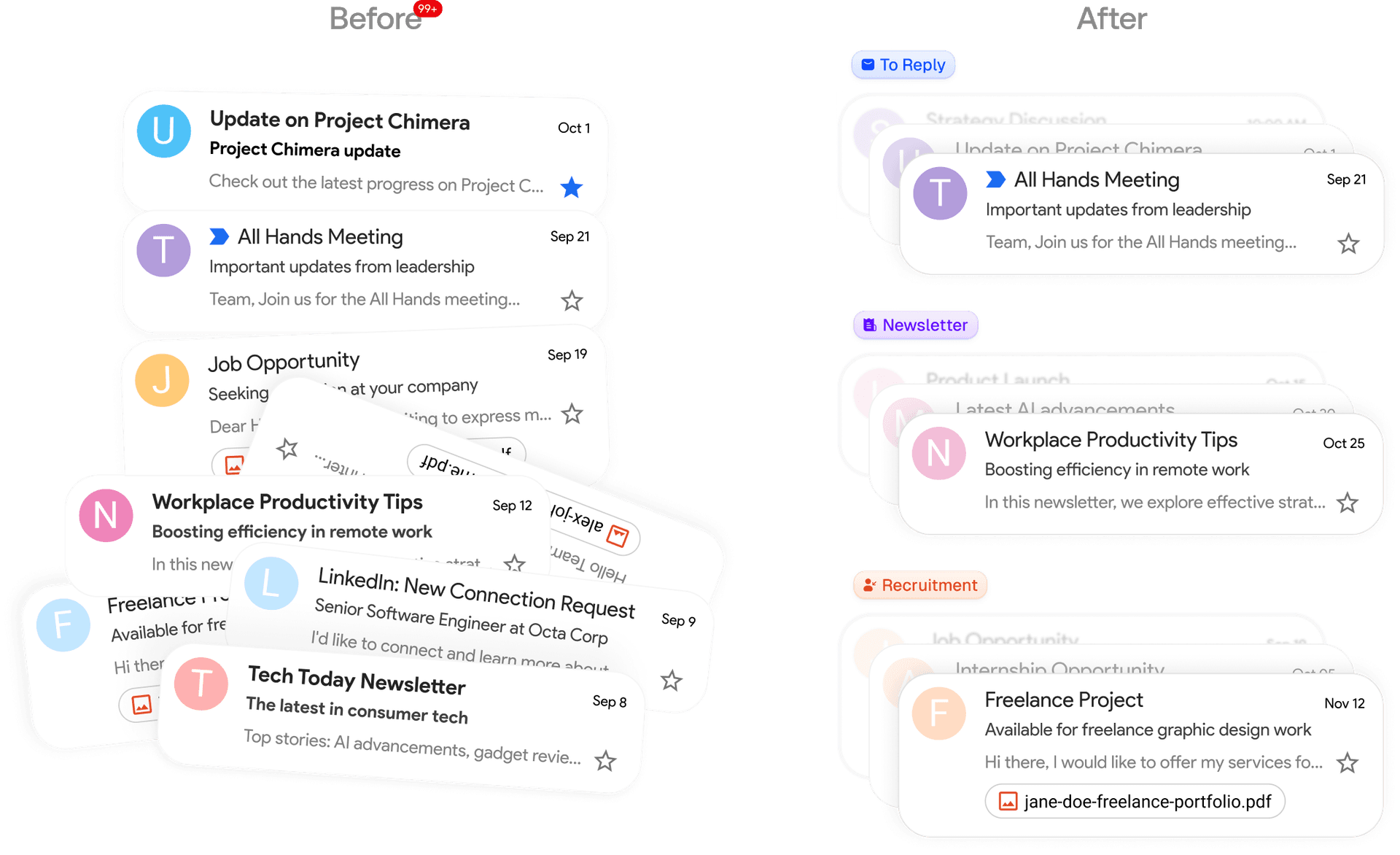
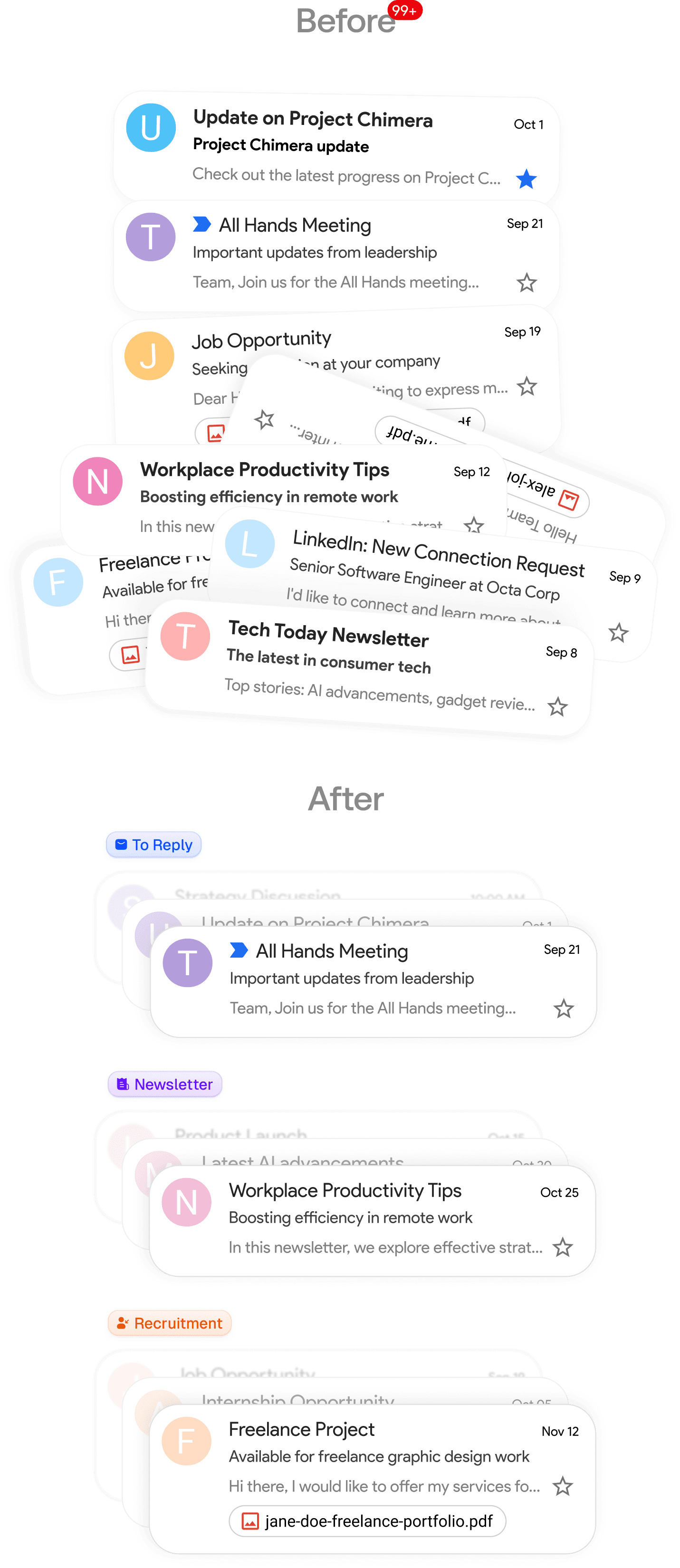
A personal assistant at a fraction of the cost. It drafts replies, organizes, and labels emails. Tell it what you want in plain English and it works 24/7.
What Inbox Zero handles for you
Everything an assistant should do with your email, in one place.
Automatic triage
Every incoming email is sorted into categories. Use the built-in ones or create your own, and attach actions like archive, label, or forward.
Drafts in your voice
The assistant learns from your email history and writes draft replies that sound like you, ready the moment a new email lands.
Bulk unsubscribe
See every sender you're subscribed to, how often they email, and how much you actually open. Unsubscribe or auto archive in bulk.
Reply tracking
Know which emails are waiting on you and who hasn't replied to you. Follow-up nudges get drafted so conversations don't die.
Meeting briefs
Before external calls, get a brief on who's joining with your email history and the context that matters.
Open source
Read the code to verify how your email is handled, and self-host it for full control over your data. SOC 2 compliant.
Works with the inbox you already have
Inbox Zero integrates seamlessly with your existing Gmail or Outlook, so there's no learning curve and nothing new to switch to. If you mainly want to clear out subscriptions, start with the bulk email unsubscriber. If you want the full automation picture, see how AI email automation works. On Microsoft? Here's how it works as an AI email assistant for Outlook.
Set up in minutes, automate forever
Connect your email and the assistant starts sorting and drafting right away. Custom rules have a simple interface, and the built-in chat can set them up from a plain description.
STEP 1
Connect your Google or Microsoft email
Link your Gmail or Outlook in two clicks to get started.
STEP 2
Organizes your inbox exactly how you want it
Smart categories set up automatically. Use our categories or create your own.
Newsletter
To Reply
Marketing
Calendar
Notification
Cold Email
Team
Urgent
STEP 3
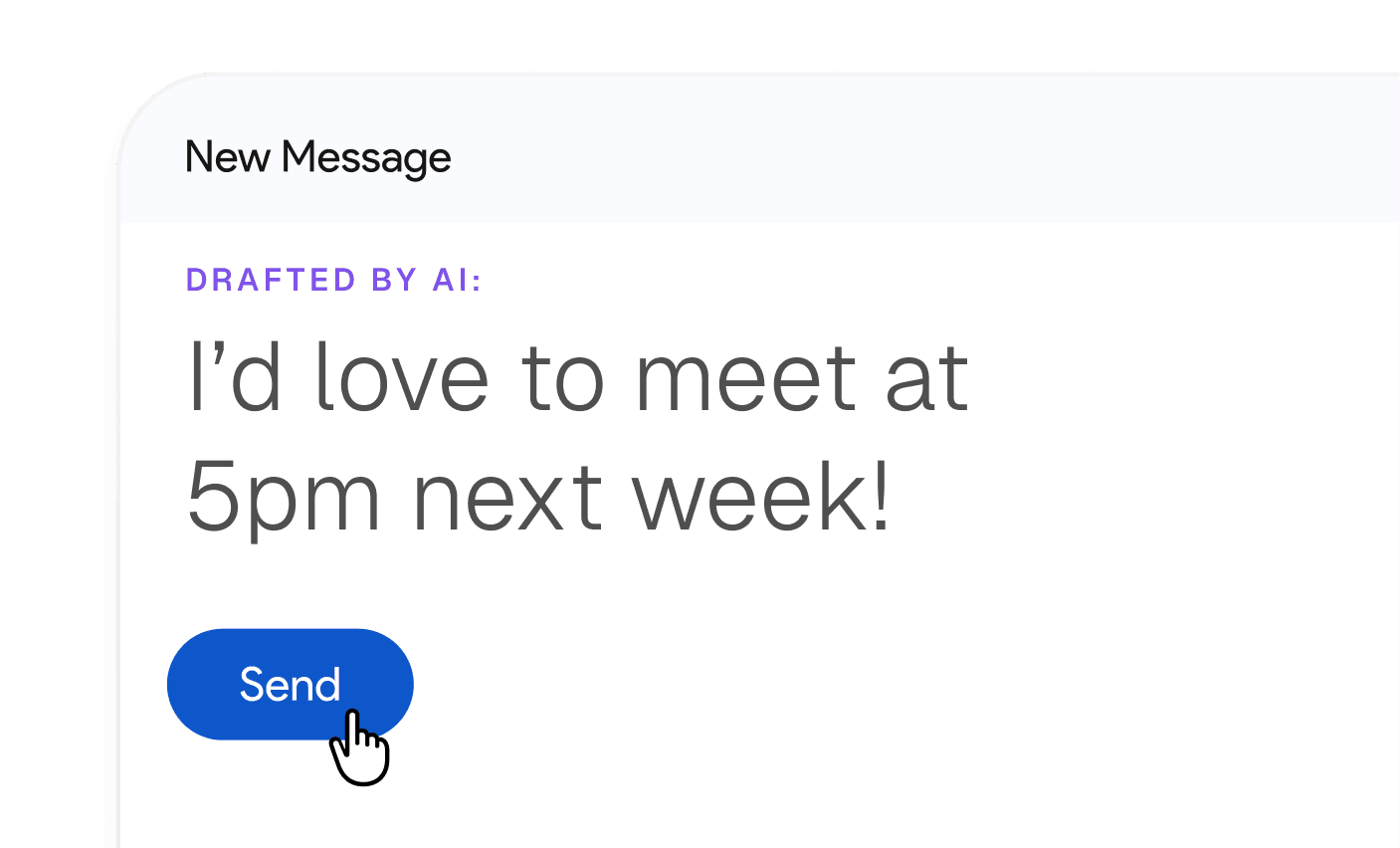
Pre-drafted replies based on your email history and calendar
Every email you get needing a reply will have a pre-written draft.
How Inbox Zero compares to other AI email assistants
Superhuman, Fyxer, Shortwave, and Lindy are all good tools. Here's where each one fits, based on publicly available information.
| Inbox Zero | Superhuman | Fyxer | Shortwave | Lindy | |
|---|---|---|---|---|---|
| Works inside your existing Gmail or Outlook | ✅ | No (separate client) | ✅ | No (separate client) | ✅ |
| Built specifically for email | ✅ | ✅ | ✅ | ✅ | No (general agent platform) |
| Automatic triage and categorization | ✅ | ✅ | ✅ | ✅ | Build it yourself |
| Drafts replies in your voice | ✅ | ✅ | ✅ | Pro plan | Build it yourself |
| Custom categories | ✅ | ❌ | ❌ | Limited | Build it yourself |
| Custom rules and actions | ✅ | ❌ | ❌ | ❌ | ✅ |
| Bulk unsubscribe report | ✅ | One-click only | ❌ | ❌ | ❌ |
| Reminds you when you forgot to reply | ✅ | ❌ | ❌ | ❌ | ❌ |
| Email analytics | ✅ | ❌ | Limited | Limited | ❌ |
| Meeting briefs | ✅ | ❌ | ✅ | ❌ | ❌ |
| Open source | ✅ | ❌ | ❌ | ❌ | ❌ |
| Self-hosting | ✅ | ❌ | ❌ | ❌ | ❌ |
| Pricing | From $20/mo | ~$30-40/mo | Pro $49/mo; Team $99/mo | Free, paid from ~$7/mo | Credit-based |
Want the full breakdowns? Read our detailed comparisons: Superhuman vs Inbox Zero, Fyxer vs Inbox Zero, Shortwave vs Inbox Zero, Serif vs Inbox Zero, and Perplexity Email Assistant vs Inbox Zero. Or see our roundup of the best AI email assistants.
Join 25,000+ others who spend less time on emails
Our customers love saving time with Inbox Zero.
It's the first tool I've tried of many that have actually captured my voice in the responses that it drafts.

Joel Neuenhaus
Outbound Legal
I'm an executive who was drowning in hundreds of daily emails and heavily dependent on my EA for email management. What I love most about Inbox Zero is how it seamlessly replaced that entire function—the smart automation, prioritization, and organization features work like having a dedicated email assistant built right into my workflow.

Valentine Nwachukwu
Zaden Technologies
Love this new open-source app by @elie2222: getinboxzero.com

Steven Tey
Dub
Wow. Onboarded and started unsubscribing from the worst spammers in just 3 minutes... Thank you 🙏🏼

Yoni Belson
LeadTrap
I came across Inbox Zero while actively looking to hire a VA to manage my emails but after trying the tool, it turned out to be a complete game changer.

Slim Labassi
Boomgen
SUPER excited for this one! Well done, going to get use out of it for sure—have been waiting for a tool like this, it just makes so much sense to have as a layer atop email.

Alex Bass
Efficient App
I love the flexibility and customization options, and it's the first thing in forever that's gotten my inbox under control. Thank you!

Will Brierly
DreamKey
Loving it so far! Cleaned up my top cluttering newsletter and promotional email subscriptions in just a few minutes.

Jonni Lundy
Resend
Love this new open-source app by @elie2222: getinboxzero.com
Steven Tey
Dub
It's the first tool I've tried of many that have actually captured my voice in the responses that it drafts.
Joel Neuenhaus
Outbound Legal
I love the flexibility and customization options, and it's the first thing in forever that's gotten my inbox under control. Thank you!
Will Brierly
DreamKey
this is something I've been searching for a long time – thanks for building it.

Vinay Katiyar
@ktyr
I came across Inbox Zero while actively looking to hire a VA to manage my emails but after trying the tool, it turned out to be a complete game changer.
Slim Labassi
Boomgen
SUPER excited for this one! Well done, going to get use out of it for sure—have been waiting for a tool like this, it just makes so much sense to have as a layer atop email.
Alex Bass
Efficient App
I'm an executive who was drowning in hundreds of daily emails and heavily dependent on my EA for email management. What I love most about Inbox Zero is how it seamlessly replaced that entire function—the smart automation, prioritization, and organization features work like having a dedicated email assistant built right into my workflow.
Valentine Nwachukwu
Zaden Technologies
I was mostly hoping to turn my email inbox into less of the mess that it is. I've been losing tasks that I should do as the emails get buried. So far it's really helped.

Steve Radabaugh
@stevenpaulr
Wow. Onboarded and started unsubscribing from the worst spammers in just 3 minutes... Thank you 🙏🏼
Yoni Belson
LeadTrap
Finally an "unsubscribe app" that let's you *actually* unsubscribe and filter using Gmail filters (instead of always relying on the 3rd party app to filter those emails). Big plus for me, so I have all filters in one place (inside the Gmail filters, that is). Awesome work! Already a fan :)

Wilco de Kreij
@emarky
hey bro, your tool is legit what I been looking for for ages haha. its a god send

James
@james
Frequently asked questions
- What is an AI email assistant?
An AI email assistant is software that connects to your inbox and uses artificial intelligence to handle email on your behalf. It sorts incoming messages into categories, drafts replies in your writing style, unsubscribes you from mail you never read, and reminds you about conversations that need a response. The best ones act on your inbox automatically while leaving you in control of what gets sent.
- What is the difference between an AI email assistant and an AI email client?
An AI email client, like Superhuman or Shortwave, is a new app you move into instead of Gmail or Outlook. An AI email assistant works on top of the inbox you already use. It sorts, drafts, and automates in the background while you keep reading email exactly where you do today. Inbox Zero does both: the assistant works inside Gmail and Outlook, and the Inbox Zero email client is there if you want a dedicated app.
- Does Inbox Zero replace my email app?
It doesn't have to. Inbox Zero works inside Gmail and Outlook, so you can keep using them as normal while the assistant works in the background. Inbox Zero also has its own email client for the web, desktop, and iPhone if you'd like to use it.
- Which email providers does Inbox Zero support?
Inbox Zero supports Gmail, Google Workspace, and Microsoft Outlook email accounts.
- Is it safe to give an AI assistant access to my email?
It depends on the tool. Inbox Zero is open source, so you can read the code and verify exactly how your email is processed instead of taking it on faith. It's SOC 2 compliant, and teams that want full control can self-host it on their own infrastructure.
- Will the assistant send emails without my approval?
Drafts are prepared for you to review and send. Beyond drafting, the assistant only does what your rules tell it to, like archiving marketing email or labeling receipts, and you define those rules in plain English.
- How much does an AI email assistant cost?
Competitors typically charge $30 to $99 per user per month. Inbox Zero starts at $20 per month with a 7 day free trial, and because it's open source you can also self-host it.
- Can I self-host Inbox Zero?
Yes. Inbox Zero is open source and can be self-hosted, so your email never has to leave your own infrastructure. It's the only major AI email assistant that offers this.
Put the assistant to work
See how Inbox Zero fits the way you work.
Get back an hour a day.
Start using Inbox Zero.
Less time in your inbox. More time for what actually matters.