AI EMAIL ASSISTANT FOR OUTLOOK
The AI email assistant for your Outlook inbox
Inbox Zero triages your Outlook inbox, drafts replies in your voice, bulk unsubscribes you from noise, and tracks what needs a reply. Open source, privacy-first, and it works with the Outlook you already use.










What is an AI email assistant for Outlook?
An AI email assistant for Outlook is software that connects to your Microsoft account and handles email on your behalf, inside the inbox you already have. It sorts incoming messages into categories, drafts replies in your writing style, unsubscribes you from mail you never read, and reminds you about conversations that need a response. You don't switch to a new email app to get it.
Inbox Zero is an open source AI email assistant with native Outlook support. Many AI email tools are built around Gmail and either skip Microsoft accounts or bolt them on with forwarding workarounds. Inbox Zero connects to Outlook directly, triages incoming email automatically, writes draft replies in your voice so they're ready the moment you open a thread, and tracks replies so nothing slips: it flags the threads where someone went quiet on you, and the ones where you went quiet on them. You set the rules in plain English and the assistant works 24/7.
Because the code is open source, you can verify exactly how your email is processed instead of taking it on faith. It's SOC 2 compliant, and teams that want full control can self-host it on their own infrastructure. No other major AI email assistant offers that.
Keep Outlook. Add an assistant on top.
Most AI email products for Microsoft users ask you to move into a new client, or don't support Outlook at all. Inbox Zero takes the other route.
New email clients
Tools like Superhuman replace the Outlook app entirely, and Gmail-first tools like Shortwave don't support Microsoft 365 at all. Either way, you change where you read email, and everyone on your team has to learn a new app to benefit.
An assistant inside your Outlook
Inbox Zero connects to your existing Outlook account and works in the background. It triages every incoming email, drafts the reply before you open the thread, archives the noise, and flags what needs follow-up. You review and send, in the Outlook you already know.
One assistant for your whole Outlook inbox
A personal assistant at a fraction of the cost. It drafts replies, organizes, and labels emails. Tell it what you want in plain English and it works 24/7.
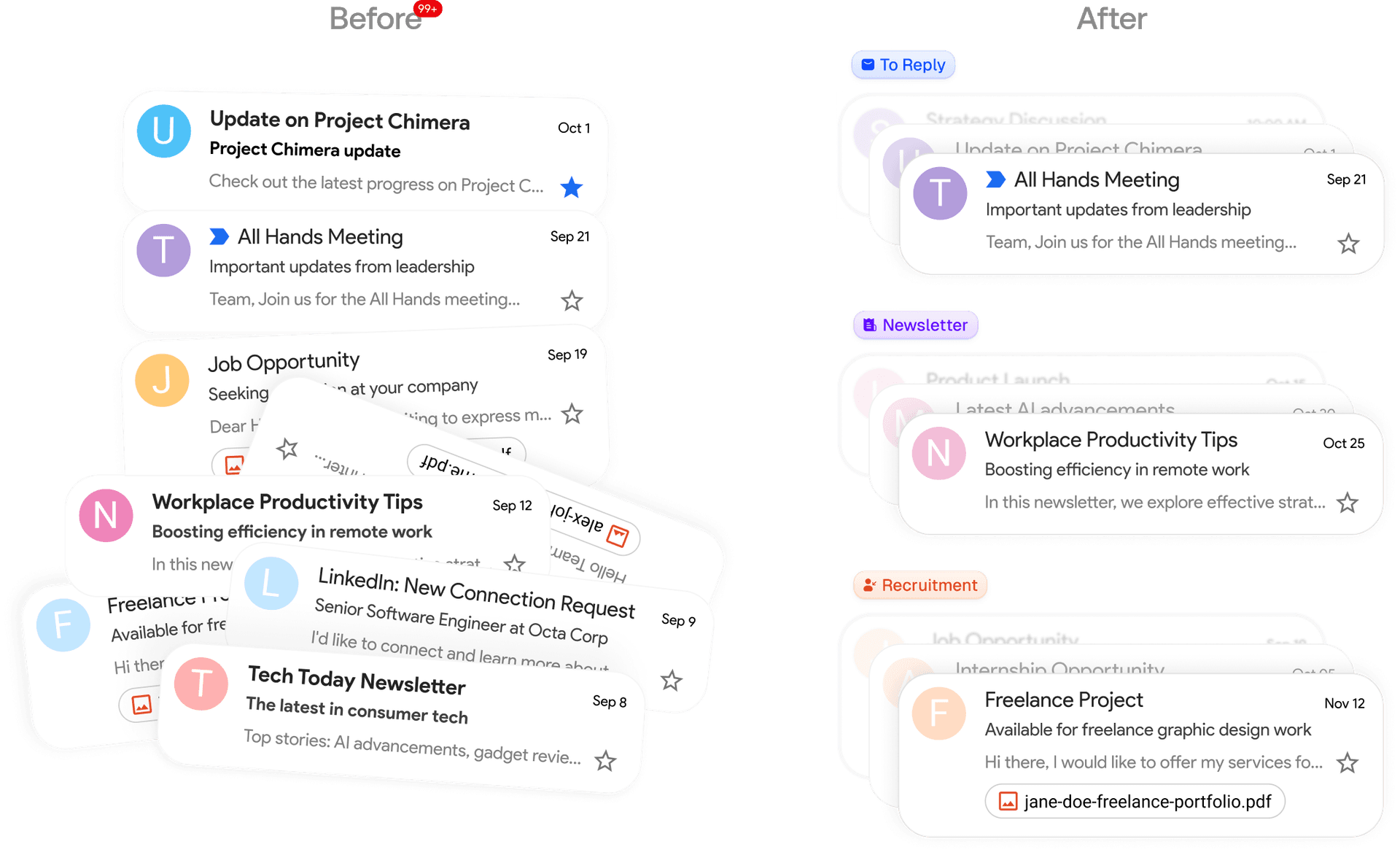
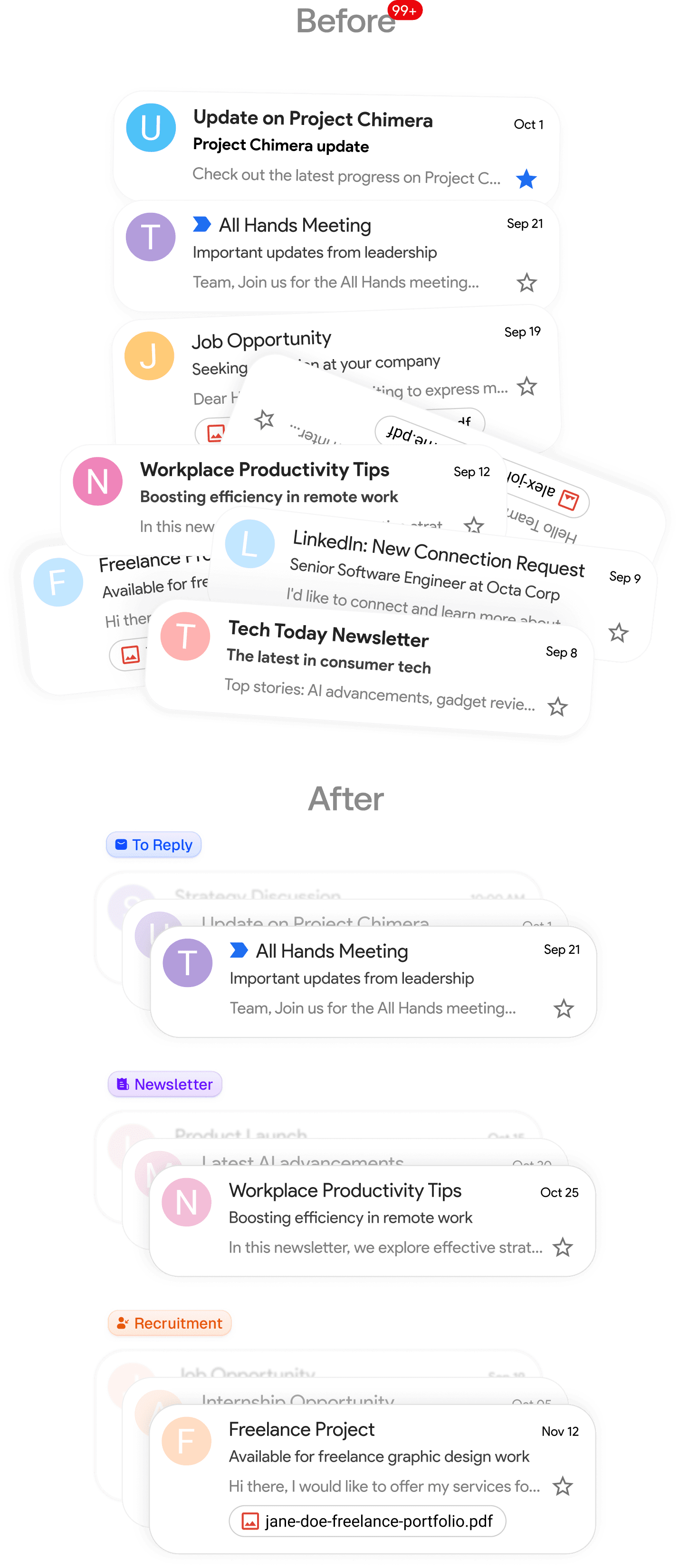
What Inbox Zero handles in Outlook
Everything an assistant should do with your email, without leaving the inbox you already use.
Automatic triage
Every email that lands in your Outlook inbox is sorted into categories. Use the built-in ones or create your own, and attach actions like archive, label, or forward.
Drafts in your voice
The assistant learns from your email history and writes draft replies that sound like you, ready in Outlook the moment a new email lands.
Bulk unsubscribe
See every sender you're subscribed to, how often they email, and how much you actually open. Unsubscribe or auto archive in bulk.
Reply tracking
Know which emails are waiting on you and who hasn't replied to you. Follow-up nudges get drafted so conversations don't die.
Meeting briefs
Before external calls, get a brief on who's joining with your email history and the context that matters.
Open source
Read the code to verify how your email is handled, and self-host it for full control over your data. SOC 2 compliant.
Works with the Outlook you already have
Inbox Zero integrates with your existing Outlook or Microsoft 365 account, so there's no learning curve and nothing new to switch to. Want the full picture of what the assistant does? See the AI email assistant overview, or compare it against the best AI email assistants on the market.
Set up in minutes, automate forever
Connect your Outlook account and the assistant starts sorting and drafting right away. Custom rules have a simple interface, and the built-in chat can set them up from a plain description.
STEP 1
Connect your Google or Microsoft email
Link your Gmail or Outlook in two clicks to get started.
STEP 2
Organizes your inbox exactly how you want it
Smart categories set up automatically. Use our categories or create your own.
Newsletter
To Reply
Marketing
Calendar
Notification
Cold Email
Team
Urgent
STEP 3
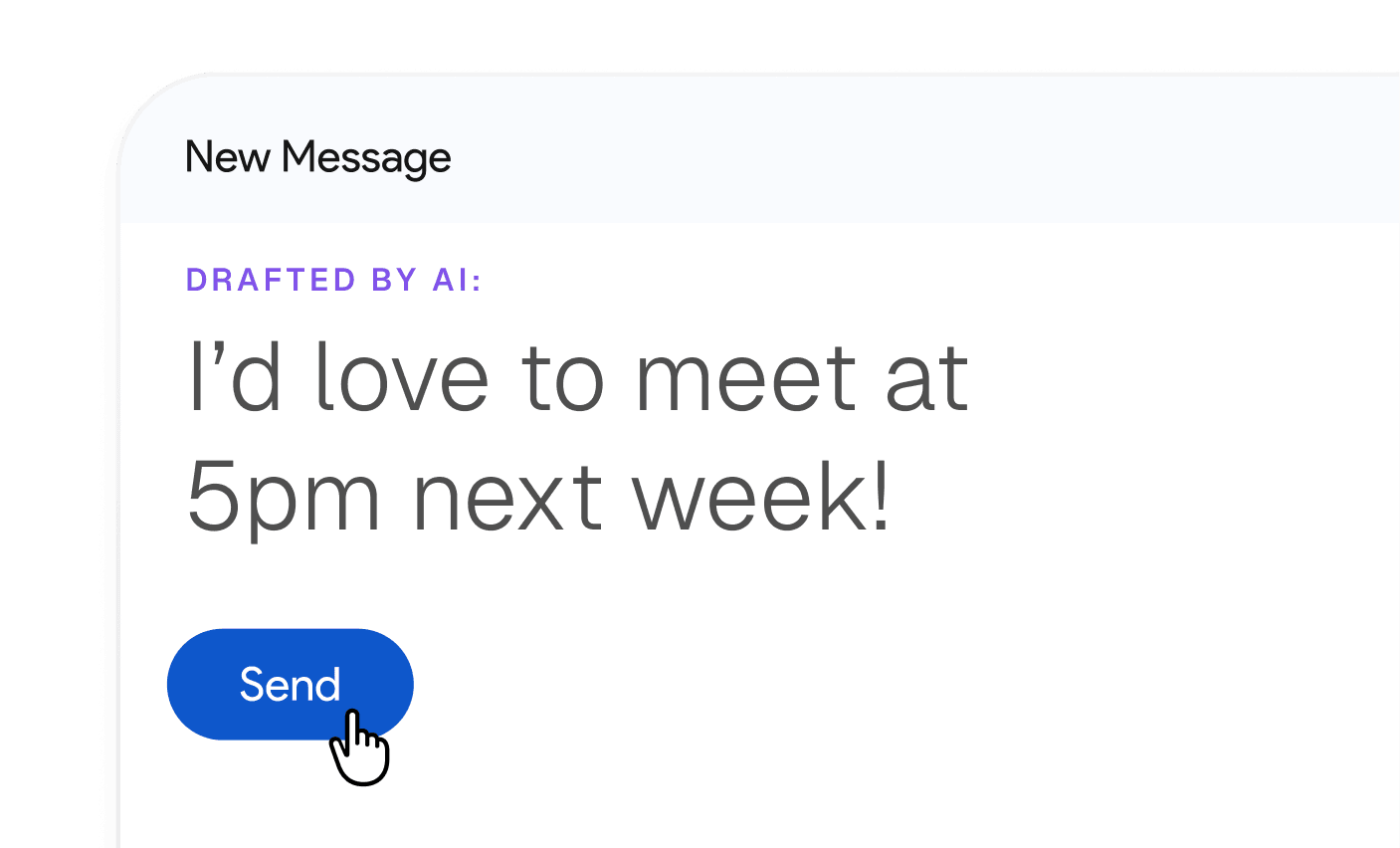
Pre-drafted replies based on your email history and calendar
Every email you get needing a reply will have a pre-written draft.
Join 20,000+ others who spend less time on emails
Our customers love saving time with Inbox Zero.
It's the first tool I've tried of many that have actually captured my voice in the responses that it drafts.

Joel Neuenhaus
Outbound Legal
I'm an executive who was drowning in hundreds of daily emails and heavily dependent on my EA for email management. What I love most about Inbox Zero is how it seamlessly replaced that entire function—the smart automation, prioritization, and organization features work like having a dedicated email assistant built right into my workflow.

Valentine Nwachukwu
Zaden Technologies
Love this new open-source app by @elie2222: getinboxzero.com

Steven Tey
Dub
Wow. Onboarded and started unsubscribing from the worst spammers in just 3 minutes... Thank you 🙏🏼

Yoni Belson
LeadTrap
I came across Inbox Zero while actively looking to hire a VA to manage my emails but after trying the tool, it turned out to be a complete game changer.

Slim Labassi
Boomgen
SUPER excited for this one! Well done, going to get use out of it for sure—have been waiting for a tool like this, it just makes so much sense to have as a layer atop email.

Alex Bass
Efficient App
I love the flexibility and customization options, and it's the first thing in forever that's gotten my inbox under control. Thank you!

Will Brierly
DreamKey
Loving it so far! Cleaned up my top cluttering newsletter and promotional email subscriptions in just a few minutes.

Jonni Lundy
Resend

Love this new open-source app by @elie2222: getinboxzero.com
Steven Tey
Dub
It's the first tool I've tried of many that have actually captured my voice in the responses that it drafts.
Joel Neuenhaus
Outbound Legal
I love the flexibility and customization options, and it's the first thing in forever that's gotten my inbox under control. Thank you!
Will Brierly
DreamKey
this is something I've been searching for a long time – thanks for building it.

Vinay Katiyar
@ktyr
I came across Inbox Zero while actively looking to hire a VA to manage my emails but after trying the tool, it turned out to be a complete game changer.
Slim Labassi
Boomgen
SUPER excited for this one! Well done, going to get use out of it for sure—have been waiting for a tool like this, it just makes so much sense to have as a layer atop email.
Alex Bass
Efficient App
I'm an executive who was drowning in hundreds of daily emails and heavily dependent on my EA for email management. What I love most about Inbox Zero is how it seamlessly replaced that entire function—the smart automation, prioritization, and organization features work like having a dedicated email assistant built right into my workflow.
Valentine Nwachukwu
Zaden Technologies
I was mostly hoping to turn my email inbox into less of the mess that it is. I've been losing tasks that I should do as the emails get buried. So far it's really helped.

Steve Radabaugh
@stevenpaulr
Wow. Onboarded and started unsubscribing from the worst spammers in just 3 minutes... Thank you 🙏🏼
Yoni Belson
LeadTrap
Finally an "unsubscribe app" that let's you *actually* unsubscribe and filter using Gmail filters (instead of always relying on the 3rd party app to filter those emails). Big plus for me, so I have all filters in one place (inside the Gmail filters, that is). Awesome work! Already a fan :)

Wilco de Kreij
@emarky
hey bro, your tool is legit what I been looking for for ages haha. its a god send

James
@james
Frequently asked questions
- Does Inbox Zero work with Outlook?
Yes. Inbox Zero supports Microsoft Outlook natively, alongside Gmail and Google Workspace. You connect your Microsoft account and the assistant starts sorting and drafting right away. No forwarding tricks and no browser extension required.
- Does it replace the Outlook app?
No. Inbox Zero isn't an email client. It works on top of the Outlook you already use, on desktop, web, and mobile. The assistant sorts, drafts, and automates in the background while you keep reading email exactly where you do today.
- Does it work with Microsoft 365 accounts?
Yes. Inbox Zero supports Outlook (Microsoft) accounts, including Microsoft 365. If your company runs on Microsoft, the assistant plugs into the inbox your team already has.
- Is it safe to give an AI assistant access to my Outlook inbox?
It depends on the tool. Inbox Zero is open source, so you can read the code and verify exactly how your email is processed instead of taking it on faith. It's SOC 2 compliant, and teams that want full control can self-host it on their own infrastructure.
- Will the assistant send emails without my approval?
Drafts are prepared for you to review and send. Beyond drafting, the assistant only does what your rules tell it to, like archiving marketing email or labeling receipts, and you define those rules in plain English.
- Does Inbox Zero integrate with Microsoft Teams?
On the Pro plan you can connect Slack or Telegram today, and Microsoft Teams support is on the way. Emails that need a reply get pushed to you in chat so you stay on top of what matters without living in your inbox.
- How much does an AI email assistant for Outlook cost?
Competitors typically charge $30 to $50 per user per month. Inbox Zero starts at $20 per month with a 7 day free trial, and because it's open source you can also self-host it.
- Can I use it with both Outlook and Gmail?
Yes. Inbox Zero supports Gmail, Google Workspace, and Microsoft Outlook email accounts, so it works across a mixed setup rather than locking you into one provider.
Get back an hour a day.
Start using Inbox Zero.
Less time in your inbox. More time for what actually matters.