10 Superhuman Alternatives That Cost Less in 2026
Paying $30/mo for Superhuman? 10 cheaper alternatives in 2026, including an AI automation layer for Gmail and Outlook from $18/mo.

Superhuman is still one of the fastest email clients you can buy. The problem? Price. And the pricing itself is weirdly inconsistent right now. Superhuman's help center lists Mail Starter at $30/month and Business at $40/month, while the public pricing page shows Business at $33/member/month on annual billing. Some third-party articles from 2026 still quote older $25/month numbers, which is exactly why lazy roundups age badly.
For this guide, we used $30/month as the conservative price floor to beat and checked every option below against official vendor pages on March 20, 2026.
Most "Superhuman alternatives" posts miss a deeper point, though. People aren't all trying to replace the same thing. From first principles, an email management tool creates value in one of three ways:
-
It helps you see what matters
-
It helps you act faster
-
It helps you prevent low-value email from stealing your attention in the first place
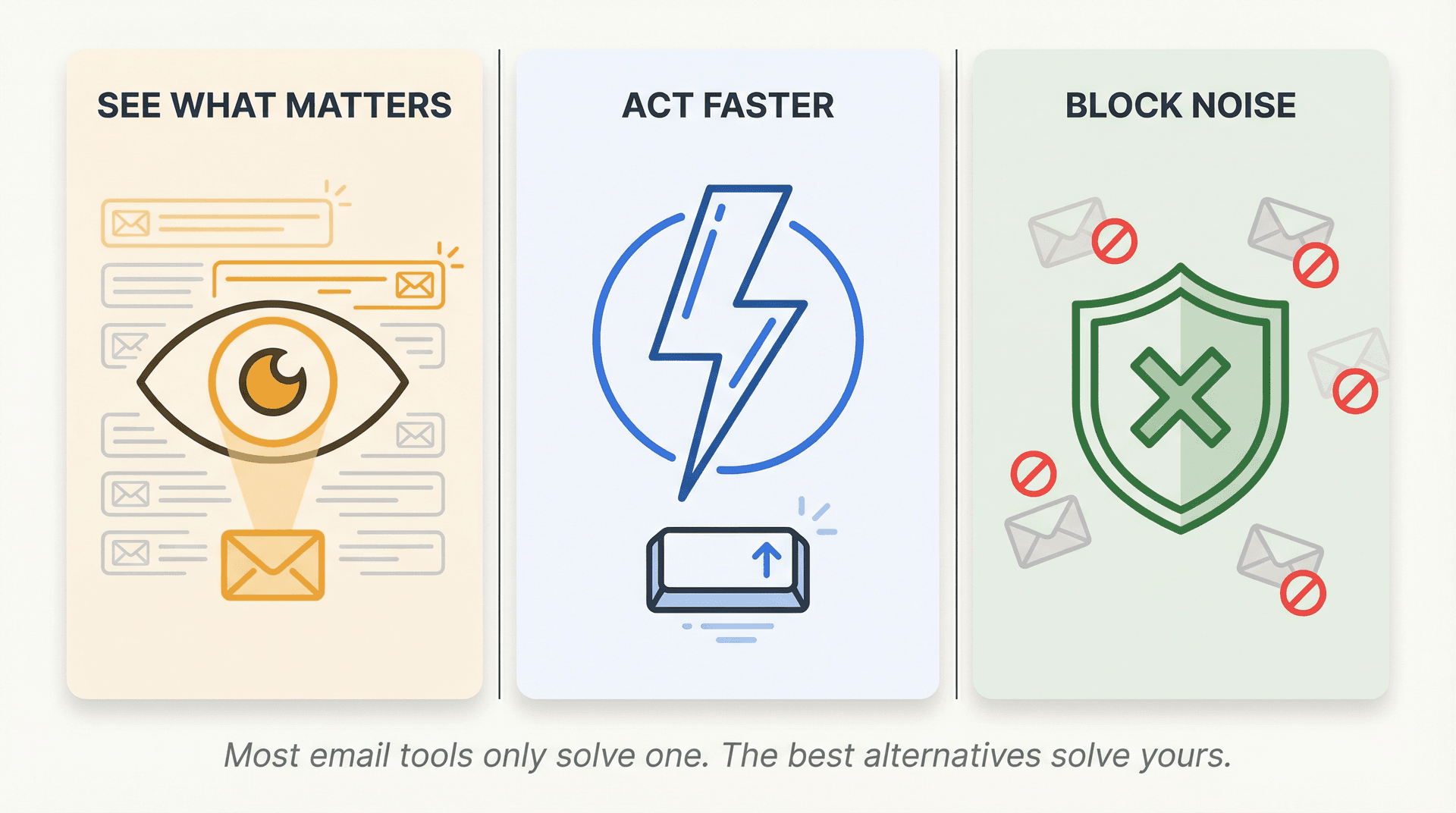
Superhuman is strongest on speed. Many cheaper alternatives are better at triage, AI automation, collaboration, or staying inside Gmail and Outlook instead of asking you to move into an entirely new client. If you're wondering how much time you're spending on email each day, you're not alone, and the answer is usually more than you think. For the full landscape of AI-powered options beyond Superhuman, see our roundup of the best AI email assistants.
So this isn't just a list of "other inbox apps." It's a list of tools that overlap with at least one of Superhuman's real jobs-to-be-done, while starting below the $30/month benchmark.
Which Superhuman Alternative Is Best for You?
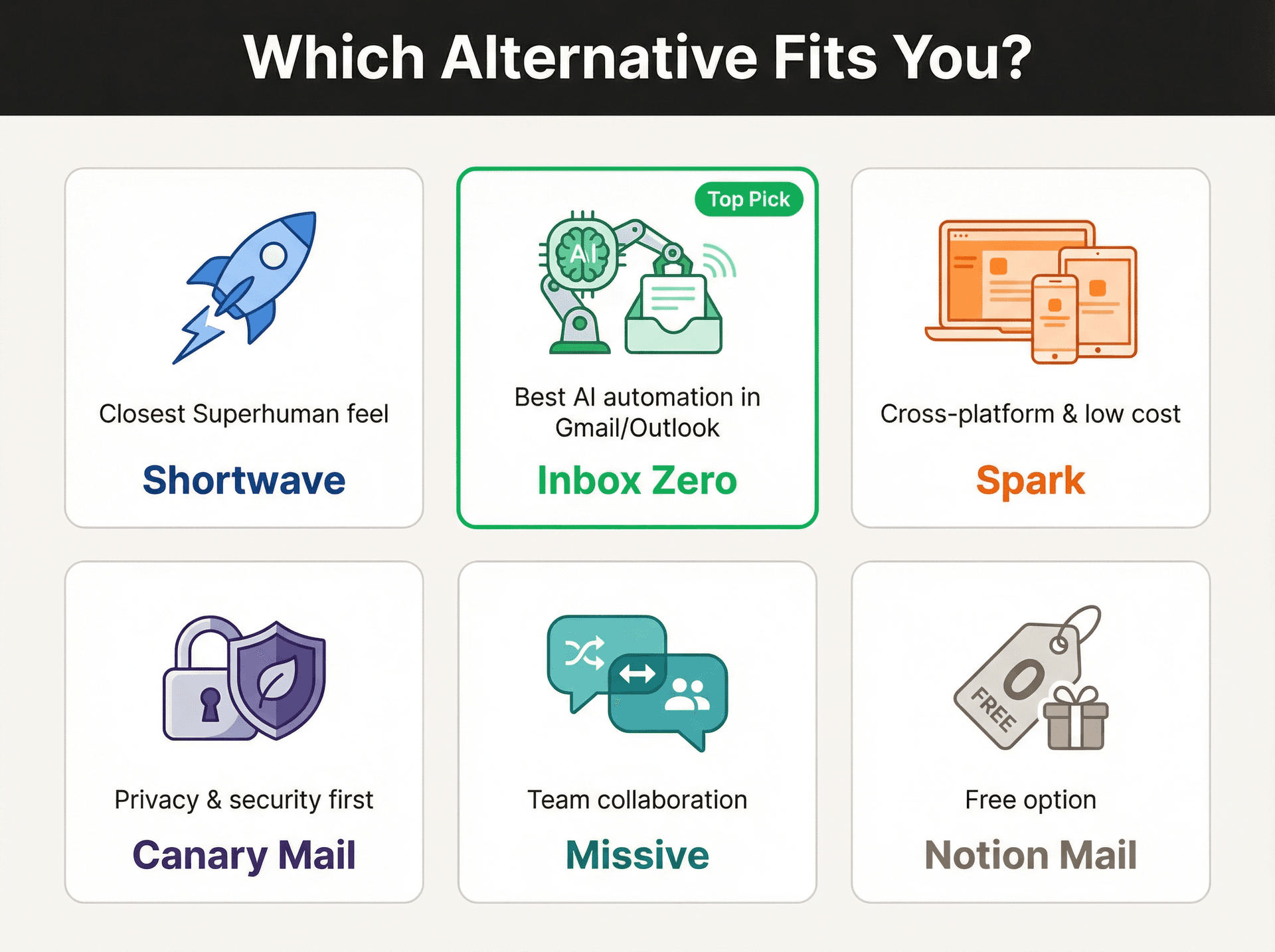
If you want the closest overall feel to Superhuman, start with Shortwave. It's the nearest thing to a modern, AI-heavy, fast email workspace without Superhuman pricing.
If you want the best value while keeping Gmail or Outlook, start with Inbox Zero. It's cheaper, works on top of your existing inbox, and leans much harder into AI automation, reply drafting, cleanup, and follow-up tracking than into "new mail client" theater.
If you want the cheapest polished cross-platform client, look at Spark. If you want privacy and security, look at Canary Mail. If you want team collaboration, look at Missive. And if you want free, start with Notion Mail if you live in Gmail, or Spark's free tier if you need something more mature.
10 Superhuman Alternatives Compared: Price and Features
Before we get into the details, here's what every alternative costs and where it fits. All prices were verified on March 20, 2026:
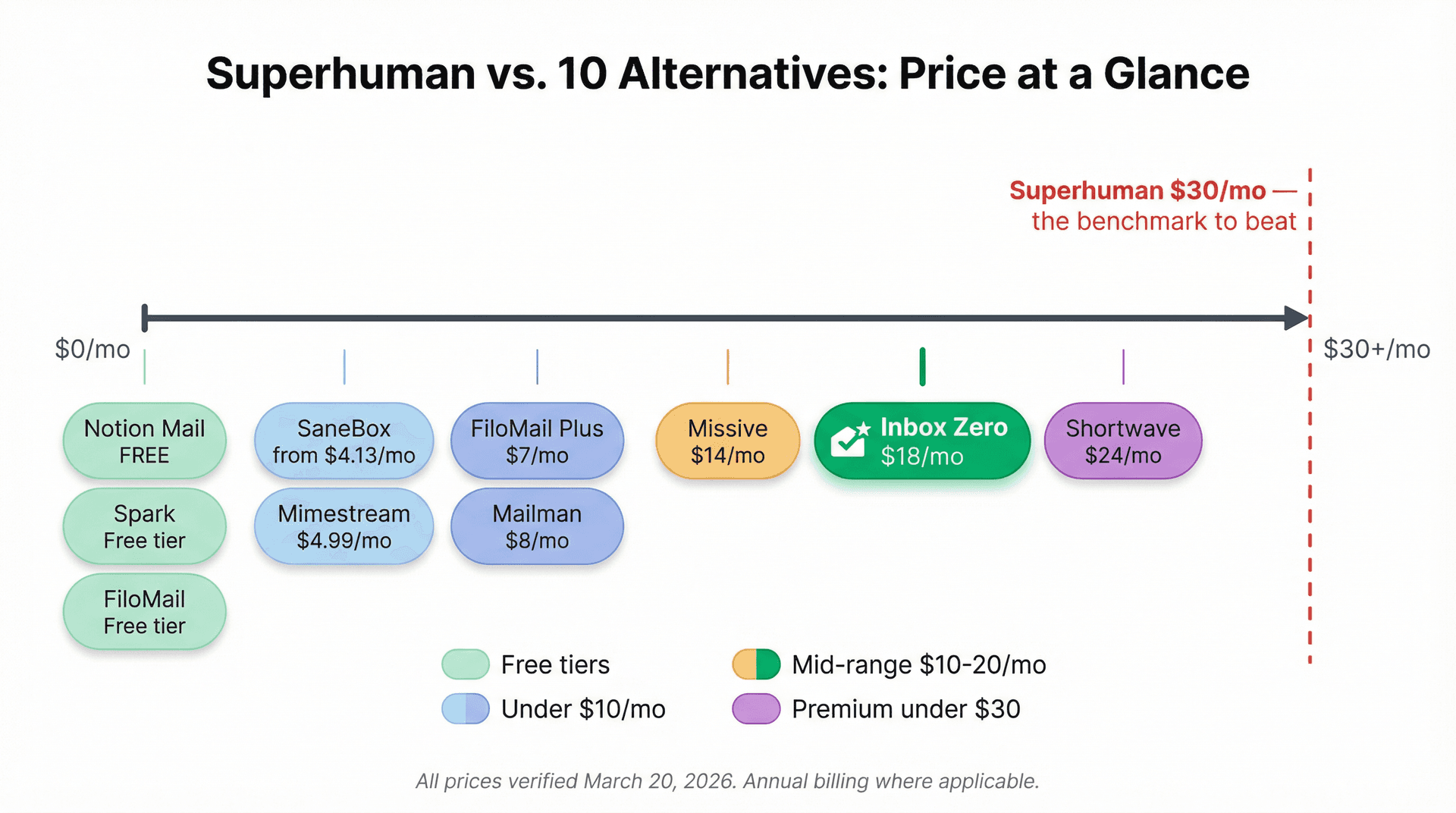
| Tool | Starting Price | Best For | Works With |
|---|---|---|---|
| Shortwave | Free (paid from $24/mo) | Closest Superhuman feel | Gmail (primarily) |
| Inbox Zero | $18/mo (annual) | AI automation in Gmail/Outlook | Gmail, Workspace, Outlook |
| Spark | Free (paid from $8.25/mo) | Cross-platform polish | Gmail, Outlook, iCloud, more |
| Canary Mail | Free (paid from $36/yr) | Privacy-first email | Gmail, Outlook, iCloud, IMAP |
| Missive | $14/mo (annual) | Team collaboration | Gmail, Outlook, SMS, social |
| Notion Mail | Free | Notion ecosystem users | Gmail only |
| Mimestream | $4.99/mo | Mac-native Gmail | Gmail only (Mac) |
| FiloMail | Free (paid from $7/mo) | Email-to-action workflows | Gmail only |
| SaneBox | From $4.13/mo | Provider-agnostic cleanup | Every email client |
| Mailman | $8/mo (annual) | Interruption control | Gmail, Outlook |
Now, the detailed breakdown.
1. Shortwave: Closest Superhuman Alternative for Gmail Users
Pricing: free to start; paid plans from $24/seat/month billed annually for Business, then $36 for Premier and $100 for Max. The free plan includes most core productivity features, including the AI assistant.
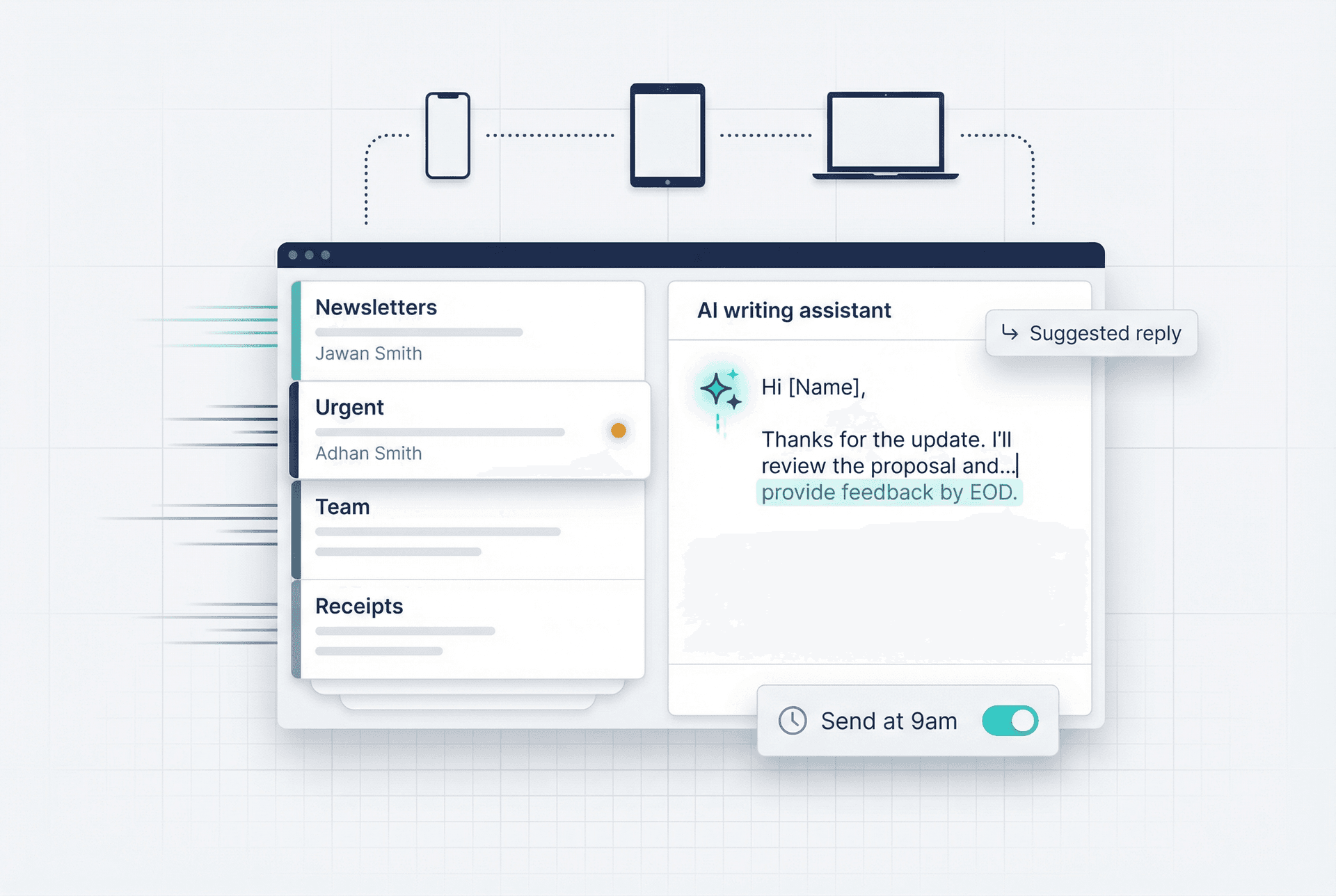
Shortwave is the closest match if what you actually love about Superhuman is the feeling of a modern inbox built for speed. It combines AI organization, bundles, splits, delivery schedules, AI-powered filters, AI autocomplete, instant summaries, personalized AI writing, todos, read statuses, link tracking, and integrations with tools like Slack, Calendar, Notion, Asana, and HubSpot. It's also available on iOS, Android, Mac, and Windows, which matters if you want one workflow across every device.
The catch? Shortwave is still fundamentally Gmail-first. Its docs mention support for other providers via forwarding and unified-inbox workarounds, but if your setup is heavily Outlook-based or mixed across providers, it won't be as clean a fit. For Gmail-specific tools, our guide on the best inbox zero apps for Gmail covers this angle well.
Who this is for: People who love Superhuman's speed and polish but don't want to pay $30+/month for it. If you're all-in on Gmail, Shortwave is the most natural step down in price.
2. Inbox Zero: Best Superhuman Alternative for Gmail and Outlook
Pricing: Starter is $18/user/month and Plus is $28/user/month on annual billing. Starter includes AI sorting and labeling, reply drafts in your voice, cold email blocking, bulk unsubscribe/archive, analytics, and pre-meeting briefings. Plus adds Slack integration, auto-file attachments, and an unlimited knowledge base.
Inbox Zero makes the most sense if you don't want to replace your email client at all. It works with Gmail, Google Workspace, and Microsoft Outlook, and the open-source repo currently shows 10,300+ stars and 1,200+ forks. That level of developer attention for a young product is significant.
The core model is fundamentally different from Superhuman's. Instead of rebuilding the inbox from scratch, Inbox Zero layers AI automation, explicit rules, drafted replies, follow-up tracking, unsubscribe workflows, cold-email blocking, analytics, meeting briefs, and smart filing directly on top of the inbox you already use.
That difference isn't cosmetic. It changes the economics entirely.
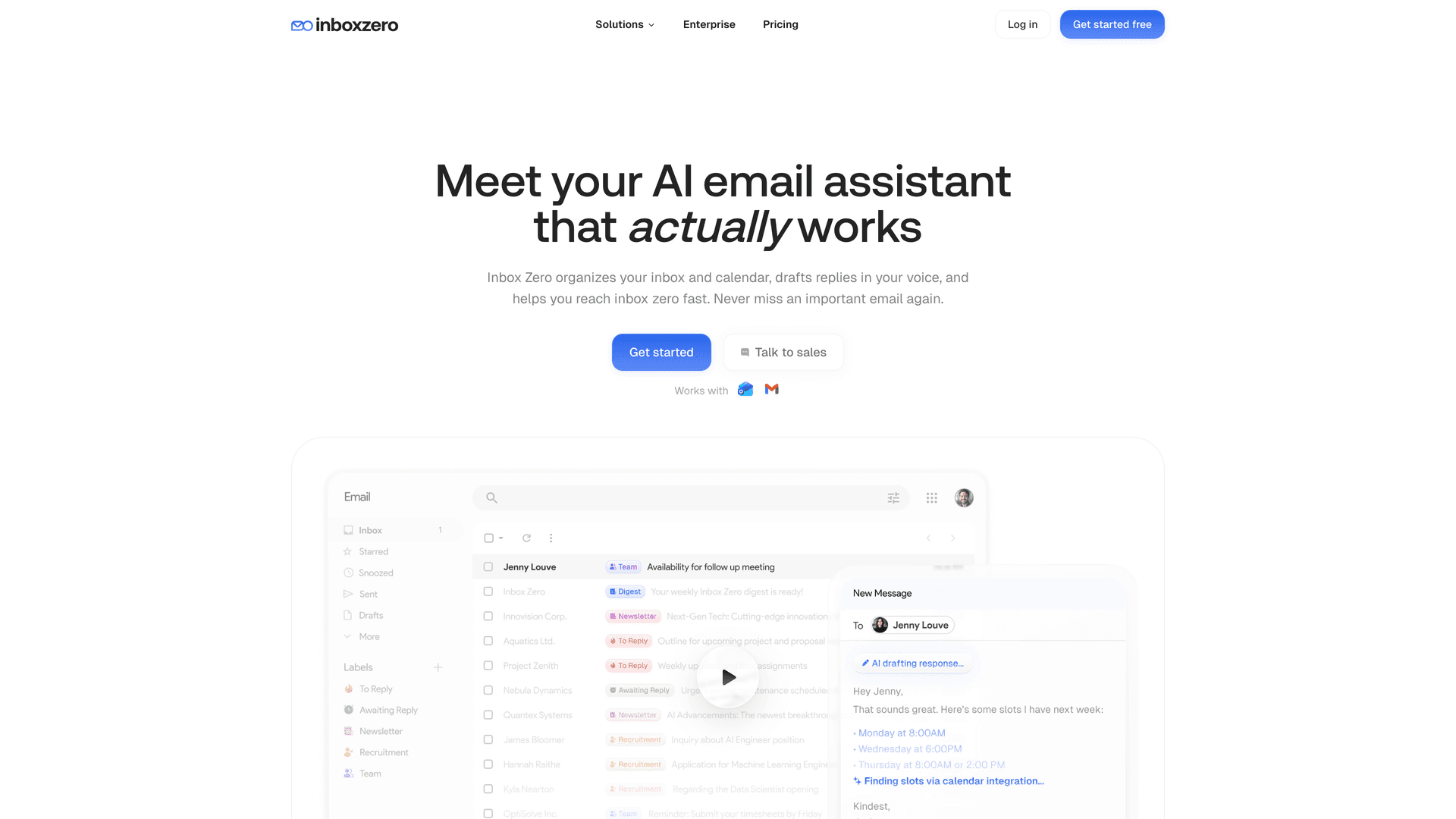
Superhuman mostly sells a premium interface and speed. We sell automation and control. If your real pain is newsletters crowding out important messages, cold outreach clogging your morning, missed follow-ups costing you deals, or draft fatigue slowing down your response time, that trade often works out better than paying for a fancier inbox shell. Read our email management strategies guide to see how this plays out in practice.
Here's what makes Inbox Zero stand out as a Superhuman alternative:
-
AI-powered reply drafts that learn your tone and writing style, so your draft queue is pre-filled when you open Gmail or Outlook
-
Reply Zero labels every thread as To Reply or Awaiting Reply, so nothing important falls through the cracks
-
Bulk Email Unsubscriber shows reading behavior for every newsletter and marketing sender, letting you unsubscribe or auto-archive with one click
-
Cold email blocker that catches sales outreach before it wastes your time
-
Email analytics with trends on send/receive counts, top senders, category distributions, and reading rates
-
Pre-meeting briefings so you walk into calls with context already pulled
-
Open source and self-hostable with the full codebase on GitHub, so you can inspect exactly what it does
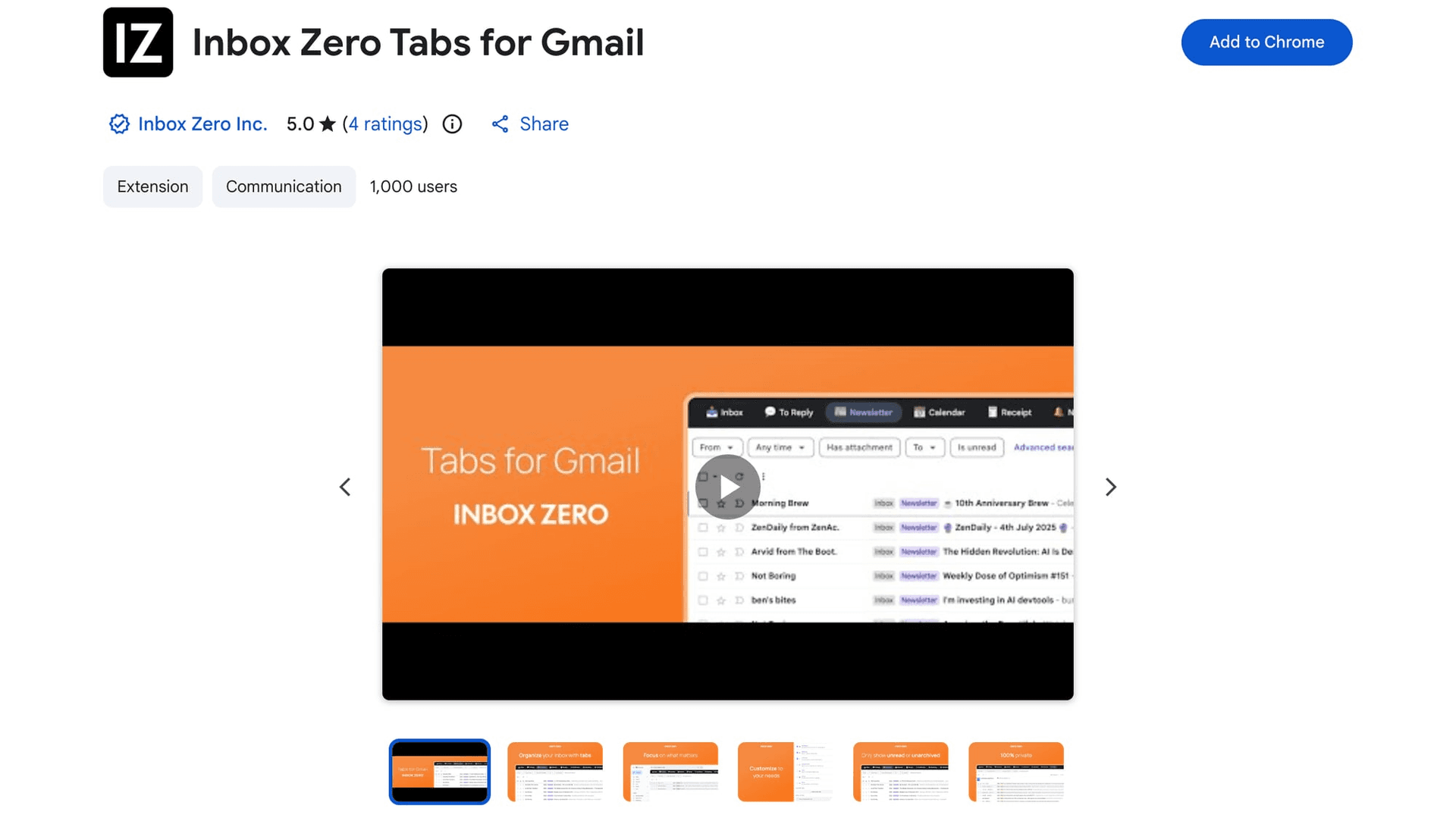
Two extras worth knowing about. First, our public Trust Center shows SOC 2 Type 2 compliance, which matters if you're evaluating tools for a team or an enterprise. Second, if split inbox is the specific Superhuman feature you care about, the free Inbox Zero Tabs for Gmail adds custom Gmail tabs. The Chrome Web Store listing was updated on March 16, 2026 with no data collection declared.
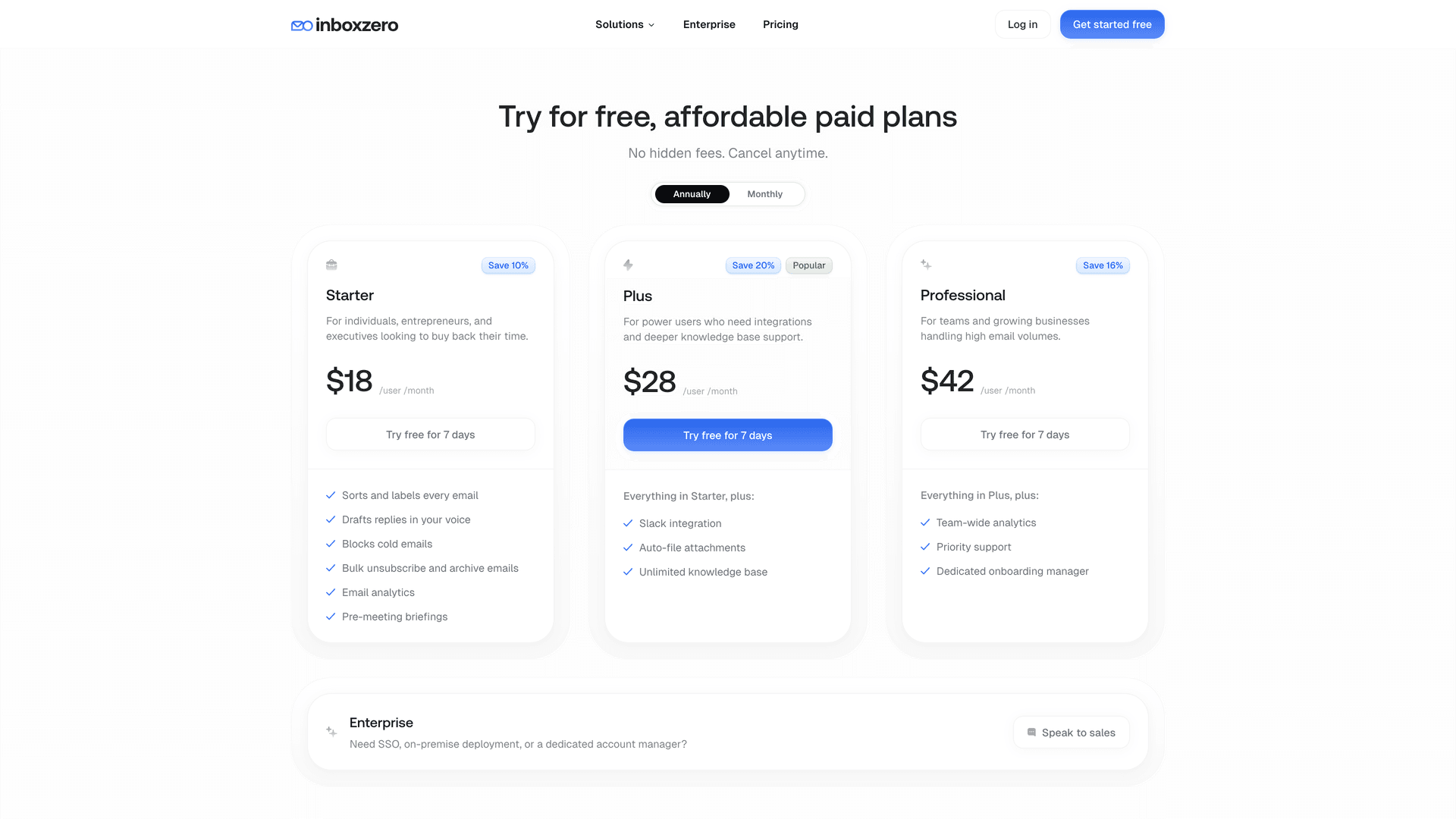
Want to try it? Start free at Inbox Zero.
3. Spark: Best Low-Cost Email Client for Multiple Platforms
Pricing: free plan available; Plus at $8.25/user/month billed yearly ($10 monthly), Pro at $16.58/user/month billed yearly ($20 monthly). The free plan includes Smart Inbox and unlimited email accounts.
Spark is the safest mainstream pick if you want a polished email client that works almost everywhere and costs far less than Superhuman. Available on Windows, Mac, Android, iPhone, iPad, and Apple Watch, it includes Smart Inbox, Gatekeeper, smart folders, templates, integrations, AI assistant features, and team collaboration layers in the higher tiers.
The tradeoff is identity. Spark does many things well, but it doesn't feel as obsessed with raw keyboard-first speed as Superhuman. Think of it as a broadly capable, polished, lower-cost email client rather than a speed machine with a cult following. If cross-platform email access is a priority, our guide on best email apps covers the broader landscape.
The bottom line for Spark: Maximum platform coverage at minimum cost. Start here if you work across multiple devices and providers.

4. Canary Mail: Best Privacy-First Superhuman Alternative
Pricing: free plan available, Growth plan at $36/year, and Pro+ at $100/year. Available on macOS, iOS, Android, and Windows.
Canary Mail is a strong pick if your version of "Superhuman alternative" really means fast enough, modern enough, but with significantly better privacy posture. It offers AI writing and summaries, one-click unsubscribe, read receipts, pinning, snooze, templates, smart categorization, and encryption features. Canary also says it does not use your emails to train AI.
Its buying model is different from typical monthly SaaS. Canary leans into annual and lifetime-style purchasing, which can be a real bargain. Buy it because you want privacy plus productivity, not because you expect a pixel-perfect Superhuman clone.
For more on evaluating whether it's safe to connect third-party apps to your Gmail, see our security guide on connecting third-party apps to Gmail.
5. Missive: Best Superhuman Alternative for Team Collaboration
Pricing: Starter at $14/user/month billed yearly, Productive at $24, Business at $36. Yearly billing saves 20%, and there's a 30-day free trial.
Missive belongs on this list because many people searching for a Superhuman alternative are quietly solving the wrong problem.
If your inbox is shared with colleagues, the bottleneck usually isn't typing speed. It's coordination.
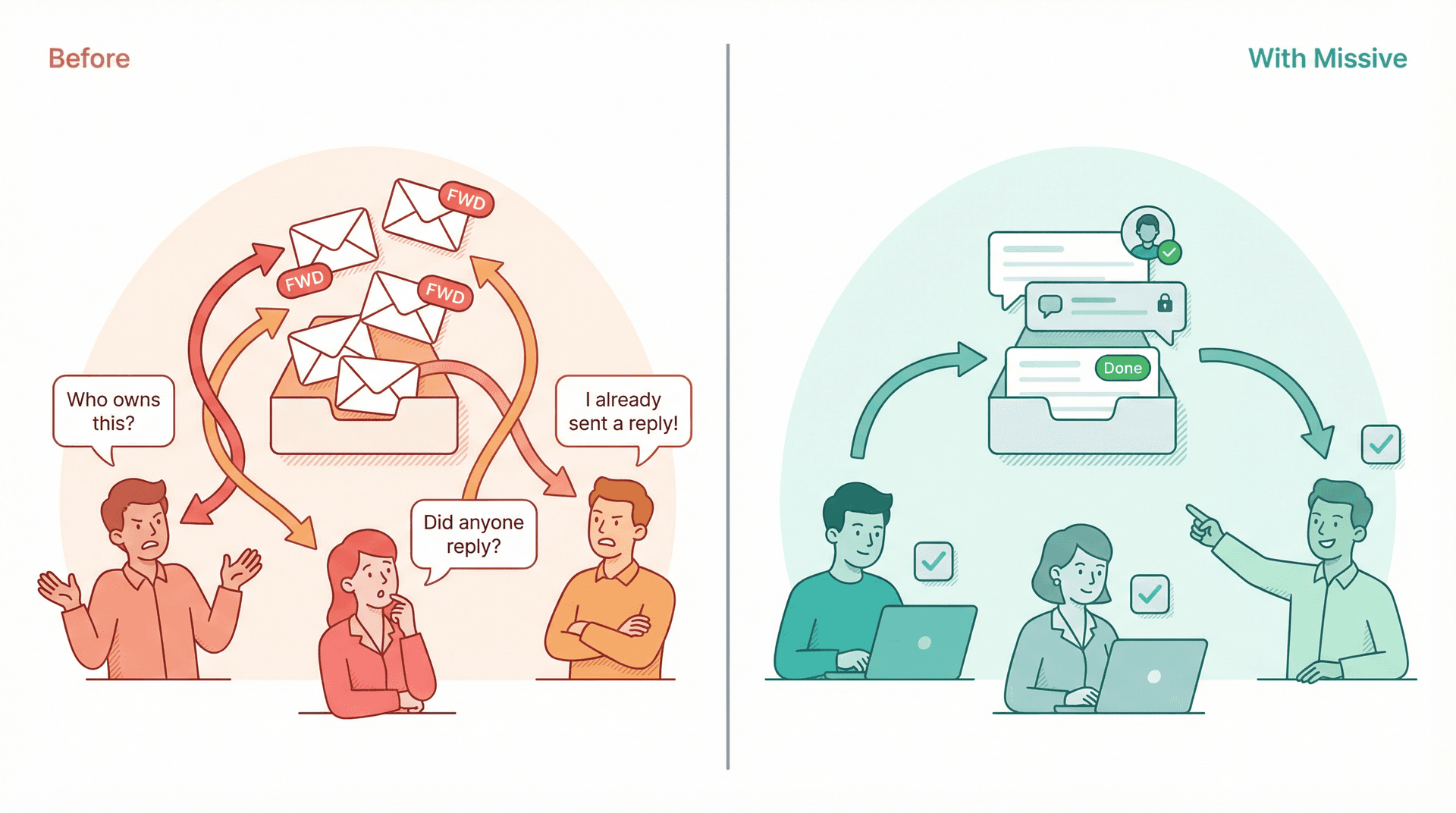
Missive is built specifically for that. Its feature set emphasizes inbox collaboration, internal comments, tasks, team spaces, social and SMS accounts, rules, automations, API access, and external integrations. Over 5,000+ companies rely on it.
Working alone and want a fast personal inbox? Missive may feel heavier than you need. But if your team is constantly forwarding threads, asking "who owns this?", and stepping on each other's replies, Missive is often a better buy than Superhuman because it solves the system problem, not just the interface problem. For shared inbox approaches, see our shared inbox management guide.
6. Notion Mail: Free Superhuman Alternative for Notion Users
Pricing: currently free. The product page says "Get started for free," the help center calls it a free-to-use email app, and Notion's pricing page includes Notion Mail on the Free plan.
Notion Mail is the best free experimental option if you already spend half your workday inside Notion and use Gmail. It emphasizes Gmail sync, multiple inbox views, faster composition, and meeting scheduling from within the inbox. Right now it's available on desktop browsers, macOS, and iOS.
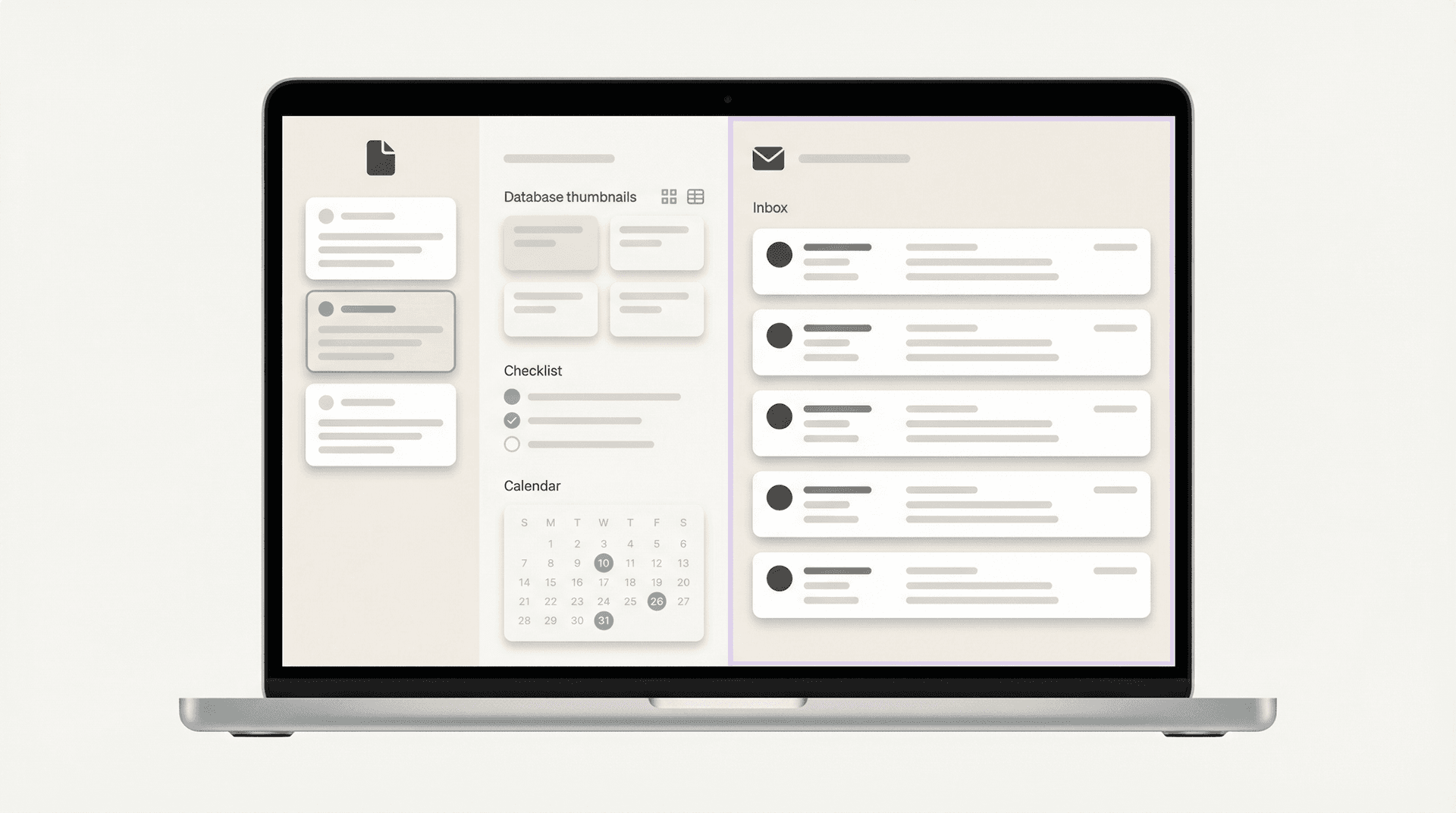
The limitation matters. Notion Mail is not a mature "works everywhere with every provider" choice yet. It's a Gmail-centric front end with a Notion-like workflow. Perfect if you're already in that ecosystem, but not the universal answer. If you're exploring Gmail-specific alternatives, our guide on Gmail vs Outlook is useful context for how these clients differ by platform.
7. Mimestream: Best Native Mac Gmail App Under $5/Month
Pricing: 14-day free trial, then $4.99/month or $49.99/year.
Mimestream is what you pick if you're a Mac user who wants a native Gmail app, not a sprawling AI workspace. Their Trust Center says it stores your data and tokens on your device and connects directly to the Gmail API without an intermediary sync service.
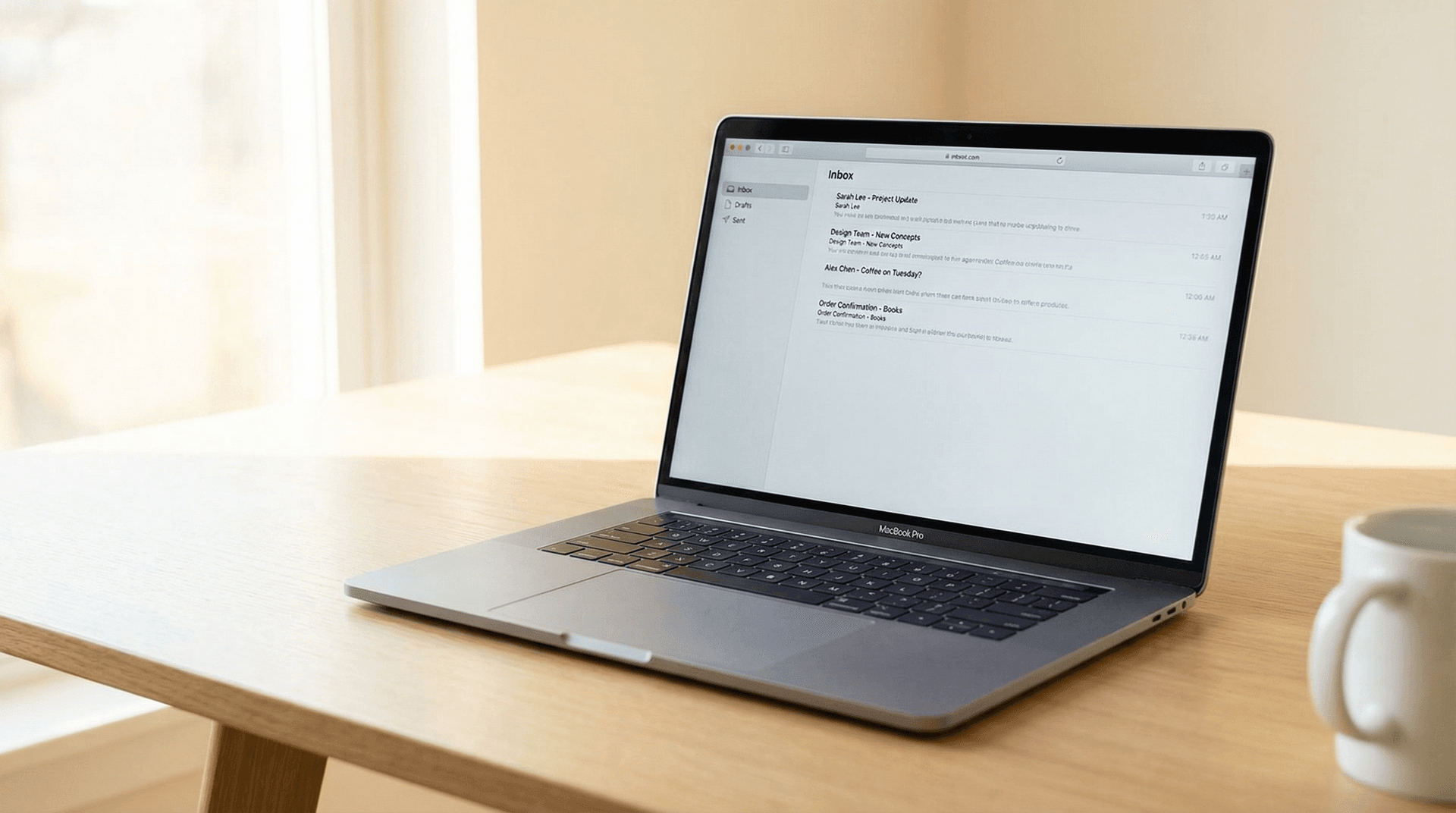
The tradeoff is simple: excellent if you want a clean, Mac-native Gmail experience at a tiny fraction of Superhuman's price. But it's also narrower. Their FAQ says it currently only supports Gmail, with other services planned for the future. For a broader look at email organizer apps beyond the Gmail-only category, that guide covers more options.
8. FiloMail: Best Gmail App to Turn Emails into Action Items
Pricing: free plan available; Plus plan at $7/user/month (billed $84 yearly), with a 30-day free trial.
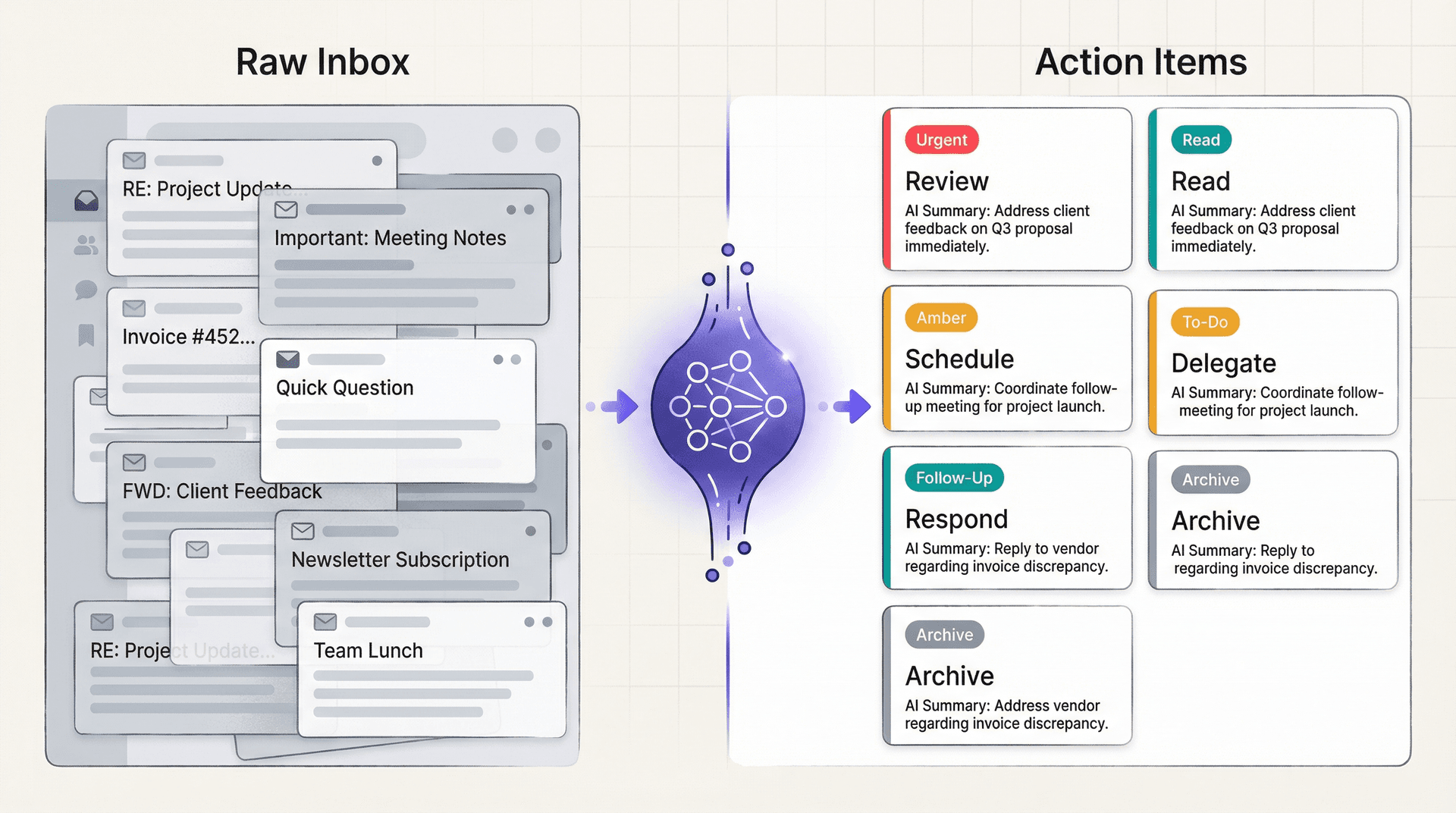
FiloMail is one of the more interesting newer entrants because it's not just trying to make email prettier. It's trying to turn email into structured action. Its feature set highlights AI summaries, to-do extraction, smart labels, smart filters, AI writing styles, and support for models from ChatGPT, Gemini, and Claude.
The upside is obvious if your inbox feels like an unstructured task list. The downside is equally clear: FiloMail is still Gmail-only today, and its FAQ says it does not store raw message bodies on its servers, using secure OAuth, TLS, and local encrypted caching instead. That's promising from a privacy angle, but it also tells you this is a newer, more opinionated bet than Spark or Missive.
For comparison, our best email management app guide weighs options across a wider range of use cases.
9. SaneBox: Best Provider-Agnostic Inbox Cleanup Tool
Pricing: plans start at $7/month, with pricing as low as $4.13/month on longer commitments. 14-day free trial available.
SaneBox is still one of the best choices if you want to keep your current email client and simply make the inbox quieter. It works with every email client and supports Gmail, Microsoft 365, iCloud, Yahoo, Fastmail, IMAP, Exchange, and ActiveSync. The focus is on AI filtering, reminders, snooze, one-click unsubscribe and blocking, digests, and getting clutter out of your attention stream.
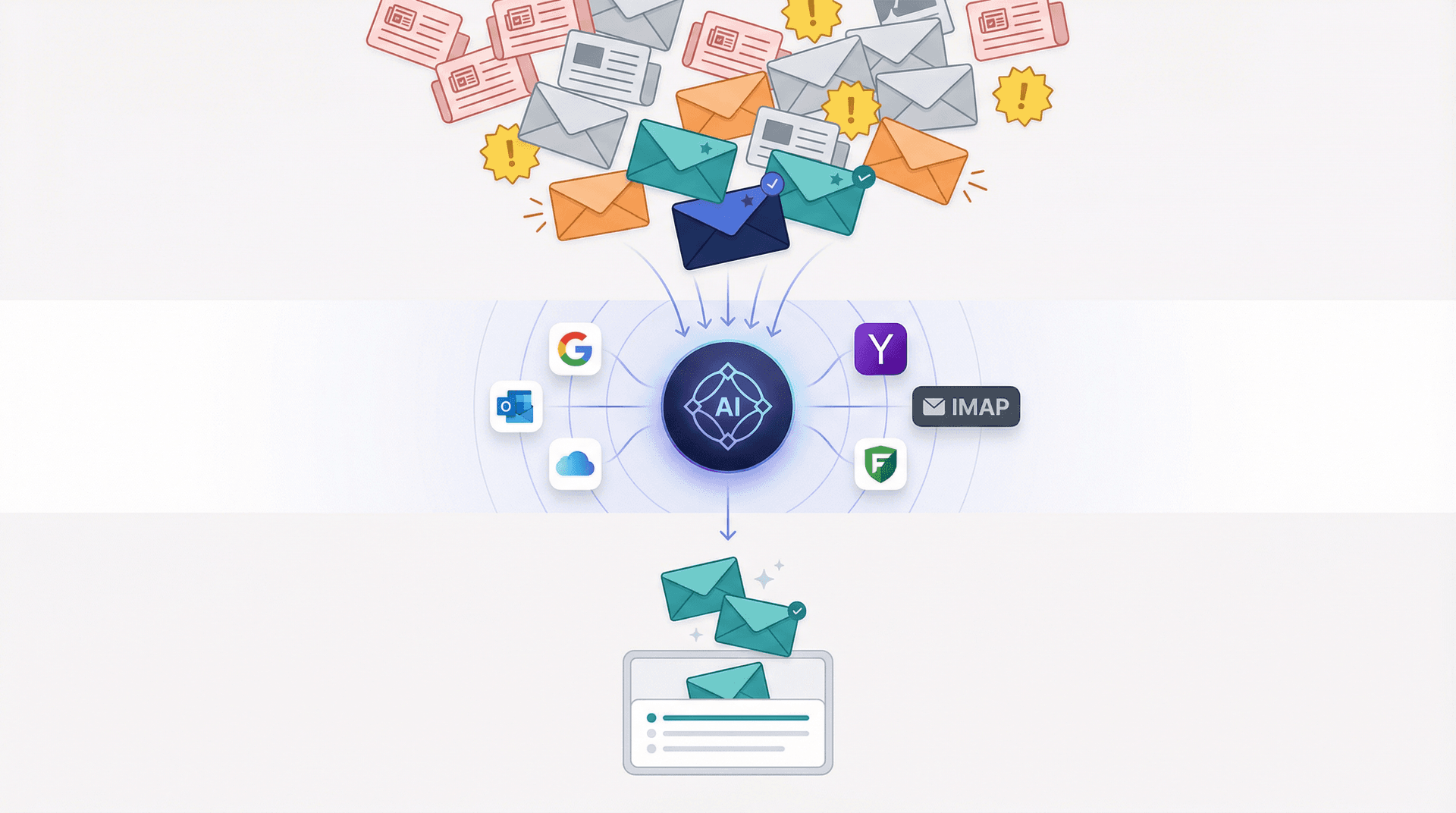
The key distinction: SaneBox isn't trying to out-design Superhuman. It's trying to reduce the amount of garbage that reaches you in the first place. If your real pain is distraction rather than typing speed, that can be the smarter buy.
If you're considering SaneBox specifically, our SaneBox alternatives guide gives a fuller picture of that cleanup-focused category.
10. Mailman: Best Email App for Reducing Inbox Interruptions
Pricing: Standard plan is $8/month paid annually or $10 monthly, with a 21-day free trial.
Mailman is the option to choose if you've realized something important: maybe the problem isn't that email is slow. Maybe the problem is that email is always interrupting you.

Mailman focuses on inbox snoozing, custom delivery schedules, do-not-disturb windows, VIP lists, and blocking. That makes Mailman less of a "full Superhuman replacement" and more of an attention-management layer. But that's exactly why it deserves a slot. A lot of people shopping for Superhuman are really trying to buy focus. Mailman sells focus more directly, and much more cheaply.
For related context on how to stop email notifications at night, that's a closely related problem worth solving.
Before Buying a New Email Client, Try This Free Alternative
If the single feature pulling you toward Superhuman is split inbox, you might not need another paid email app at all.
Our Inbox Zero Tabs extension docs explain a free browser extension that adds custom Gmail tabs, framed explicitly as similar to Superhuman's split inbox. The Chrome Web Store listing was updated on March 16, 2026 and declares no data collection.
Sometimes you don't need a new email platform. You need one missing behavior inside Gmail.
Boomerang for Gmail: Cheap Follow-Up and Scheduling Add-On
Boomerang didn't make the main top 10 because it's better understood as a Gmail productivity layer than a true Superhuman replacement. But if your real need is send later, follow-up reminders, meeting scheduling, inbox pause, response tracking, or writing help, it's still worth a look.
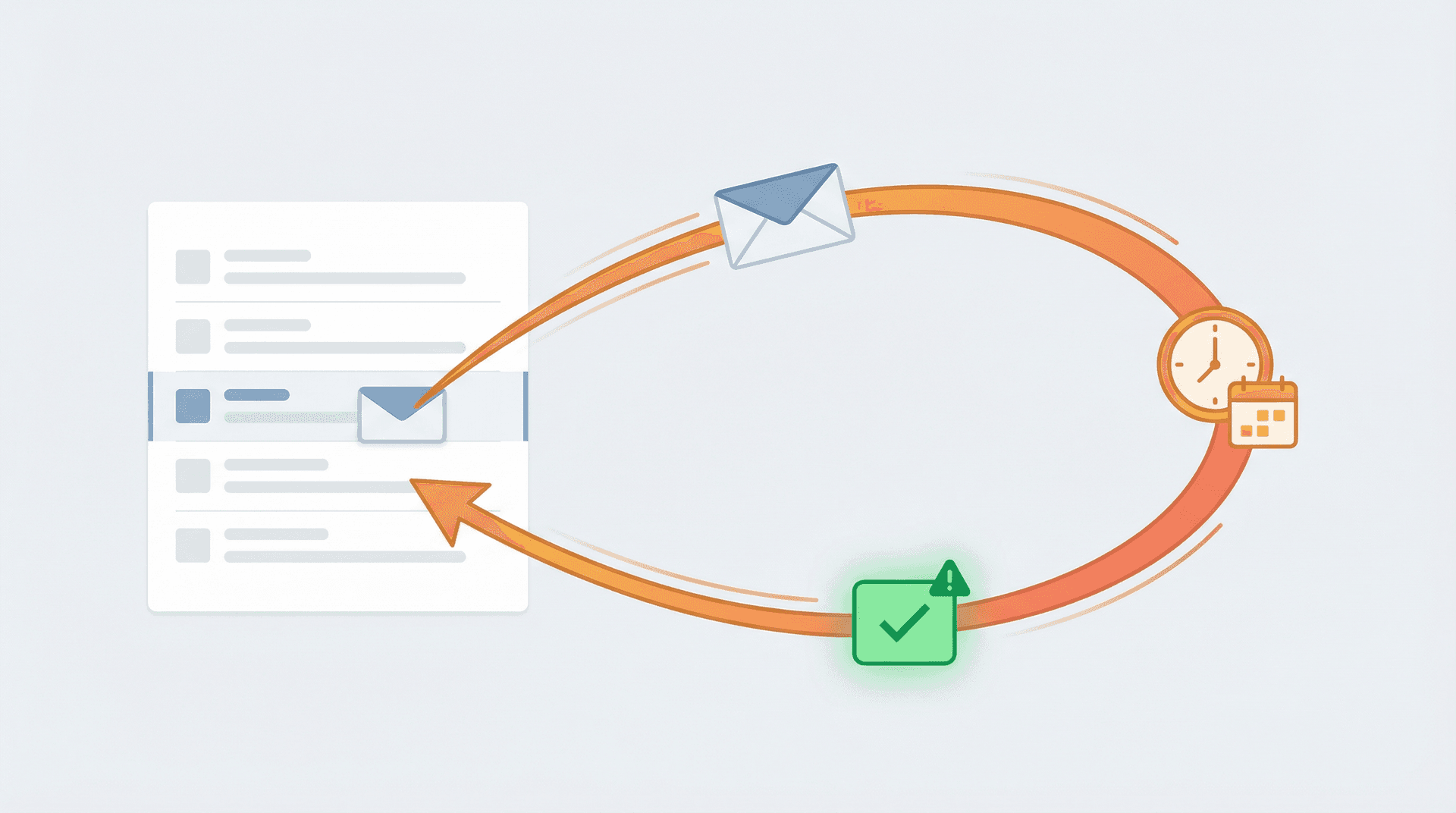
Current plans range from free to $4.98/month billed annually for Personal and $14.98/month billed annually for Pro.
The recurring theme of this guide applies here too: cheaper alternatives are often cheaper because they solve a narrower problem. That's not a weakness if the narrower problem is your actual bottleneck. Our email management tips can help you identify which bottleneck you're actually solving for before you commit to a tool.
Why We Built Inbox Zero as a Cheaper Superhuman Alternative
We see the same pattern again and again. Someone gets frustrated with Superhuman's price, searches for alternatives, and lands on another premium email client. Then they realize they've just traded one subscription for a different one, and their actual problems (buried replies, newsletter noise, cold outreach, draft fatigue) haven't changed.
That's why Inbox Zero exists. We built it on a different premise: you probably don't need a new email client. You need a smarter layer on top of the one you already use. The inbox zero method is a philosophy, not just a product feature.
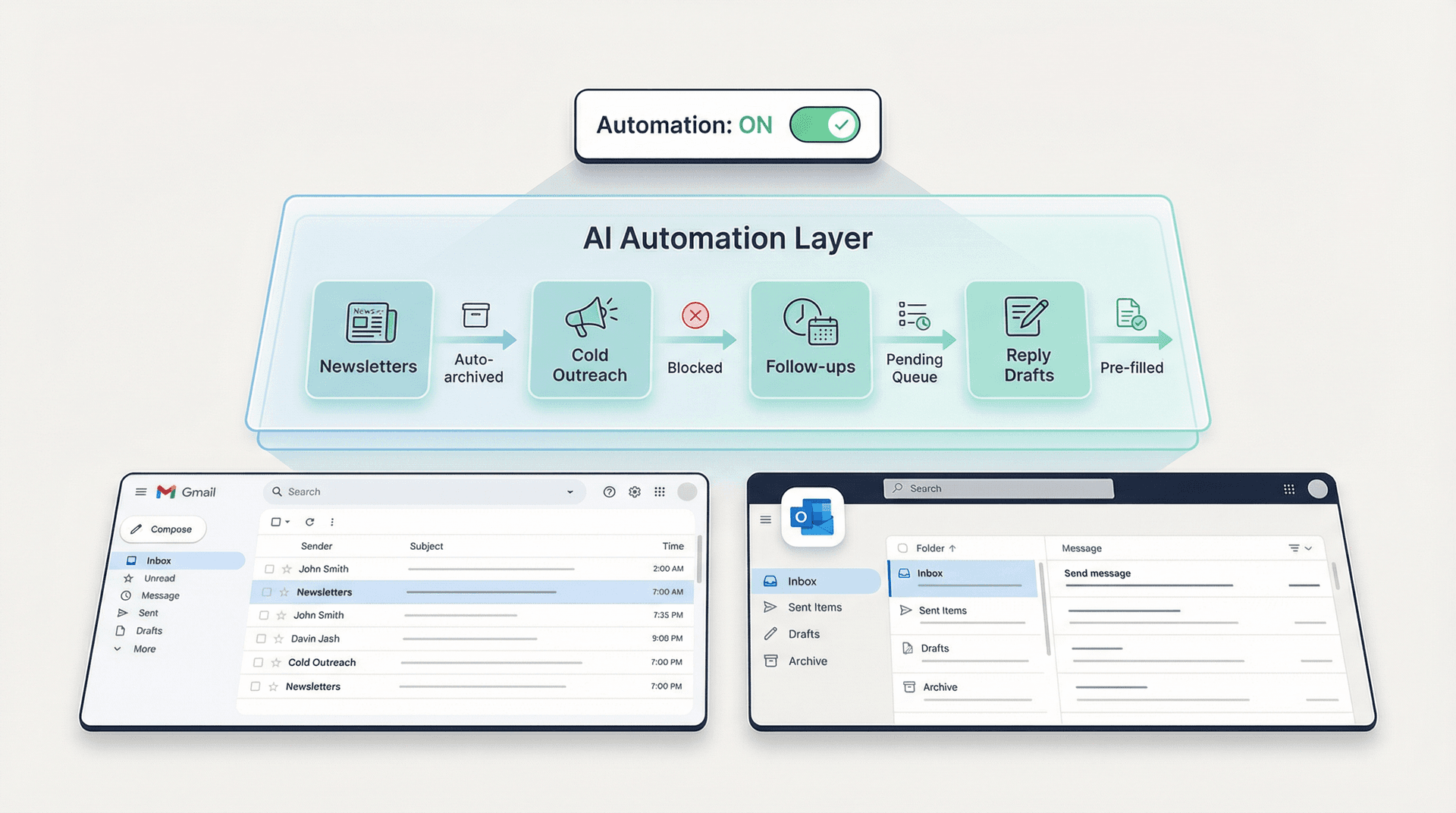
Here's what that philosophy looks like in practice:
→ You stay in Gmail or Outlook. No switching to a separate app. No retraining muscle memory. No explaining to your IT team why you need access to yet another platform. Inbox Zero works through Gmail, Google Workspace, and Microsoft Outlook using standard OAuth, so your data stays where it already lives. Our guide on how to manage your inbox walks through this approach in depth.
→ AI does the work you keep putting off. Drafting replies, labeling threads, blocking cold outreach, bulk unsubscribing from newsletters you never read, tracking follow-ups you're about to forget. Our AI personal assistant lets you describe how you want email handled in plain English, and it converts that into explicit rules with conditions and actions.
→ You control the automation. Start with automation off. Everything shows up in a Pending queue for your review. Once you trust the patterns, flip automation on for the low-risk stuff (newsletters, cold email, receipts) and keep higher-stakes threads in draft-only mode. The test and fix flows let you correct misfires and train better patterns over time. For a deeper look at how to automatically block cold emails, that guide is worth bookmarking.
→ It's open source and auditable. The full codebase is on GitHub with 10,300+ stars. You can inspect every line of code, self-host if your organization requires it, or even bring your own AI keys from Anthropic, OpenAI, Google, or Groq.
→ Security is verifiable, not just claimed. Our Trust Center shows SOC 2 Type 2 compliance, and we're CASA Tier 2 approved through Google's Cloud Application Security Assessment. That's the kind of documentation enterprise security teams actually want to see during vendor review. We also cover SOC 2 compliant email tools for teams with compliance requirements.
And if split inbox is what you really miss from Superhuman, our free Inbox Zero Tabs for Gmail adds custom tabs right inside Gmail. No data collection, no server calls. Just better organization.
If your real email pain is about automation and control rather than a shinier interface, Inbox Zero is built exactly for that. Try it free and see.
How to Choose the Right Superhuman Alternative
Not sure which one fits you? Use this as your quick-reference guide:
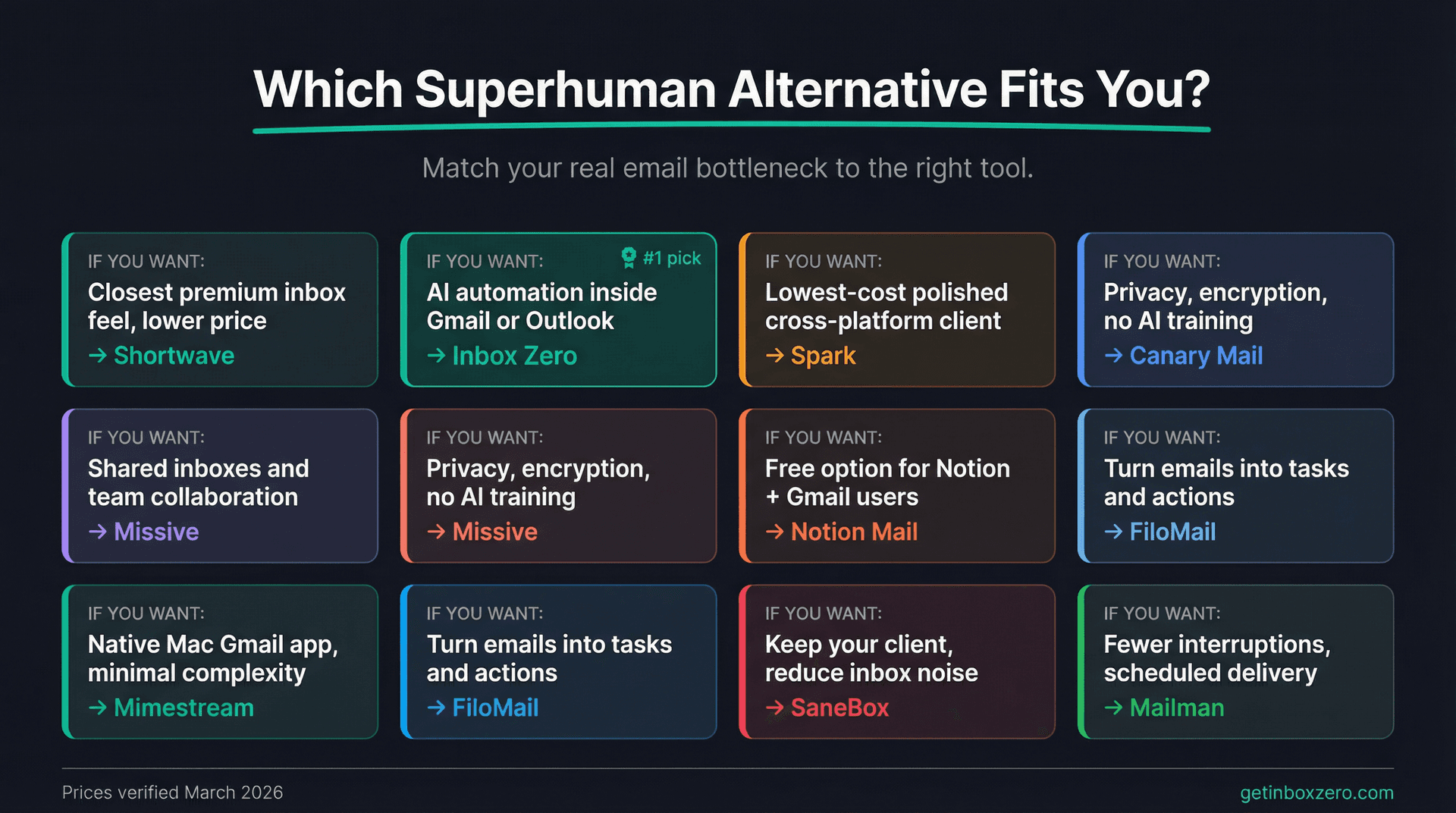
| Your priority | Best pick |
|---|---|
| Closest premium inbox feel, lower price | Shortwave |
| AI automation inside Gmail or Outlook | Inbox Zero |
| Lowest-cost polished cross-platform client | Spark |
| Privacy, encryption, no AI training on your data | Canary Mail |
| Shared inboxes and team collaboration | Missive |
| Free option for Notion + Gmail users | Notion Mail |
| Native Mac Gmail app, minimal complexity | Mimestream |
| Turn emails into tasks and structured actions | FiloMail |
| Keep your current client, reduce inbox noise | SaneBox |
| Fewer interruptions, scheduled delivery | Mailman |
More Inbox Zero Resources to Help with Email Productivity
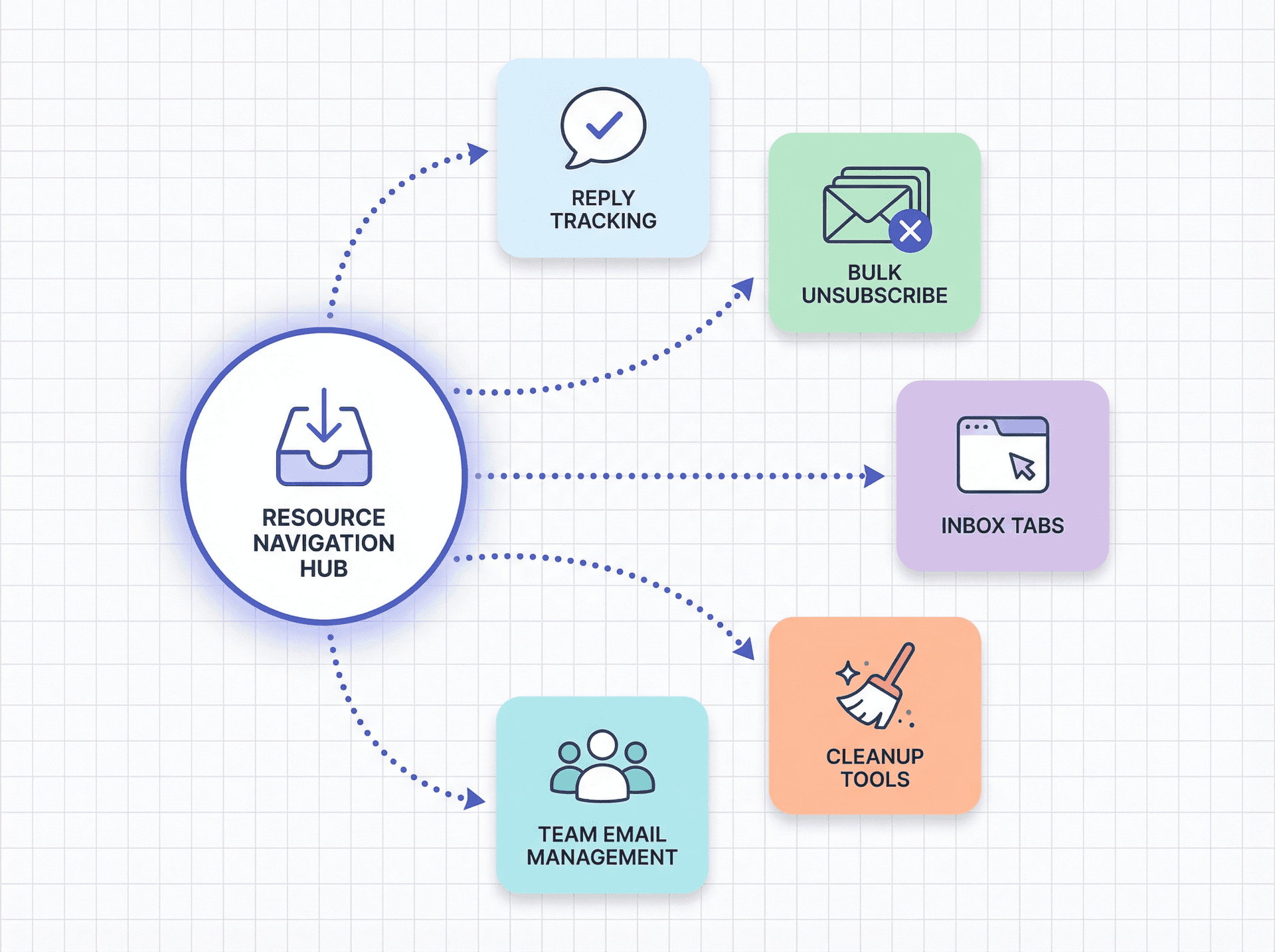
If replies are what keep slipping through the cracks, Reply Zero is the most relevant follow-up workflow to look at next. It labels threads as To Reply or Awaiting Reply and focuses your attention there instead of on the entire inbox.
If newsletters and promos are the real reason your inbox feels unbearable, go straight to the Bulk Email Unsubscriber. That's often a better fix than buying a premium email client. See also the bulk email unsubscriber documentation for step-by-step setup, and our guide on how to bulk unsubscribe from emails.
If split inbox is your main itch, read the Inbox Zero Tabs extension docs before paying for a new inbox app.
If you want a wider cleanup-first landscape, our SaneBox alternatives guide covers that angle.
And if open source and self-hosting matter to you, the open-source email automation tools for Gmail guide is worth a read.
For teams dealing with high email volume, our email inbox management guide and the AI email management overview are good starting points.
If your shortlist includes AI email assistants and not just faster email clients, it is worth comparing the best Fyxer alternatives as well.
If you would rather keep your current inbox than switch clients, see how Inbox Zero compares as a Superhuman alternative.
Superhuman Alternatives: Frequently Asked Questions
What Is the Cheapest Superhuman Alternative in 2026?
If you mean free, it's hard to beat Notion Mail (completely free if you use Gmail), and both Spark and FiloMail also have free tiers. If you mean a paid option clearly below Superhuman, Mimestream at $4.99/month, SaneBox from $7/month, and Mailman at $8/month annually are among the cheapest. They're also narrower products than a full premium client, so match them to your specific need. For a broader look at free email management software, that post covers more options.
Which Tool Is Most Like Superhuman?
For most people, it's Shortwave. It's the nearest thing on this list to a fast, modern, AI-heavy premium inbox workflow rather than a cleanup layer or team collaboration system.
Which Superhuman Alternatives Work with Microsoft Outlook?
Start with Inbox Zero if you want AI automation inside Outlook, Missive if you want team collaboration on top of Office 365 and other channels, or SaneBox if you want a provider-agnostic cleanup layer that works with Microsoft 365 and Exchange setups.
Is Superhuman Still Worth Paying For?
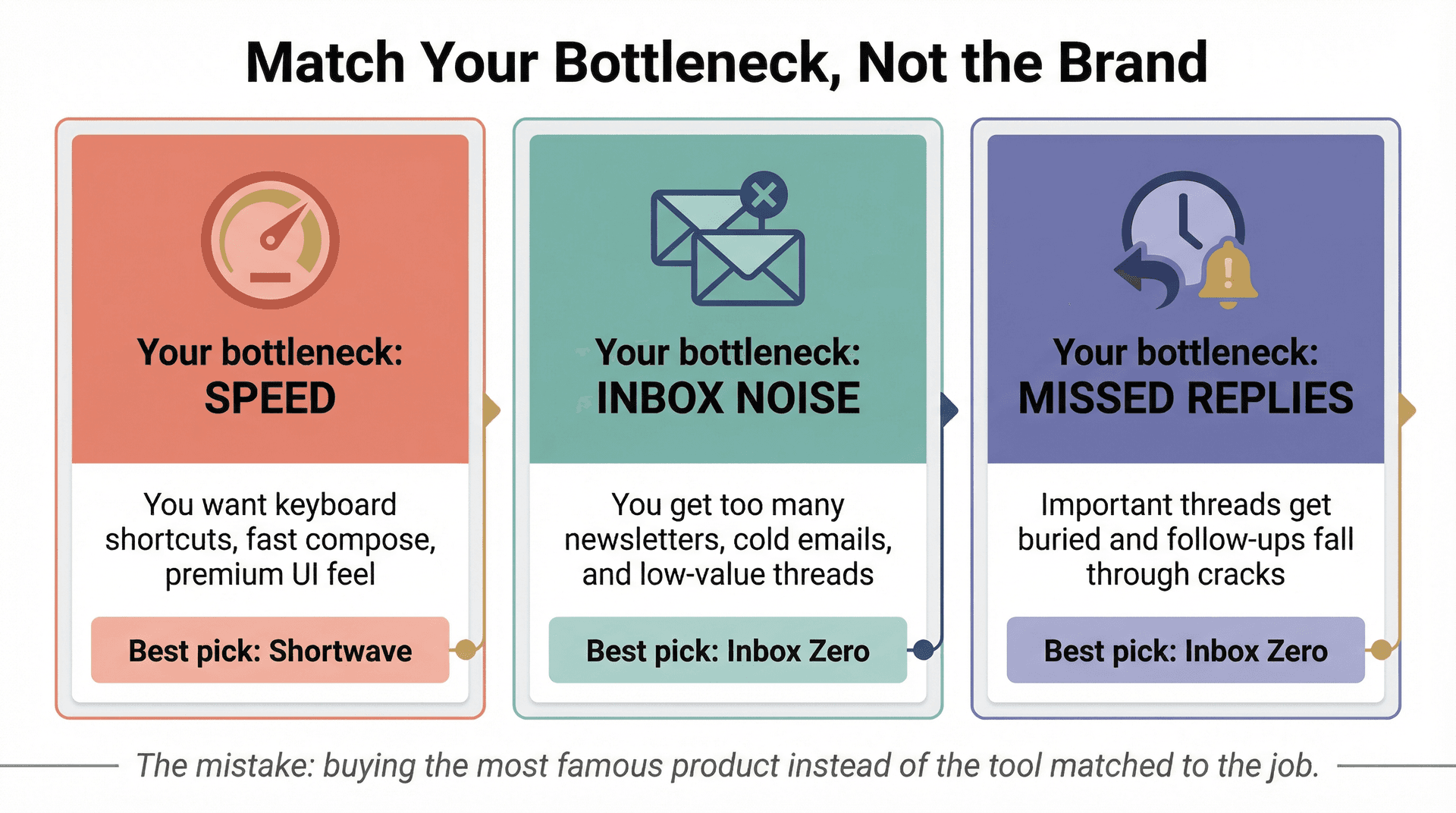
For some people, yes. If raw speed, premium polish, and a dedicated high-performance client are your top priorities, Superhuman can still make sense. But if your real bottleneck is missed replies, inbox noise, or collaboration, a cheaper alternative will often fit your actual problem better.
The mistake people make in this category is buying the most famous product instead of the tool matched to the job.
Read our email management tips to get clarity on what your actual bottleneck is before committing to any tool.
Which Superhuman Alternative Is Right for You?
The biggest mistake in this market is assuming a cheaper Superhuman alternative needs to look exactly like Superhuman. Usually, it shouldn't.
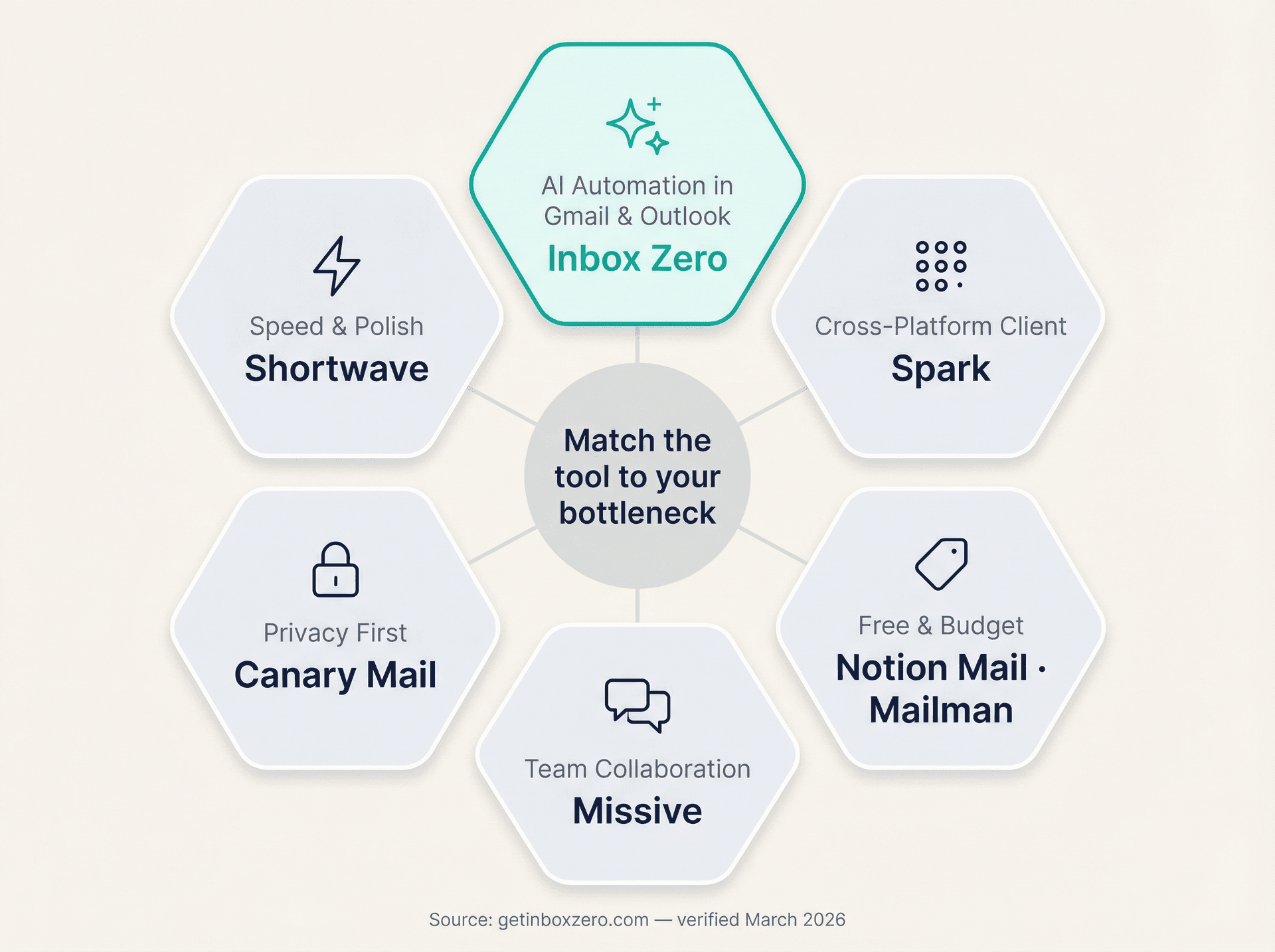
If you want the closest lower-cost premium client, choose Shortwave. If you want the best all-around value while staying inside Gmail or Outlook, choose Inbox Zero. If you want a safe cross-platform client, choose Spark. If you want privacy, choose Canary Mail. If you want team collaboration, choose Missive. And if you want to spend little or nothing, start with Notion Mail, Mimestream, SaneBox, or Mailman, depending on what part of the problem you're actually trying to solve.
For ongoing email management strategies beyond choosing a tool, our blog covers everything from email inbox management fundamentals to mastering email productivity.
All prices and plan details were verified on official vendor pages on March 20, 2026. Re-check the live pricing page before buying, especially where vendors show different monthly and annual numbers on different pages.

Relay.app Is Shutting Down: Deadlines, Data Export, and Alternatives
Relay.app is shutting down in 2026. See the deadlines for free and paid users, what to export, and which alternatives fit your email and automation workflows.
2026-07-16T18:46:02Z

Best AI Email Assistants in 2026 (Tested)
The best AI email assistants in 2026, tested and compared. Honest pros, cons, and pricing for Inbox Zero, Superhuman, Fyxer, Shortwave, Lindy, Missive, SaneBox, Serif, Perplexity, Gemini in Gmail, and Microsoft Copilot, with picks by use case.
2026-07-05T08:00:00Z

Top 16 Email Management Software of 2026
Discover the top 16 email management software of 2025 designed to boost productivity and simplify your inbox.
2026-06-24T09:00:00Z

7 Best Fyxer Alternatives in 2026
The best Fyxer.ai alternatives in 2026, compared. AI email assistants, team inboxes, and inbox cleaners, with honest notes on price, features, and who each one is for.
2026-06-01T08:00:00.000Z