Email Phishing Prevention Strategies for Companies (2026)
AI-generated phishing gets 4.5x more clicks. Practical email phishing prevention strategies for companies covering BEC, token attacks, and DMARC rollout.

Phishing is not an email problem. It's a trust problem.
Email is a channel where literally anyone can claim to be your CEO, your bank, or your vendor with an overdue invoice. The whole game comes down to whether a human (or a broken process) believes the claim and acts on it. That's it. Every phishing attack, from a sloppy mass-blast to a surgically crafted BEC wire fraud, follows the same basic structure.
If you're searching for email phishing prevention strategies for companies, you're probably trying to solve at least one of these:
-
Stop employees from handing over credentials to fake login pages
-
Stop "CEO fraud" and invoice fraud (Business Email Compromise)
-
Reduce the number of dangerous messages that actually reach inboxes
-
Make the ones that slip through easier to spot
-
Build a response muscle so a single click doesn't become a full breach

This guide isn't a collection of tips. It's built so you can hand it to your team and turn it into an internal rollout plan. We've included staged deployment templates, copy-pasteable DMARC records, a reply template your finance team can use tomorrow, and a 30/60/90-day plan that maps to real milestones.
Updated March 2026, reflecting current Google Workspace and Microsoft 365 controls, plus 2025-2026 threat data from Microsoft's Digital Defense Report, APWG's Q4 2025 trends report, and FBI IC3's 2024 annual report.
How Email Phishing Attacks Actually Work
Before you can prevent phishing, you need to understand its anatomy. Every phishing attempt, regardless of sophistication, has the same three-part structure:
A claim + an action request + urgency.
The claim is the identity: "I'm IT support," "I'm your customer," "I'm Microsoft," "I'm the CFO." The action request is what they want you to do: click a link, open an attachment, approve a login prompt, buy gift cards, change bank details, review a contract. And the urgency is the pressure: "today," "in 2 hours," "your account will be locked," "legal is escalating." Understanding this three-part structure (as documented across Verizon's DBIR research and threat intelligence reporting) is essential for building defenses that actually map to how attacks work.
From a defender's perspective, phishing succeeds when the attacker causes one of four outcomes:
-
Credential theft (passwords, MFA tokens, OAuth tokens)
-
Session hijacking (stealing cookies or tokens so MFA doesn't even matter)
-
Malware delivery (including social engineering tricks where the user runs it themselves)
-
Process exploitation (no malware at all, just invoice and payment fraud)

That last one is critical. A lot of companies think "phishing prevention" means "block malicious links." But the costliest phishing attacks involve zero malware. They're just persuasion plus process gaps.
The underlying reality is uncomfortable: the human element is involved in a large share of breaches, year after year. Verizon's DBIR 2025 infographic drives this home, and it's exactly why training alone can't be your entire strategy.
So "email phishing prevention" isn't one feature or one setting. It's a system that breaks the attack chain at multiple points. And if you only break it at one point, attackers just route around you.
Types of Email Phishing Attacks in 2026
A lot of teams waste time because they use the word "phishing" for everything. That vagueness causes real problems when you try to assign defenses. Here's the 2026 breakdown that maps directly to what you should actually build.
| Attack Type | What It Is | Primary Defense |
|---|---|---|
| A. Domain spoofing | Email appears from a lookalike domain (e.g., "ceo@cornpany.com") or uses a spoofed display name on a random Gmail address | DMARC on your domain, lookalike domain detection, impersonation protection |
| B. Credential phishing | Fake login pages for Microsoft 365, Google, Okta, or whatever your org uses. Still the most common type | Phishing-resistant MFA, conditional access, safe-link scanning, reporting culture |
| C. Token phishing | Adversary-in-the-middle attacks that trick users into authenticating in ways that hand attackers durable access. Standard MFA doesn't stop these | Phishing-resistant MFA, device compliance, blocking risky auth flows, monitoring unusual sign-ins |
| D. OAuth consent phishing | User gets tricked into granting a malicious app access to email or files. Password resets and MFA don't fix it because access comes from consented tokens | App permission controls, consent review cadence, revocation playbook |
| E. BEC and invoice fraud | Often zero malware, zero exploit. Just persuasion and process gaps. FBI IC3's 2024 annual report shows $2.77 billion in US BEC losses alone | Payment approval workflows, two-channel vendor verification, dual approval thresholds |
| F. Quishing and cross-channel scams | QR codes in emails, SMS follow-ups, social lures, voice calls. APWG's Q4 2025 trend report highlights increasingly multi-channel scams | Multi-channel awareness, link scanning, channel verification rules |

That last category matters more than most people realize: defending against "email phishing" in 2026 means defending against attacks that start with email but finish somewhere else.
Understanding which third-party apps you're granting access to your email is the starting point for defending against the OAuth consent vector specifically.
How to Build an Email Phishing Defense System
If you want a system that keeps working as attackers change tactics, you need layers that map to the attack chain. Not one silver bullet. Not one vendor. Layers.
Here's the model:
-
Protect your identity as a sender (stop spoofing of your brand)
-
Reduce delivery to inboxes (filters, policies, attachment and link controls)
-
Reduce human error rates (training + UX improvements + reporting culture)
-
Reduce blast radius (phishing-resistant MFA, device posture, least privilege)
-
Block the monetization path (payment processes, vendor changes, approval workflows)
-
Detect and respond fast (containment and learning loops)

Microsoft's Digital Defense Report describes massive email volumes screened daily and emphasizes that attackers keep scaling, especially with AI. That's why single-layer defenses fail. You need the system.
Now, the details.
How to Stop Email Domain Spoofing
This is the layer companies routinely underinvest in because it feels like boring email-admin work. But it's foundational. If attackers can send emails that look like they come from @yourcompany.com, every other layer has to work harder.
What Domain Protection Actually Does
Make it hard for anyone outside your organization to send emails that appear to originate from your domain.
Required Email Authentication Standards in 2026
Publish and maintain all three:
-
SPF (Sender Policy Framework)
-
DKIM (DomainKeys Identified Mail)
-
DMARC (Domain-based Message Authentication, Reporting, and Conformance)
This isn't just "best practice" anymore. Major providers have pushed the ecosystem here, and they're enforcing it.
Microsoft announced requirements for domains sending more than 5,000 emails per day to Outlook.com, including SPF, DKIM, and DMARC, with enforcement changes updated as of April 30, 2025. Google documents similar authentication expectations for bulk senders, including unsubscribe and spam-rate thresholds.
Even if you're not a "bulk sender," DMARC on your domain is still one of the single best ways to reduce successful impersonation of your brand. And if you've ever wondered why your legitimate emails go to spam instead of the inbox, incomplete SPF, DKIM, and DMARC configuration is almost always the culprit.
Why Most Companies Get DMARC Wrong
A lot of companies publish DMARC but never move it to enforcement. They're afraid of blocking legitimate email. That fear is valid, but the fix isn't "leave it at p=none forever." The fix is a staged rollout.
Microsoft's guidance for their Outlook requirements explicitly recommends moving gradually (none to quarantine to reject) to avoid unintended mail loss.
How to Roll Out DMARC Without Breaking Email
Phase 0: Inventory
Before you touch DNS, list every system that sends email as your domain:
-
Google Workspace or Microsoft 365
-
CRM (HubSpot, Salesforce, etc.)
-
Support tools (Zendesk, Intercom)
-
Billing (Stripe receipts, invoicing tools)
-
Product email (SendGrid, Postmark, SES, Mailgun)
If you skip the inventory, DMARC enforcement becomes "random outages."
Phase 1: Monitoring (p=none)
Publish DMARC with p=none and reporting enabled. Start consuming DMARC aggregate reports (RUA) and fix alignment gaps.
Phase 2: Quarantine
Move to p=quarantine with a low percentage (pct=10 is common). Watch for legitimate sources that fail alignment. Increase the percentage as you build confidence.
Phase 3: Reject
Move to p=reject with increasing pct. The goal state is p=reject at 100% once you trust your inventory.
DMARC DNS Record Templates for Each Phase
These are starting points, not a promise that this exact string fits your org. DNS is unforgiving, so test before publishing.
# Phase 1: monitoring
v=DMARC1; p=none; rua=mailto:dmarc-reports@yourcompany.com; fo=1

# Phase 2: quarantine slowly
v=DMARC1; p=quarantine; pct=25; rua=mailto:dmarc-reports@yourcompany.com; fo=1

# Phase 3: enforce
v=DMARC1; p=reject; pct=100; rua=mailto:dmarc-reports@yourcompany.com; fo=1

Two Email Security Controls Most Teams Overlook
ARC matters if you use forwarding or mailing lists. Forwarding can break DMARC alignment. ARC (Authenticated Received Chain) preserves original authentication checks for forwarding scenarios, and Microsoft specifically calls it out as an important consideration.
Create a policy for "external display names." Attackers love display-name spoofing: "Jane (CFO)" from a random Gmail address. You need mail-client banners, impersonation rules, and first-contact warnings. Which brings us to Layer 2.
How to Harden Your Email Platform Against Phishing
Your email platform already has powerful anti-phishing defenses built in. The failure mode is leaving defaults on and assuming it's "good enough." It isn't.

Google Workspace Anti-Phishing Settings to Enable
Google Workspace has a set of "advanced phishing and malware protection" controls. The documentation was last updated February 26, 2026, so these reflect current capabilities.
Spoofing and authentication protections you should review and enable:
-
Protect against similar domain name spoofing
-
Protect against spoofing of employee names
-
Protect against inbound emails spoofing your domain
-
Protect against unauthenticated emails (messages that don't authenticate with SPF or DKIM)
Google shows a question mark next to the sender's name for unauthenticated emails, and you can choose actions like warn, move to spam, or quarantine.
Links and external images protections:
-
Warn on clicks to untrusted domains
-
Identify links behind shortened URLs
-
Scan linked images
Attachment protections:
-
Extra scrutiny for encrypted attachments from untrusted senders (encryption can hide malware)
-
Block or quarantine script-based attachments from untrusted senders
-
Flag anomalous attachment types
Practical tip: For most organizations, start with "warn + quarantine" for risky categories rather than hard-blocking everything. Tighten as you reduce false positives. If you're using Gmail's confidential mode alongside these controls, understand what it actually protects (data loss prevention) versus what it doesn't (end-to-end encryption).
Microsoft 365 Anti-Phishing Settings and Policies
Microsoft's anti-phishing stack includes baseline protections for all cloud mailboxes and advanced protections with Defender for Office 365, including impersonation protection, mailbox intelligence, and adjustable phishing thresholds.
Two operational tips Microsoft emphasizes:
→ Use Standard and/or Strict preset security policies rather than building everything as custom rules from scratch. These are maintained by Microsoft and reflect current threat intelligence.
→ Treat anti-phishing policies as a tunable system: adjust thresholds, manage trusted senders/domains carefully, and provide dedicated protection for high-risk users like executives and finance staff.
Make External Senders Obvious to Your Team
A surprising amount of phishing success comes from one simple UI flaw: employees can't instantly tell what's internal versus external.
Fix it with:
-
External sender banners on every message from outside your org
-
Distinct styling for external replies
-
Strong warnings for first-time senders
-
High-friction UX for email-forwarding rules and suspicious inbox rules
This is boring work. It also saves real money.
Employee Phishing Training That Actually Changes Behavior
Security awareness training that looks like school fails. Attackers iterate faster than your LMS can update slides.
Why AI Is Making Phishing Attacks Much More Dangerous
Microsoft's Digital Defense Report reports that AI-automated phishing emails achieved 54% click-through rates compared to 12% for standard attempts. That's a 4.5x increase. And AI automation could scale the profitability of these attacks dramatically.
What that means for you: "We'll just train people harder" is not a strategy. You need controls that reduce reliance on human judgment under pressure. Training is one layer, not the layer.
The root cause of most successful phishing attacks isn't ignorance. It's inbox overload. When employees are buried under 120+ emails per day, they make faster, less careful decisions. Reducing email noise is a direct phishing risk reduction.
Worth internalizing: A cluttered inbox isn't just a productivity problem. It's a security vulnerability. When people are overwhelmed, they make fast decisions instead of careful ones, and that's exactly the state phishing attacks are engineered to exploit.

How to Evaluate a Suspicious Email in Under a Minute
Instead of teaching employees to memorize red flags (which change constantly), teach them to run three questions on any unexpected email:
1. What is being asked? Click, download, approve, pay, reset, login, share files?
2. What is the identity claim? Who is this, really? How do I know? Is this the usual channel for this request?
3. What happens if I'm wrong? If the downside is high (money, access, data), don't act on it through email.
Then give them one clear rule:
If it changes access or money, verify out-of-band.
Call the person. Use Slack. Walk to their desk. Don't reply to the email.
How to Build a Phishing Reporting Workflow Employees Actually Use
Training is useless without a safe path to comply. Both Google Workspace and Microsoft 365 provide official "Report Phishing" button functionality for their platforms. You need:
-
A one-click "Report Phish" button in the email client
-
A clear confirmation message: "Thanks, security will look into this"
-
Actual follow-up: "This was a real phish," or "This was safe," or "This was a simulation"
-
Reward reporting, not just "not clicking." The employee who reports a phish they weren't sure about is more valuable than the employee who silently deletes it.
Also track how quickly reports turn into actions (block sender, purge messages, revoke tokens). That speed is your real metric for this layer. Pair this with smart email management tips that help employees maintain inbox clarity and reduce the cognitive load that makes phishing attacks more likely to succeed.
How to Survive a Successful Phishing Click
A single click should not be a breach. If it is, your architecture is wrong.
This layer is mostly identity security, and it's where many companies have the biggest gap between what they think they have and what they actually have.
Why Phishing-Resistant MFA Is Different from Standard MFA
Many orgs stop at SMS codes or push notifications. Those help, but they're still phishable. An adversary-in-the-middle proxy can capture SMS codes in real time. Push fatigue attacks can wear down even careful users.
NIST's digital identity guidance (SP 800-63B) for AAL2 states that applications should offer a phishing-resistant authentication option. "Phishing-resistant" means three things in plain terms:
-
The secret can't be typed into a fake website
-
The credential is cryptographic and bound to the legitimate service
-
The attacker can't reuse it somewhere else

Common implementations that meet this bar:
-
FIDO2 security keys (like YubiKeys)
-
Passkeys (when implemented as phishing-resistant credentials)
-
Platform authenticators with origin binding
If you're running into friction with MFA configuration in your org (like Gmail's two-factor authentication repeatedly prompting users), that's often a sign of policy misconfiguration rather than a reason to weaken authentication requirements.
How to Defend Against MFA Bypass Attacks
Your plan should include:
-
Conditional access (device compliance, geographic restrictions, risk-based policies)
-
Blocking legacy protocols that don't support modern auth
-
Monitoring for impossible travel and unusual token use
-
Fast revocation procedures when compromise is suspected
What Is OAuth Consent Phishing and How to Stop It
OAuth consent phishing is particularly dangerous because it creates durable access without stealing a password. An attacker registers an app, tricks a user into granting it permissions, and then accesses email or files through those consented tokens. Password resets and MFA don't fix it because the access doesn't depend on either.
Microsoft's Entra documentation on illicit consent grants explains how OAuth consent phishing works and why it sits beyond basic MFA protections. Their guidance makes it explicit: normal remediation steps like password resets don't fully remediate this vector.
This is a critical consideration whenever you're evaluating whether it's safe to connect third-party apps to your Gmail or Outlook account. The same dynamic applies to any email-connected AI tool, an important analysis that applies to understanding security risks before granting AI tools access to your email.
Your defenses:
-
Restrict who can consent to apps, especially those requesting high-risk scopes
-
Review existing consent grants on a regular cadence
-
Alert on new risky OAuth apps and unusual app activity
-
Have a playbook to revoke grants and investigate downstream access
How to Prevent Business Email Compromise and Invoice Fraud
If you want the single highest-ROI control for most companies, it's this:
Make it impossible to change payment details via email alone.
BEC is often "just email." No malware. No exploit. Just "please send the payment here instead." And it works because companies allow high-value financial actions to be authorized through the same channel the fraud arrives in.
The FBI IC3's 2024 annual report shows Business Email Compromise losses of $2,770,151,146 in US reporting alone. That number dwarfs ransomware losses. And it's the attacks that require the least technical sophistication.
If your organization is subject to SOX requirements, the connection between email audit trail requirements and BEC prevention is direct: without immutable, tamper-resistant records of who authorized what via email, you can't reconstruct a fraud chain. Attackers know it.

Business Email Compromise Prevention Rules for Finance Teams
These are designed to be copy-pasteable into your company's internal policy:
Rule 1: Vendor bank changes require two-channel verification. A change request received by email must be verified by a known phone number already on file, a secure vendor portal workflow, or an in-person confirmation when feasible.
Rule 2: Dual approval for payments over a threshold. Set a threshold that matches your business. Require two approvers from different reporting lines.
Rule 3: No exceptions for "urgency." Urgency is a fraud signal. If someone claims to be in a meeting and can't talk, you wait. That's the policy, and it protects everyone.
Rule 4: Separate the communication channel from the approval channel. Email can request. Email cannot approve. Approvals happen inside your finance system, not in a reply thread.
Safe Email Reply Template for Payment Change Requests
Subject: Re: Payment / bank details change

Hi [Name],

For security, we can't confirm or change payment details over email.

Please submit the change via our vendor portal, or we will confirm
via the phone number already on file.

Thanks,
[Employee name]
Notice what this does: it gives a compliant path that doesn't shame the requester, and it removes the back-and-forth that attackers exploit.
Phishing Incident Response Playbook for Companies
A real phishing program assumes some attacks will get through. The question isn't whether someone will click. The question is how fast you contain the damage.
Microsoft's Digital Defense Report highlights how quickly attackers operate after initial compromise and why incident response readiness directly changes outcomes.

What to Do in the First 15 Minutes After a Phishing Attack
When an employee reports a suspected phish, move through this sequence:
① Capture the artifact
-
Message headers
-
Link URLs (do not click, copy safely)
-
Attachment hash (if applicable)
② Decide which scenario you're in
-
Credential phishing
-
Malware attempt
-
OAuth consent phishing
-
BEC / payment fraud
③ Take immediate containment actions
-
If credential entry is suspected: Force sign-out, reset password, revoke all sessions and tokens, check recent logins.
-
If OAuth consent is suspected: Revoke the consent grants and investigate app activity. A password reset alone won't fix this.
-
If BEC: Freeze any payments in progress, contact the bank if a transfer was initiated, preserve all evidence.
How to Scope a Phishing Attack in the First Hour
-
Search for the same sender, subject, and URLs across all mailboxes
-
Quarantine or purge matching copies
-
Identify impacted users (who clicked, who entered credentials, who consented)
-
Check for suspicious mailbox rules and forwarding (attackers love creating silent forwarding rules)
Phishing Attack Response: First 24 Hours Checklist
-
Tighten policies: block the sender domain, URLs, and attachment types
-
Add detections: "first contact" warnings, impersonation rules
-
Run a short internal communication (following CISA's incident response playbook recommendations):
-
What happened
-
What to do if you received the same message
-
How to report
-
-
Write a control-focused postmortem (not blame-focused):
-
Root cause
-
What control broke or was missing
-
What control would have stopped it
-
What you're changing this week
-
That last part, the postmortem focused on controls, is how you actually reduce future incidents instead of just adding more training slides. CISA's incident response guidance emphasizes this control-centric approach, learning from each incident to systematically close gaps rather than relying on awareness alone. Organizations with proper email retention policies will find incident response dramatically easier, because you can reconstruct exactly what messages were sent and received during the attack window.
How to Measure Your Phishing Prevention Program
Most phishing metrics are vanity metrics. A low simulation click rate doesn't mean your program works. It means people got better at spotting your specific simulations. CISA's phishing guidance and industry frameworks consistently point to detection and reporting rates (not just click rates) as the more meaningful indicators of a mature program.

Use a balanced set that covers the full system:
| Category | What to Measure | Why It Matters |
|---|---|---|
| Prevention quality | % of outbound mail streams authenticated (SPF/DKIM/DMARC alignment); DMARC policy stage and % enforcement; lookalike domains detected | Shows whether your brand is protected from impersonation |
| Inbox protection | % of inbound unauthenticated mail quarantined; impersonation detections per week (trend, not absolute) | Shows whether your platform is actually filtering |
| Human performance | Real-phish reporting rate per 1,000 mailboxes/week; time-to-report (median); simulation click rate plus report rate | Shows whether people report, not just whether they click |
| Identity resilience | % workforce on phishing-resistant MFA; risky OAuth consents granted per week and mean time to revoke | Shows whether a successful phish leads to a breach |
| Business loss prevention | % vendor bank changes processed through portal; payment exceptions granted (should trend toward zero) | Shows whether BEC can actually succeed |
The reporting rate and time-to-report are the metrics that get overlooked most often. A company where people click 5% of simulations but never report is more vulnerable than a company with an 8% click rate and a 70% report rate. NIST's cybersecurity framework treats detection and response capability (not prevention alone) as a core function, which is exactly what high reporting rates enable.
For teams that want a more complete framework, email productivity metrics can complement your phishing dashboard by surfacing anomalies in sending patterns, unusual response times, and volume spikes that may indicate compromise or account abuse.
30/60/90-Day Phishing Prevention Implementation Plan
You don't need to build all six layers at once. Here's the sequence that gives you the most protection per unit of effort.

Days 1-30: Quick Wins for Email Phishing Prevention
-
Turn on advanced anti-spoofing and anti-phishing settings in Google Workspace or Microsoft 365
-
Set up a "Report Phish" workflow and start measuring it
-
Start DMARC monitoring (
p=none) and inventory all your sending systems -
Put the "no payment changes via email" rule in writing and distribute it to finance
Days 31-60: Strengthen Identity and Authentication Controls
-
Roll out phishing-resistant MFA for your highest-risk groups first: finance, executives, HR, and IT admins
-
Lock down OAuth consent pathways and set up a review cadence
-
Start quarantining unauthenticated or lookalike-domain mail (pilot with a small group first)
Days 61-90: Enforce Policies and Run Incident Response Drills
-
Move DMARC toward quarantine, then reject for domains where you've validated your sender inventory
-
Run at least one incident response tabletop exercise covering three scenarios: "employee entered credentials," "vendor bank change fraud," and "OAuth consent phishing"
-
Build the metrics dashboard and start reviewing it monthly with leadership
By day 90, you won't be phishing-proof (nobody is). But you'll have a system that keeps getting stronger instead of one that depends entirely on people making perfect decisions under pressure.
How Inbox Zero Reduces Your Phishing Attack Surface
To be clear about something upfront: Inbox Zero is not a secure email gateway. You still need Google Workspace or Microsoft 365 protections running underneath, and you still need the layers we've covered above.
But Inbox Zero helps with a part that most companies completely ignore: the decision layer.
Phishing wins in the messy middle, where inbox overload causes fast, careless actions. When someone has 200 unread emails and is trying to clear their inbox before a meeting, they're not carefully examining sender addresses. They're clicking, replying, and approving on autopilot. That's exactly the state attackers exploit.
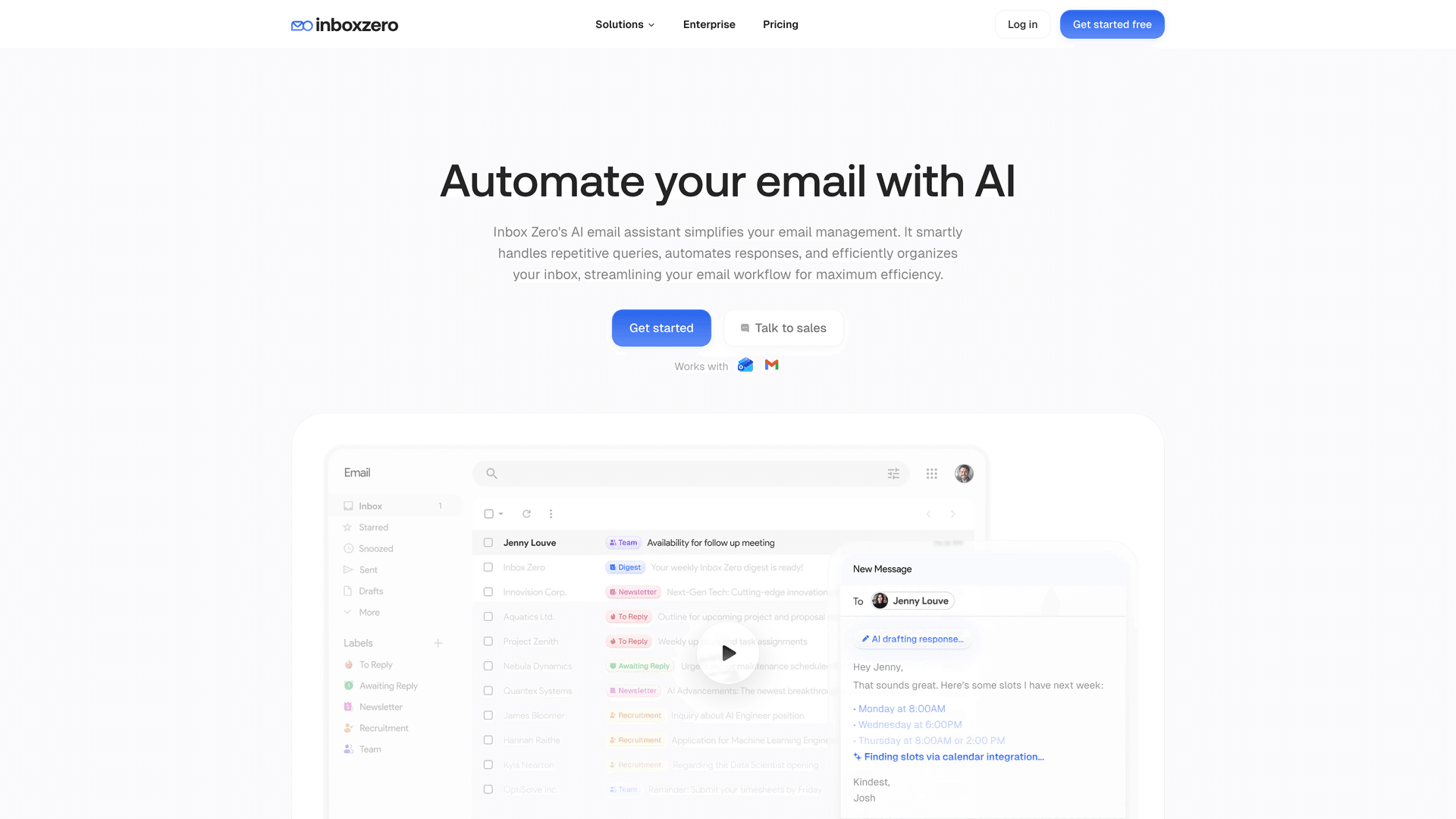
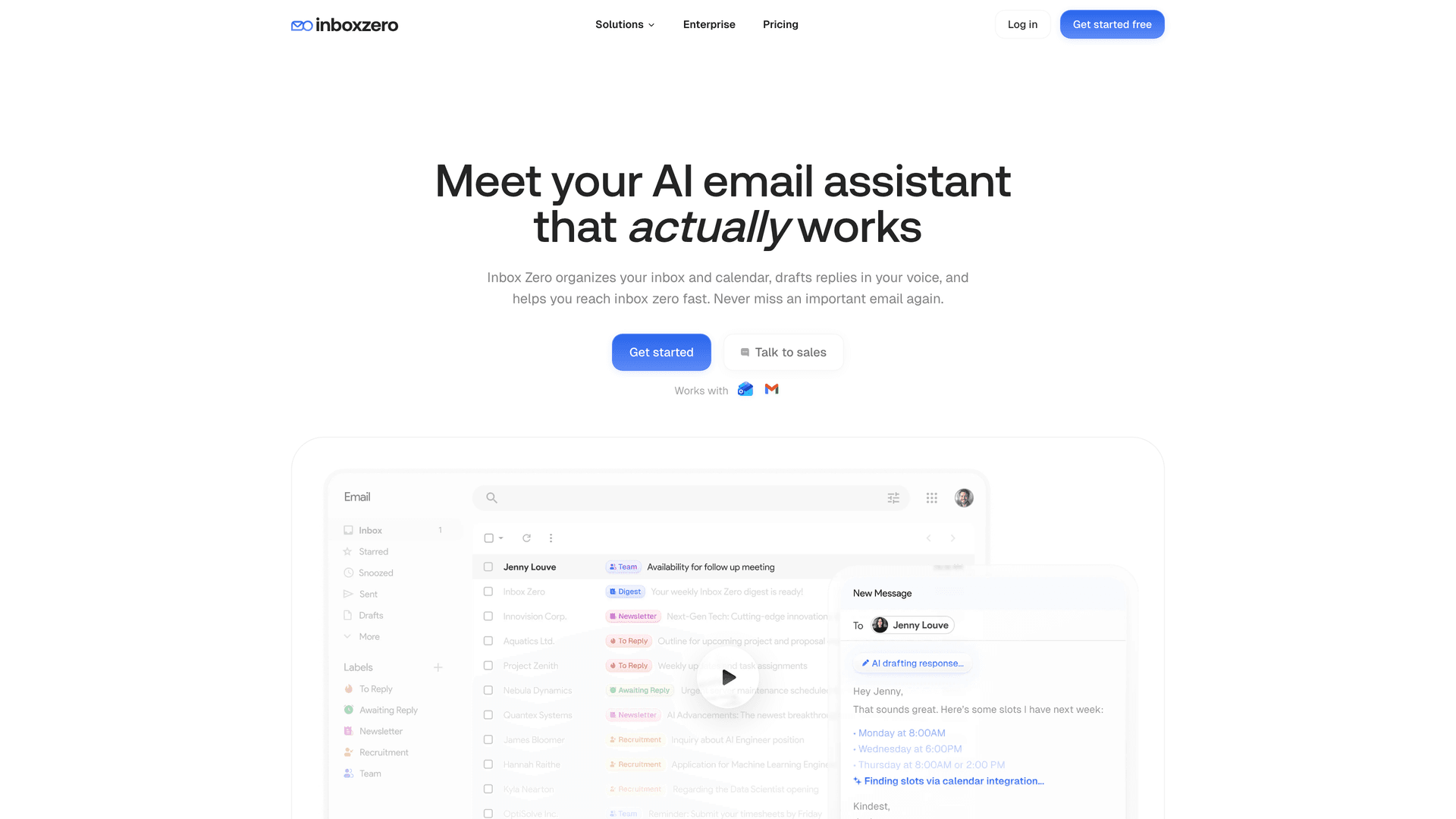
Inbox Zero's core approach is turning unstructured email into structured decisions with human control. The AI automation platform lets you set rules in plain English that automatically label, route, and prioritize email, reducing the chaotic inbox conditions that phishing attacks depend on. Here's how that maps to phishing defense:
How to Create an Unknown Sender Email Workflow
Use Inbox Zero's AI email assistant to automatically label and route first-time senders or certain risk patterns into a dedicated review queue. Keep automation off at first so nothing risky gets processed without your approval. Over time, you build a system where unfamiliar messages get extra scrutiny by default, not by willpower.
How to Reduce Email Noise So Phishing Emails Stand Out
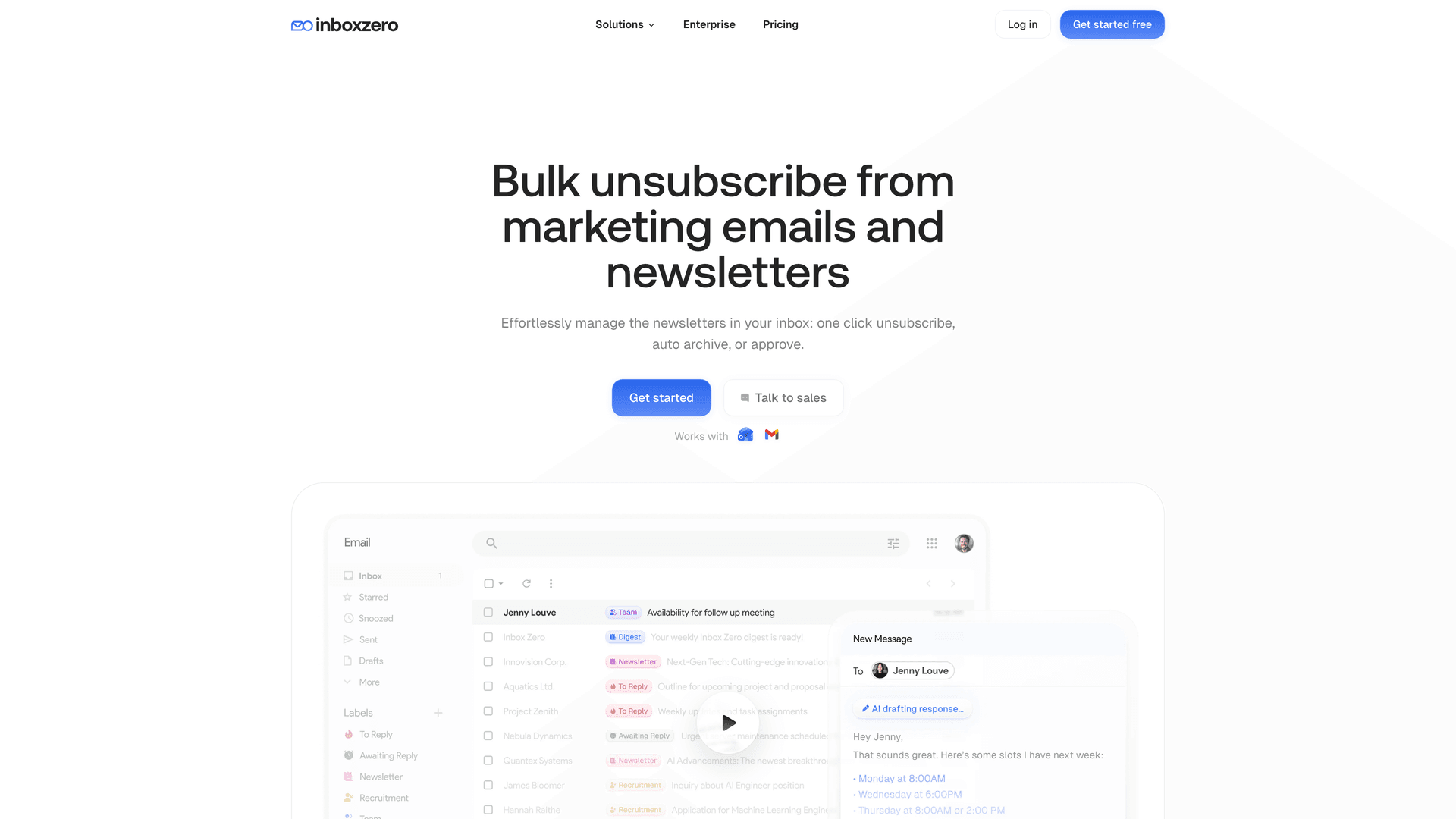
We offer bulk email unsubscribe and cold email blocking that dramatically cut the background noise in your inbox. When your inbox is mostly signal and very little noise, suspicious messages are much easier to spot. You're not scanning through 150 newsletters and promotional emails to find the one that matters. The attacker's message doesn't get to hide in the crowd.
Our guide on how to automatically block cold emails walks through why cold email represents a genuine security surface (not just a productivity annoyance) and how AI-powered blocking differs from static rules that sophisticated senders can route around. You can also block email tracking pixels that attackers use to confirm active email addresses before launching targeted phishing campaigns.
If your organization also deals with high-volume shared inboxes, the same principles of structured routing and noise reduction apply to shared inbox management at the team level.
How Gmail Tabs Help You Separate and Spot Phishing Emails
Our Inbox Zero Tabs for Gmail Chrome extension adds custom tabs to your Gmail interface, letting you create focused views like "To Reply," "External + Unread," or "Receipts." It's 100% client-side with no data collection, which means you're organizing your email locally without sending anything to a third party. For phishing defense, this kind of visual separation makes it much harder for an attacker's message to blend into your normal workflow.
Inbox Zero Security: SOC 2, CASA Tier 2, and What to Verify
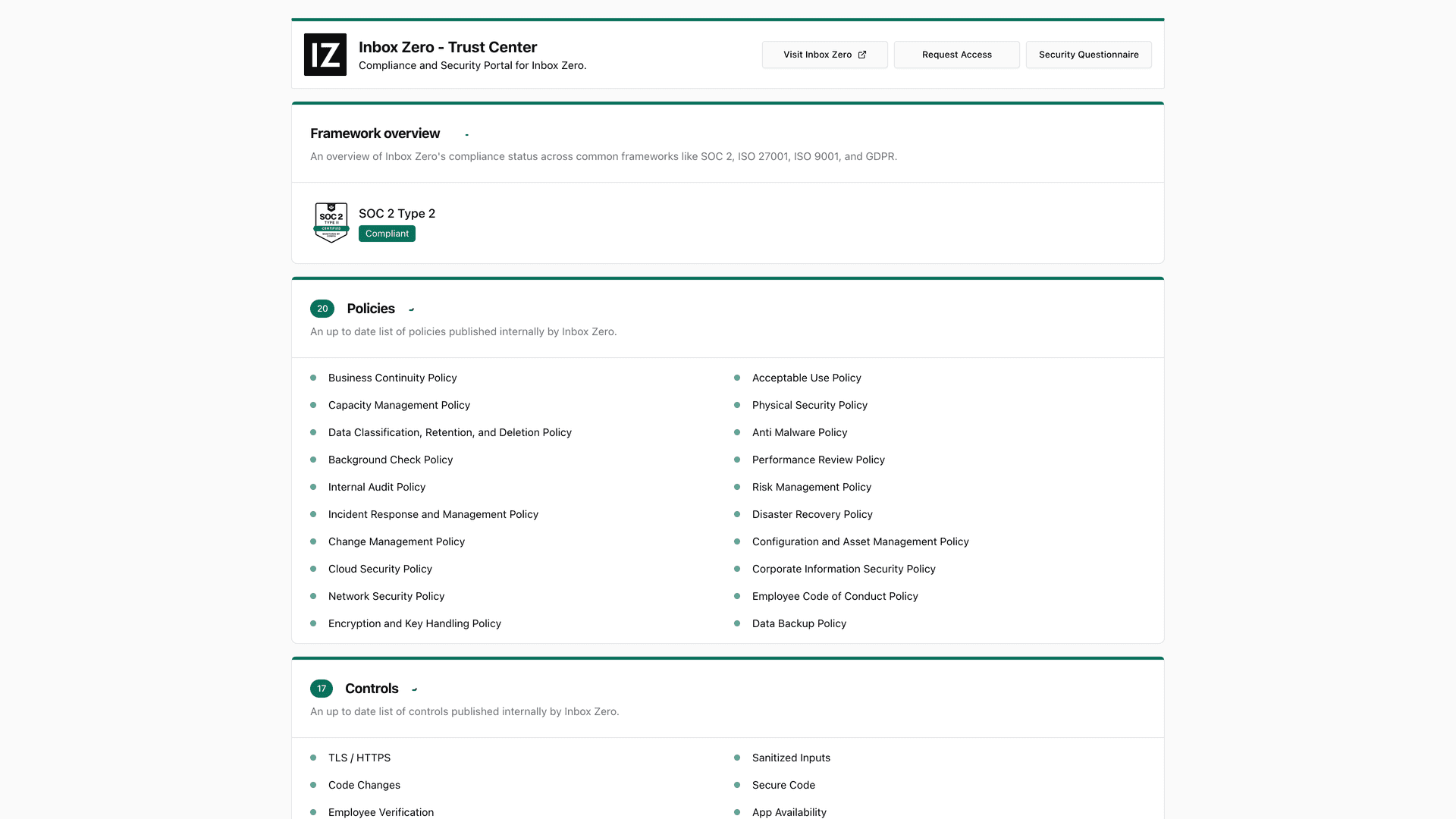
If you're evaluating Inbox Zero for a company rollout, we publish a security trust center indicating SOC 2 Type 2 compliance with listed controls and policies. We're also CASA Tier 2 approved, which is Google's Cloud Application Security Assessment for apps accessing sensitive Gmail scopes. (Still do your own vendor review. Security posture should be verified, not assumed from a badge.)
Our enterprise plan includes SSO integration, self-hosting options for full data sovereignty, and open-source code transparency for security teams who want to audit exactly what runs on your email data.
For a deeper look at what SOC 2 compliance actually means when evaluating email tools (and how to verify vendor claims rather than trust marketing badges), see our guide to SOC 2 compliant email tools.
Organizations operating in regulated industries (healthcare, government contracting, financial services) will also want to review our guides on HIPAA compliant email best practices and FedRAMP email requirements for government contractors.
Ready to reduce your phishing surface? Get started with Inbox Zero and turn inbox chaos into structured, reviewable decisions.
The Right Mindset for Long-Term Phishing Prevention
If you only remember one thing from this entire guide:
Phishing prevention is a business system, not a security feature.
-
Email authentication protects your brand
-
Inbox policies reduce exposure
-
Phishing-resistant MFA reduces account takeover
-
Payment workflows reduce fraud
-
Incident response reduces blast radius
Do all five, and you stop playing whack-a-mole. Each layer compensates for the others when they fail, because they will fail individually. The system works because attackers have to beat all of them, not just one.

Start with the 30-day quick wins. Build from there. And if you want to clean up your inbox as part of the process, Inbox Zero is a solid place to start.
Data currency note: Threat scaling and AI-phishing performance figures come from Microsoft's Digital Defense Report 2025 (scope: Microsoft fiscal year, July 2024 to June 2025). Phishing volume and trend data comes from APWG's Phishing Activity Trends Report for Q4 2025 (published February 18, 2026). US loss statistics come from the FBI IC3 2024 annual report (published April 23, 2025). Google Workspace admin controls were last updated February 26, 2026. Outlook.com high-volume sender requirements were published April 2, 2025 and updated April 30, 2025.

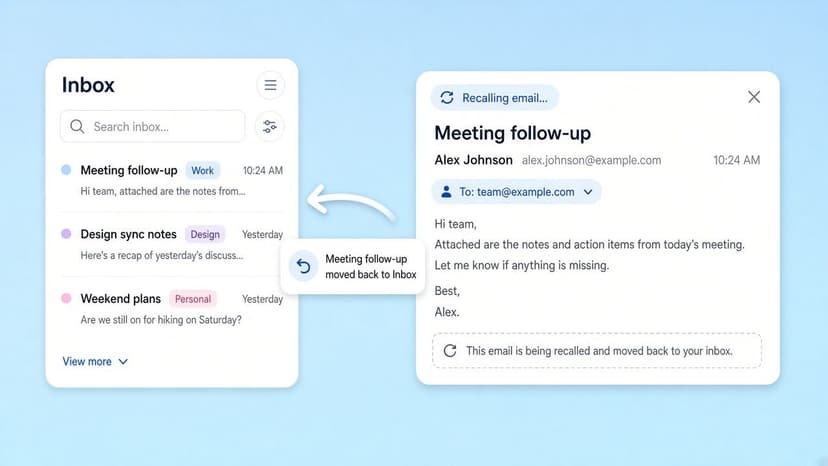
How to Recall an Email in Outlook (2026)
How to recall an email in Outlook step by step for new Outlook, classic Outlook, web, Mac, and mobile, plus when recall works and what to do when it doesn't.
2026-09-30T18:25:57.000Z
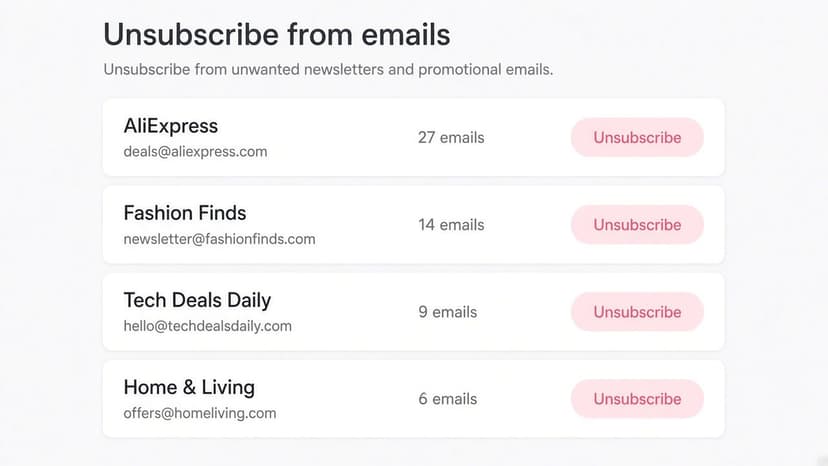
How to Stop AliExpress Emails (2026)
Stop AliExpress promotional emails: the unsubscribe link, notification settings in your AliExpress account, and what to do when the deals keep coming.
2026-09-30T18:25:57.000Z
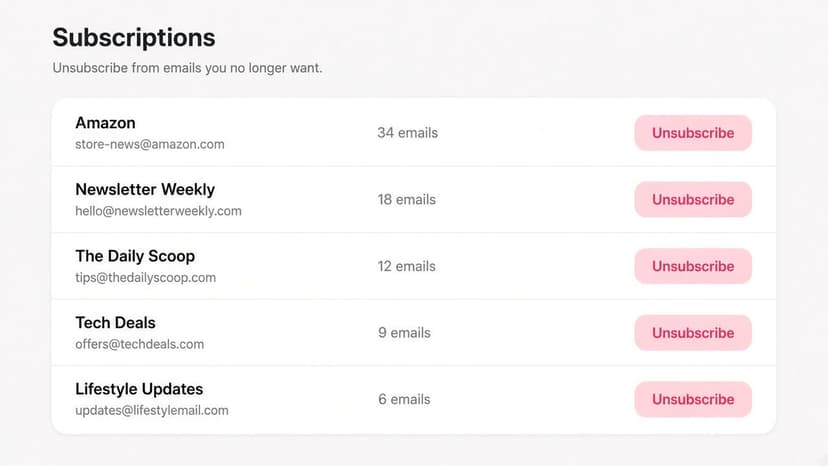
How to Stop Amazon Emails (2026)
Stop Amazon marketing emails with the Communication Preferences Center, manage Amazon email subscriptions, and handle order emails you can't switch off.
2026-09-30T18:25:57.000Z
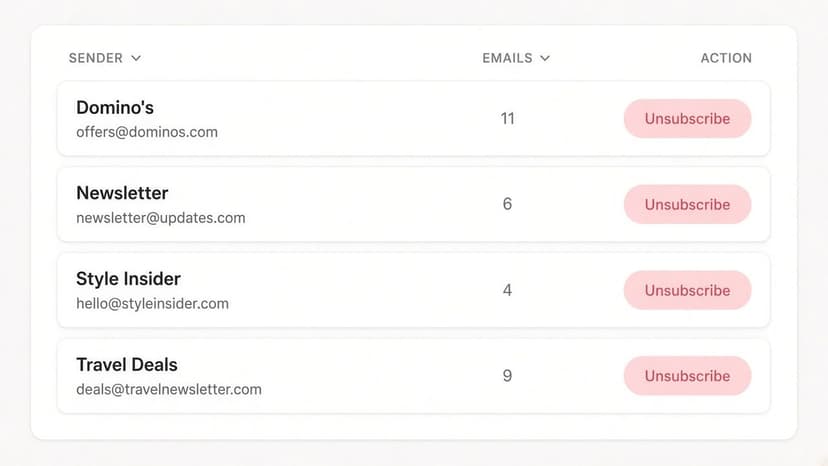
How to Stop Domino's Emails (2026)
Stop Domino's emails with Domino's official opt-out page, stop Domino's text offers, and know which rewards emails keep coming.
2026-09-30T18:25:57.000Z